


.avif)
If you run paid on Google Ads, Meta, and LinkedIn, your Monday morning probably looks like this: export from each platform, paste into a master sheet, build a blended ROAS view, write the client update. A couple of hours gone before any decision gets made.
AI chat tools promised to fix this. They did not, fully. Most of the Model Context Protocol (MCP) servers that shipped in the last 12 months solve the problem for a single platform: one MCP for Google Ads, another for Meta, another for LinkedIn. You still end up with three conversations, three contexts, and no cross-channel view inside the AI.
This guide shows the alternative: a single multi-source MCP that lets Claude reason across all your paid channels in one conversation. We cover four concrete workflows (budget reallocation, creative winners, blended ROAS, anomaly detection), the setup, the limits, and when it falls short.
The single-platform MCP trap
Every major ad platform now has at least one open-source or commercial MCP server. Install it, connect your account, and Claude can query your Google Ads campaigns. Great.
Then you ask: "Which channel delivered the lowest CPA last week?"
Claude cannot answer. It only sees Google Ads. It does not see your Meta spend or your LinkedIn leads. You open a second chat with the Meta MCP, copy the CPA number, paste it back into the first chat. Repeat for LinkedIn. You are doing the same CSV reconciliation as before, only inside a chat window instead of a spreadsheet.
This is the single-platform MCP trap. The channel fragmentation moved from your dashboards to your AI conversations. Same problem, new UI.
What changes with a multi-source MCP
One connection point, all your channels. Claude reasons across them the same way you would with a master spreadsheet, except it is instant.
Practical examples of what the multi-source approach unlocks:
- "Which channel has the best cost-per-lead this month, and which is trending worst?" Claude queries Google Ads, Meta, and LinkedIn in the same turn, returns a table.
- "If I need to cut 20% from this month's budget, which campaigns should go first?" Claude compares efficiency across all three, ranks by waste, suggests reallocation.
- "Show me every creative that has run for more than 14 days with a CTR below 0.8% across Google Ads and Meta." Claude filters both platforms in one query, returns the list.
Reconciliation goes from job to afterthought.
Setup in 4 steps
If you already read our intro post on how to use Dataslayer MCP, skip to the workflows. If not, here's the short version.
- Log into your Dataslayer account and go to
dataslayer.ai/mcp. - Copy the MCP server URL.
- In Claude, open Settings → Integrations → MCP Servers (see Anthropic's setup guide if you have not done this before), paste the URL, authenticate.
- Connect your Google Ads, Meta, and LinkedIn accounts through the Dataslayer sidebar. The auth carries over to every Claude conversation from that point on.
Setup typically takes a few minutes. The same MCP works with Claude, ChatGPT, and Mistral.
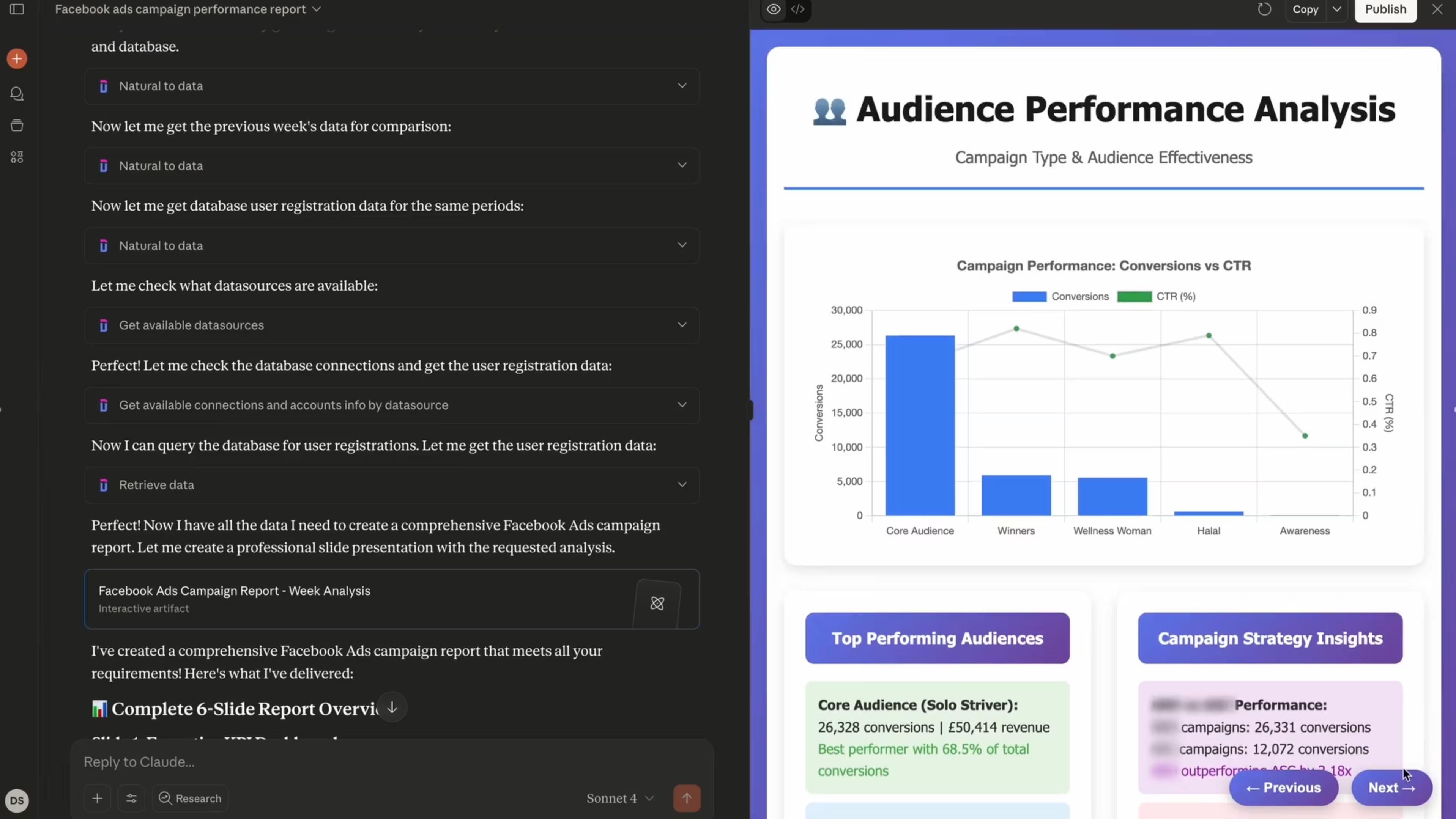
Workflow 1: Budget reallocation across channels
The most common Monday-morning question: "Where do I move the €10k we freed up last week?"
With a single-platform MCP you ask three times and merge by hand. With a multi-source MCP, one prompt.
Prompt:
"Pull the last 30 days of spend, conversions, and CPA for Google Ads, Meta Ads, and LinkedIn Ads. Group by campaign. Flag campaigns where CPA is more than 30% above account average. Then suggest which campaigns to pause and where to reinvest the freed budget, maximizing conversions at current CPA levels."
What Claude returns: A ranked list of underperforming campaigns per channel, an estimated freed budget, and a suggested reallocation weighted by each channel's marginal CPA. You read the logic, decide if you agree, and execute in each platform.
Why it works cross-channel: Claude can compare the marginal CPA of a LinkedIn campaign against a Meta campaign against a Google Ads campaign. Single-platform MCPs cannot. They only see their own silo.
Workflow 2: Creative winner detection across platforms
Creative teams run the same concept across channels but rarely see which platform surfaces the winners first. Meta tends to burn creative fastest, LinkedIn the slowest. A cross-channel MCP lets you spot a rising creative on Meta before it fatigues and port it to LinkedIn while it still has legs.
Prompt:
"For the last 21 days, pull all active ads across Google Ads, Meta, and LinkedIn. Show creatives with at least 1,000 impressions and a CTR above 1.5%. Group by creative theme (based on the ad name or message). Flag the top performer per theme and note which platforms already run it vs which do not."
What Claude returns: A cross-channel creative matrix. You see which themes are working, where they are running, and where you have a coverage gap. The output is a ready-to-execute checklist: "Port winner X from Meta to LinkedIn." "Kill underperformer Y on all three platforms."
Workflow 3: Blended ROAS and attribution sanity checks
Every platform reports more conversions than any honest attribution would credit. A weekly reconciliation check catches this before the numbers end up in a client deck.
Prompt:
"For the last full calendar week, pull reported conversions and revenue from Google Ads, Meta, and LinkedIn. Then pull sessions and conversions from GA4 for the same period, broken down by source/medium. Reconcile: show the blended ROAS (total platform spend / GA4-attributed revenue) and flag any platform where its self-reported conversions exceed GA4's attributed conversions by more than 40%."
What Claude returns: A small reconciliation table. Three rows for the platforms, a fourth for the blended view. Each row includes platform-reported vs GA4-attributed conversions, plus the gap percentage. Over-reporting platforms get flagged.
Why this matters: running this every week catches attribution drift early. A senior media planner would spend a couple of hours building this in Sheets; the prompt version lands before your coffee cools.
Workflow 4: Weekly anomaly scan
Every Monday, scan all channels for anything weird. Spikes, drops, sudden CPA jumps. Before Claude with MCP, this was five dashboards and ten minutes. Now it is one question.
Prompt:
"Compare the last 7 days vs the previous 7 days across Google Ads, Meta Ads, and LinkedIn Ads. For each channel, flag any campaign where spend changed by more than 30%, CPA changed by more than 25%, or conversions dropped by more than 20%. Sort by absolute impact on total spend."
What Claude returns: A list of campaigns that shifted materially, ordered by impact. You get the signal without the noise. Small campaigns with small dollar moves stay quiet. The big movers surface first.
Frequency to run this: Monday before standup, plus any day after a major platform change (new ad format, policy update, budget push).
What doesn't work well
Honest limitations, because the AI-for-marketing space has a trust problem already.
- Context window. Pulling 90 days of granular data across four platforms can overflow Claude's context. Keep date ranges tight for first-pass questions; drill deeper in follow-ups.
- Data freshness differs per platform. GA4 has a 30-minute processing window. LinkedIn sometimes lags 24-48h. Meta is near-real-time. Claude does not automatically warn you about this. If the numbers look off, ask: "What's the data freshness cutoff for each platform you just queried?"
- Platform-specific nuance matters. Meta's Attribution-Setting Conversions count differently from Google Ads conversions. Claude does not auto-reconcile. Workflow 3 explicitly asks for sanity checks; do not skip it.
- API quotas. Wide cross-channel queries use more API calls. If you hit a quota (rare with the default Dataslayer MCP tier, more likely on heavy daily use), narrow the scope or move the heavy pulls to off-peak hours.
- AI hallucination is still possible. If Claude returns a number that looks too clean, ask it to cite the dimensions and filters it used. If it can't, do not trust the number.
When to use single-platform MCPs instead
Multi-source is not always better.
- If you only advertise on one channel, a single-platform MCP with deeper vertical features (like campaign editing, asset uploads) can be more useful.
- If you need to make actual changes, not just read data, check whether the single-platform MCP has write permissions that Dataslayer's reporting-focused MCP does not.
- If your data security posture requires a platform-by-platform audit trail, single-platform MCPs make that easier.
For pure reporting and analysis across channels (which is most performance marketing work), multi-source wins.
FAQ
Which AI assistants work with Dataslayer MCP?
The server follows the MCP open standard and works with Claude, ChatGPT, and Mistral. The setup steps differ per assistant but the same URL is used.
Do I need to re-authenticate for every conversation?
No. Once you authorize Claude for Dataslayer MCP and connect your ad accounts, every new conversation has access. You only re-authorize if you rotate credentials or add a new account.
Can Claude change my campaigns through the MCP, or only read data?
At launch, Dataslayer MCP is focused on reading and analyzing data. Claude can query, compare, reconcile, and export. It cannot pause a campaign, change a budget, or upload a creative today. If you need write access right now, use each platform's native editor or a dedicated single-platform tool.
What happens if I ask about a channel Dataslayer does not support?
Claude will tell you the source is not connected. The current Dataslayer MCP supports Google Ads, Meta Ads (including Instagram), LinkedIn Ads, TikTok Ads, Pinterest Ads, YouTube, Google Analytics 4, Search Console, Shopify, Stripe, and 40+ more. Niche platforms (some CRMs, regional ad networks) may not be in the list yet.
How does this compare with exporting CSVs and uploading them to Claude Projects?
CSV uploads are static. They snapshot the data at export time and go stale. Dataslayer MCP queries are live: every question gets the current numbers. For anything you run more than once a week, the live approach wins.
Does it work with GA4 360 or Google Ads MCC accounts?
Yes. GA4 360 gives higher API quotas, which helps cross-channel queries that touch many properties. For Google Ads MCC, the OAuth flow grants access to every sub-account you have permission to see.
Conclusion
Single-platform MCPs are fine if you live inside one channel. Most performance marketers do not. What matters is whether your AI assistant can see the same channels you manage. If it cannot, you are still the reconciliation layer, and that layer is what eats your week.
A multi-source MCP removes that layer. Claude sees Google Ads, Meta, LinkedIn and the rest of your stack in one conversation. Budget reallocation, creative winner detection, blended ROAS checks, anomaly scans: each runs in a single prompt. Setup takes a few minutes. Most teams see the time savings the first week they run the workflows on live data.
Bring every paid channel into one Claude conversation. Try Dataslayer MCP free for 15 days. No credit card required.



