


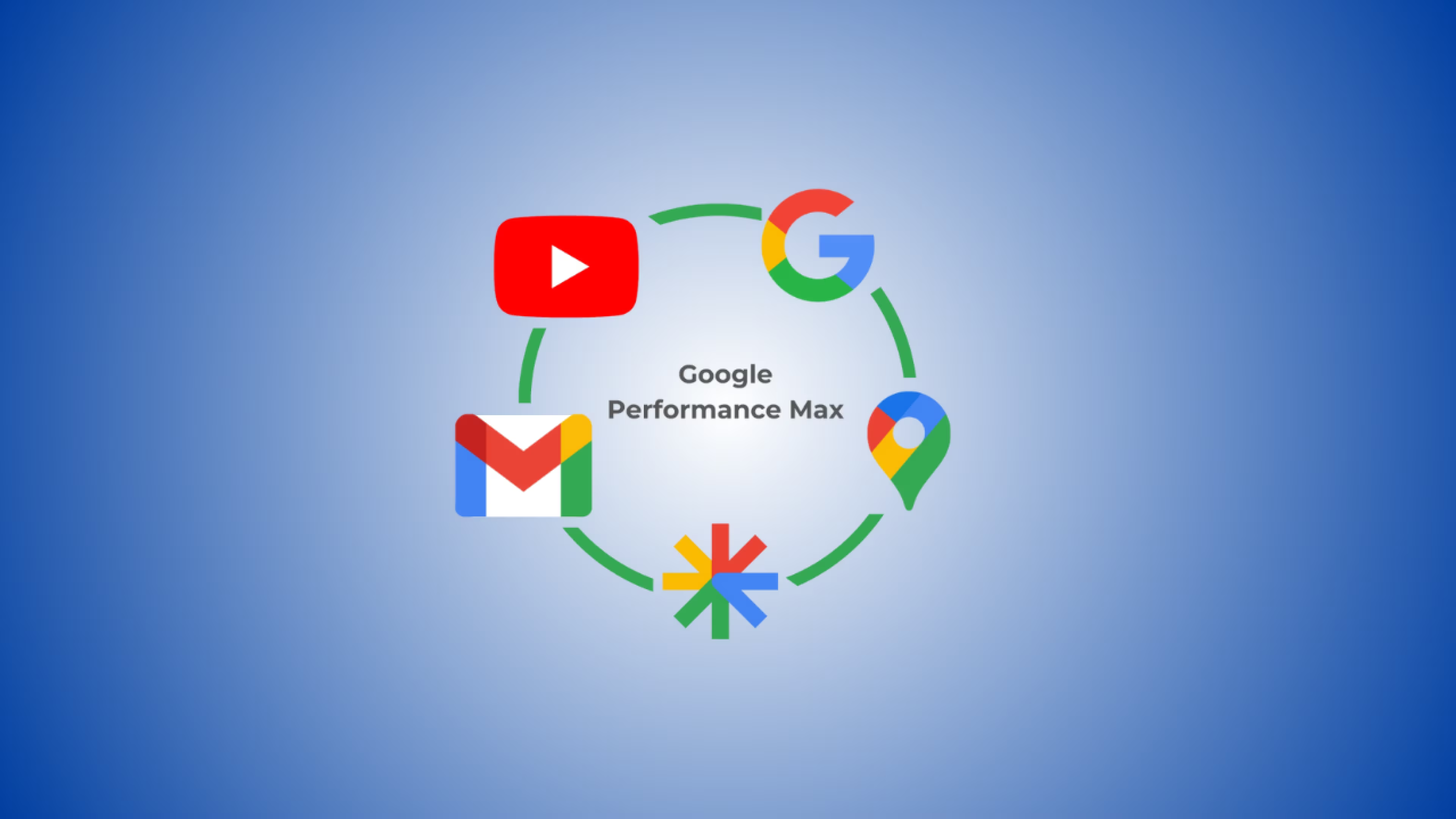
Google Ads Performance Max campaigns use AI to automatically serve ads across all Google channels (Search, YouTube, Display, Discovery, Gmail, and Maps) from a single campaign. While early versions lacked transparency, 2025 updates have added campaign-level negative keywords, channel performance reporting, and search term insights, making Performance Max significantly more controllable. Data shows Performance Max campaigns achieve an average ROAS of 125%, with businesses reporting conversion increases of 12-76% when properly configured. However, success requires strategic setup, not just automation.
Performance Max vs. Traditional Campaigns: Quick Comparison
What Is Google Ads Performance Max (And Why 2025 Changes Everything)
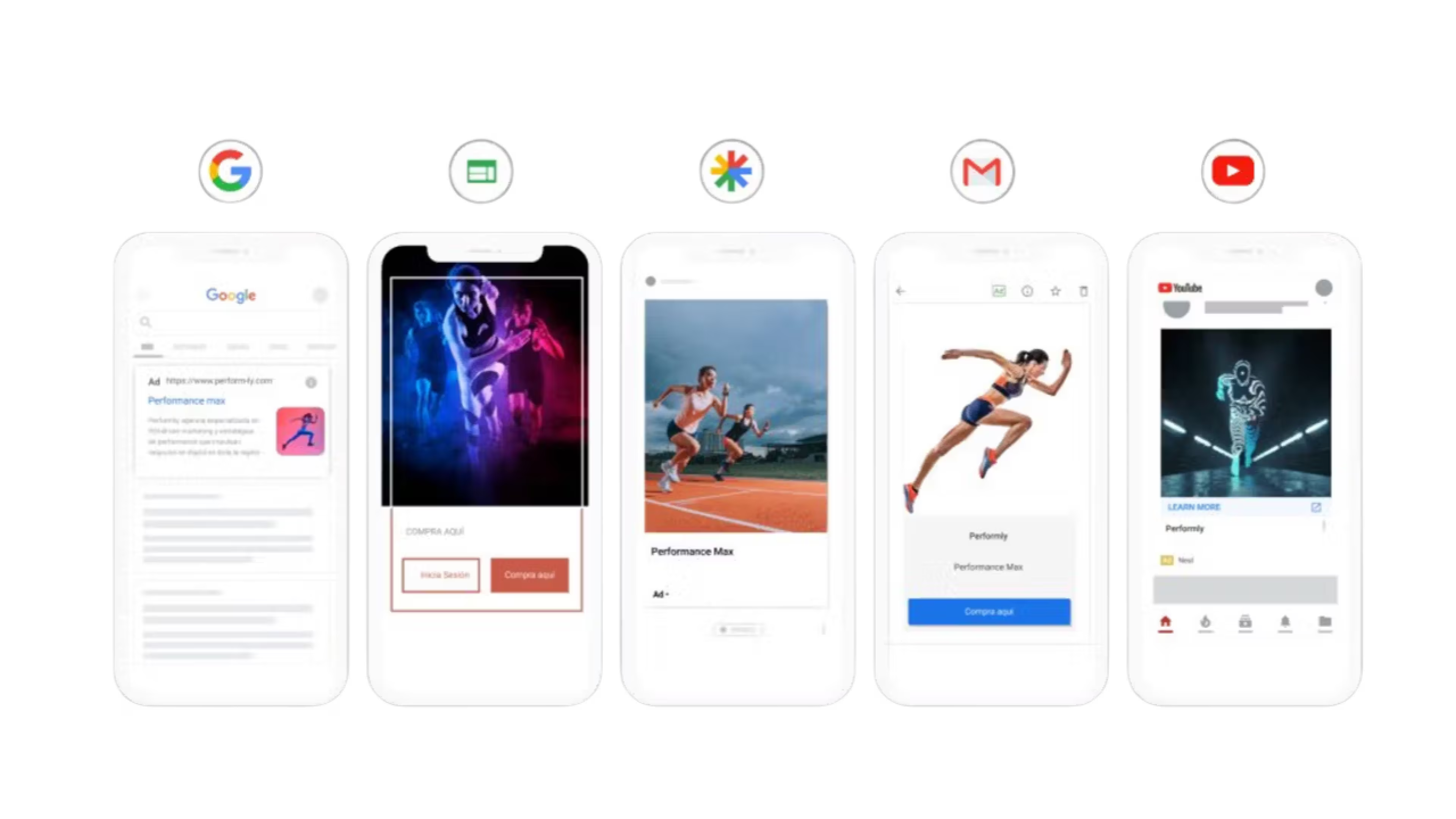
Performance Max is Google's AI-driven campaign type that automatically creates and optimizes ads across every Google property you can imagine. Instead of running separate campaigns for Search, Shopping, YouTube, and Display, you provide assets (images, videos, headlines) and conversion goals, then Google's machine learning figures out which combinations work best on which channels.
Think of it like this: Traditional campaigns are you driving a car with manual transmission, controlling every gear shift. Performance Max is switching to automatic, but in 2025, you finally get steering controls, brakes, and a dashboard that shows where you're actually going.
The 2025 Transformation
Until recently, Performance Max was criticized as a "black box" where advertisers threw money in and hoped for results. The January 2025 updates changed this fundamentally:
- Campaign-level negative keywords now let you exclude unprofitable search terms (previously impossible)
- Channel performance reporting shows exactly which platforms drive your conversions
- Search themes replace basic audience signals with actual keyword guidance
- Asset group segmentation reveals which creative elements perform best
- Brand exclusion controls for Search text ads while keeping Shopping ads active
Over 1 million advertisers now use Performance Max, and Google reported that 2024's 90+ quality improvements increased conversions by more than 10% automatically.
How Performance Max Actually Works
1. You Provide the Inputs
- Asset groups: 15 headlines, 5 descriptions, images (landscape, square, portrait), logos, videos
- Audience signals: Customer lists, demographics, interests, custom segments
- Conversion goals: Purchases, leads, form submissions
- Budget and bidding strategy: Daily budget + target ROAS or CPA
2. Google's AI Analyzes Real-Time Signals
Device type, time of day, search history, recent engagement, and optimal ad format for each context.
3. Dynamic Ad Assembly
Performance Max creates custom variations per placement. Your YouTube ad might use Video A with Headline 3, while your Search ad uses Headline 7 with Description 2.
4. Cross-Channel Attribution
The system tracks customer journeys across touchpoints and optimizes bids based on the combination that drives conversions, not individual channels in isolation.
Real Performance: What the Numbers Actually Show
Verified results from official Google data and authoritative case studies:
Case Study: KEH Cameras (Used Camera Equipment)
KEH Cameras transitioned from Standard Shopping to Performance Max over six months in 2022-2023. First quarter 2023 results showed a 76.3% increase in advertising revenue compared to the same period using Standard Shopping campaigns, according to their agency Inflow.
Case Study: MoneyMe (Digital Lending)
Australian fintech MoneyMe achieved a 22% increase in conversions while reducing cost-per-acquisition by 20%, with $800,000 in revenue generated during the six-week Performance Max campaign period.
Industry Benchmarks (Official Google Data)
- 18% more conversions on average at similar cost per action for advertisers using Performance Max (Google, February 2023)
- 12% increase in conversion value when upgrading from Smart Shopping to Performance Max at same or better ROAS (Google official data)
- Over 1 million advertisers now use Performance Max globally (Google, April 2025)
- 90+ quality improvements in 2024 increased conversions by more than 10% automatically
However, there's important context. Performance Max often includes high-performing brand traffic, which inflates overall metrics. A large-scale study by Adalysis covering 3,300 campaigns found that when both Performance Max and Search campaigns were eligible for the same search terms, Search campaigns typically had higher conversion rates.
So, the takeaway is that Performance Max works best as a complement to dedicated Search campaigns, not a replacement.
Setting Up Your First Performance Max Campaign (2025 Edition)
Here's the step-by-step process that accounts for the latest features:
Step 1: Get Your Conversion Tracking Right
Before you spend a dollar, ensure proper conversion tracking. Use Google Ads Conversion Tracking, not just Google Analytics imports. The Google Ads tag captures more conversions due to different attribution models, which means better algorithm training.
If you're ecommerce, connect your Google Merchant Center. For lead generation, set up form submission tracking with accurate values assigned to each conversion type.
Step 2: Choose Your Campaign Objective
- Sales: For ecommerce purchases
- Leads: For form submissions, quote requests, consultations
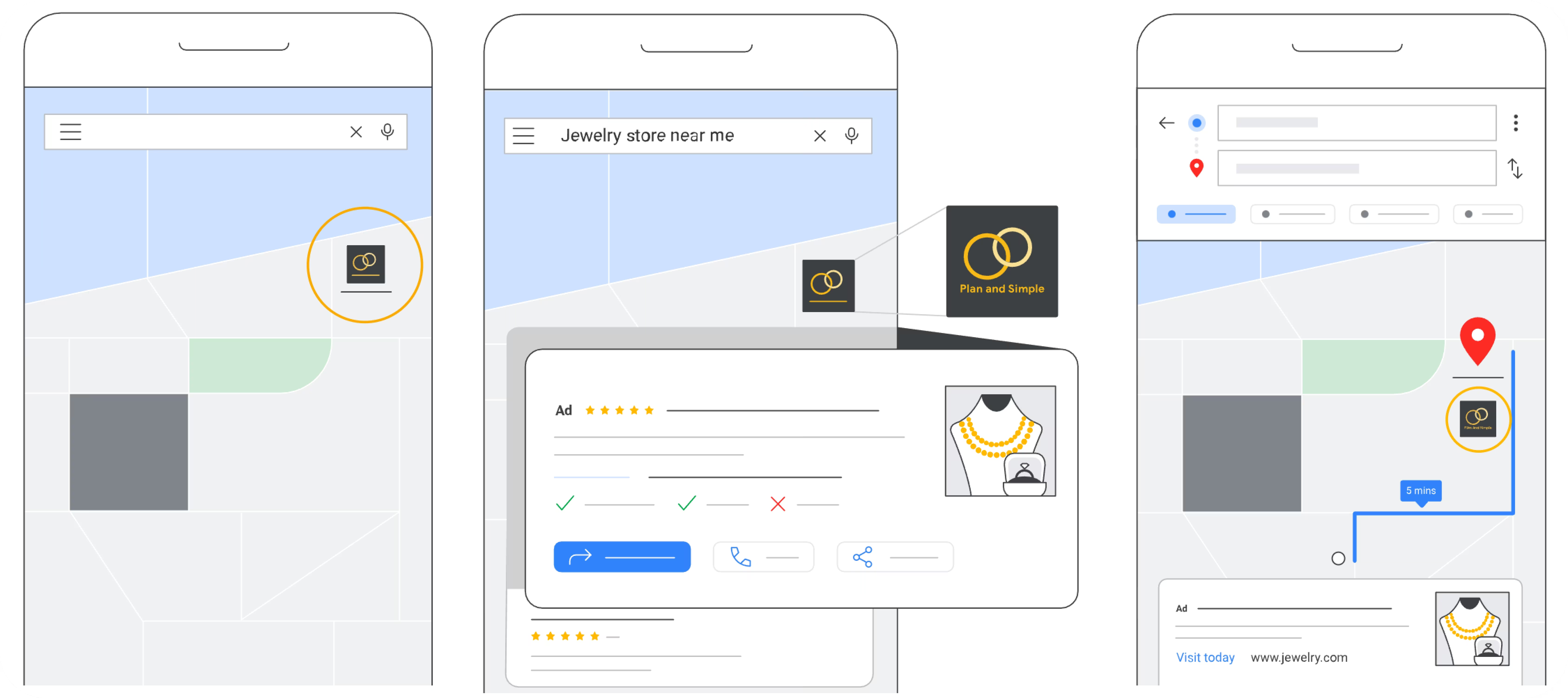
- Local store visits: For brick-and-mortar traffic
Be specific. If your real goal is qualified leads that become customers (not just any form fill), make sure your conversion tracking reflects this. The algorithm optimizes for what you tell it to optimize for.
Step 3: Select Bidding Strategy
For new campaigns: Start with "Maximize Conversion Value" with NO target ROAS. This allows the algorithm to explore broadly and gather data quickly.
Budget rule of thumb: Set your daily budget at approximately 3x your target CPA. If you want a $50 cost-per-acquisition, start with at least $150/day. Minimum recommended starting budget is $50-100/day for sufficient data collection.
After 50+ conversions: Add a target ROAS or CPA goal. Set it close to your last 30 days' actual performance (don't be overly aggressive). Adjust gradually, no more than 25% changes every two weeks.
Step 4: Build Comprehensive Asset Groups
This is where most people cut corners and regret it. Upload the maximum number of assets Google allows:
Text Assets:
- 5 short headlines (max 30 characters)
- 5 long headlines (max 90 characters)
- 5 descriptions (max 90 characters)
- 2 display URL paths (max 15 characters each)
Image Assets:
- Minimum: 1 landscape (1200x628), 1 square (1200x1200)
- Recommended: Up to 20 marketing images including landscape, square, and 4:5 portrait formats
- Max file size: 5120 KB (though 600 KB recommended for faster loading)
Video Assets:
- Up to 5 videos, minimum 10 seconds each
- Recommended: 10-30 seconds for optimal engagement
- Multiple aspect ratios: 16:9 (horizontal), 1:1 (square), 9:16 (vertical)
Pro tip: If you don't upload videos, Google auto-generates them from your other assets. Internal testing shows manually created videos outperform auto-generated content by 25-40%.
Step 5: Configure Audience Signals (Not Targeting!)
This is crucial to understand: Audience signals teach the algorithm who your customers are. They don't restrict who sees your ads. If you add past purchasers, Performance Max finds similar people, not just remarketing to those same buyers.
What to include:
- Custom segments: Keywords they search, websites they visit, interests
- Remarketing lists: Past site visitors, cart abandoners
- Customer lists: Past purchasers (upload via Customer Match)
- Demographics: Age ranges, household income, parental status
Step 6: Add Search Themes (New in 2025)
Search themes are Performance Max's version of keyword guidance. Add up to 50 search themes per asset group, these are terms your customers actually use.
Example for a travel insurance company:
- "travel insurance Europe"
- "trip cancellation coverage"
- "medical insurance abroad"
- "backpacker travel insurance"
Google now shows a "usefulness" indicator that reveals whether your search themes generate extra traffic or if Performance Max would have found those queries anyway. Monitor this metric and replace themes with low usefulness scores.
Step 7: Implement Negative Keywords (Finally!)
As of January 2025, campaign-level negative keywords are available to all advertisers. Use them immediately:
- Exclude "free," "cheap," "knockoff" if you sell premium products
- Add competitor brand names you don't want to appear for
- Block irrelevant terms specific to your industry
One sporting goods retailer saw an immediate 15% cost reduction by adding "free" and "used" as negative keywords, eliminating unprofitable "free sneakers" traffic.
Step 8: Configure URL Expansion Settings
Final URL Expansion lets Google swap your landing page for a more relevant one from your domain. This can improve relevance but reduces control.
Recommendation: Leave it ON initially for ecommerce sites with strong product pages. Turn it OFF if you have specific landing pages optimized for conversions or if your site structure is complex.
The 7 Most Common Performance Max Mistakes (And How to Avoid Them)
1. Launching Without Sufficient Account Data
Performance Max needs conversion history to learn. If your account has fewer than 30 conversions in the last 30 days, you don't have enough data for Performance Max to optimize effectively.
Solution: Run traditional Search or Shopping campaigns first to build conversion history. Once you hit consistent conversion volume, layer in Performance Max.
2. Mixing Brand and Generic Traffic
Performance Max blends high-converting brand searches with colder generic traffic, making your metrics look better than reality. You're essentially putting premium ribeye and cheap hot dogs in the same shopping cart and calling it "average meat quality."
Solution: Either run a separate brand Search campaign with higher priority (which will suppress Performance Max for brand terms), or add your top brand keywords as negative keywords in Performance Max to isolate generic performance.
3. Creating One Massive Asset Group
Throwing all your products and generic copy into a single asset group prevents proper segmentation and limits optimization.
Solution: Create separate asset groups by:
- Product category (athletic shoes vs. dress shoes)
- Price point (budget vs. premium)
- Audience intent (research vs. ready-to-buy)
- Geographic region (if you have location-specific offers)
4. Insufficient Asset Variety
If you upload 2 headlines and 2 images, you've given the algorithm nothing to work with. Limited assets = limited combinations = limited optimization.
Solution: Upload at least 10-15 headlines, 5 descriptions, 10+ images in multiple formats, and 3-5 videos. More variety gives the algorithm more options to find winning combinations.
5. Making Changes Too Frequently
Every time you adjust budget, ROAS target, or assets significantly, you partially reset the learning algorithm. Making changes every 2-3 days creates a campaign that never fully optimizes.
Solution: Wait at least 2-3 days after any change before analyzing results. For budget scaling, increase by roughly 20% every few days maximum. Major changes require 2-3 weeks of stability to assess true impact.
6. Testing With Insufficient Budget
Running Performance Max with $10-20/day means the algorithm takes months to gather enough data for optimization, or it never optimizes at all.
Solution: Start with minimum $50/day if you have a low average order value. Typical recommended starting point: $100-150/day for 4-6 weeks. Calculate your budget as 3x your target CPA as a baseline.
7. Ignoring Traffic Quality Signals
Performance Max's wide reach means you might get impressions and clicks from low-intent placements. Unlike Search campaigns where intent is clearer, Display and Discovery traffic varies wildly in quality.
Solution: Use the new channel performance reporting (available in 2025) to identify underperforming channels. If YouTube generates clicks but no conversions, consider creating more targeted video assets or reducing video asset priority. Monitor placement reports regularly for traffic quality indicators.
How to Optimize Performance Max for Maximum ROI
Monitor Channel Performance (New in 2025)
Navigate to the "Channel performance" page in your Performance Max campaign. You'll see a breakdown of results across Search, Shopping, YouTube, Display, Discovery, Gmail, and Maps.
What to look for:
- Which channels drive the most conversions
- Which channels have the highest ROAS
- Which channels are spending budget without converting
Example: A clothing retailer discovered 40% of conversions came from YouTube despite not uploading video assets. They added product-focused videos and saw ROAS increase by 31%.
Analyze Asset Performance
The asset report now shows impressions, clicks, cost, and conversions for each creative element. This tells you which headlines, images, and videos actually drive results.
Example: A lifestyle brand tested product photos on white backgrounds vs. lifestyle imagery. The lifestyle photos drove 28% higher CTR and became their primary creative direction.
Review Search Terms Weekly
Use the search terms report to identify:
- High-converting queries to add as search themes
- Irrelevant terms to add as negative keywords
- Branded vs. non-branded performance splits
Implement Conversion Value Rules
Assign higher values to conversions based on factors like:
- Geographic location (prioritize high-LTV regions)
- Device type (if mobile converts better)
- New vs. returning customers
- High-value product categories
This teaches Performance Max which types of conversions matter most to your business.
Test Asset Group Structures
Create an experiment with different asset group configurations. Compare:
- Single broad asset group vs. multiple segmented groups
- Product-focused copy vs. benefit-focused copy
- Professional photography vs. lifestyle imagery
Run tests for 4-6 weeks minimum to account for the learning phase. Evaluate based on conversion rate and ROAS, not just CTR.
When to Use Performance Max vs. Other Campaign Types
Use Performance Max When:
✅ You want to scale beyond Search and reach users across Google's network
✅ You have strong conversion tracking and 30+ conversions monthly
✅ You need to discover new audiences beyond your current targeting
✅ Your product/service works across multiple formats (text, image, video)
✅ You're comfortable with automation over manual control
Don't Use Performance Max When:
❌ You have limited budget (under $1,500/month)
❌ Your conversion tracking is incomplete or inaccurate
❌ You need specific keyword-level control for strategic terms
❌ You're in a highly seasonal business with limited data collection time
❌ Your business requires very specific messaging that doesn't fit automated formats
The Hybrid Approach (Recommended for Most Businesses)
Run Performance Max alongside traditional campaigns:
- Dedicated brand Search campaign: Protects your brand terms with controlled messaging
- Generic Search campaign: Targets high-intent keywords with precise control
- Performance Max campaign: Captures incremental reach across all channels
This combination gives you both precision and scale. Set your brand Search campaign at higher priority to prevent Performance Max cannibalization.
For more details on the latest Performance Max updates including Waze ads and expanded channel reporting, check out our November 2025 analysis.
Performance Max Reporting and Tracking
Understanding performance requires going beyond the Google Ads interface dashboard. Google's April 2025 channel performance reporting update provides significantly more visibility into where your budget actually goes.
Key Metrics to Track
Campaign Level:
- ROAS or CPA vs. target
- Conversion volume and value
- Impression share by channel
- Cost distribution across channels
Asset Group Level:
- Conversion rate by asset group
- Average order value by segment
- Device performance (desktop vs. mobile)
- Geographic performance
Asset Level:
- Best performing headlines and descriptions
- Image and video engagement rates
- Asset combinations driving conversions
Pulling Data for Analysis
If you're tracking Performance Max alongside other campaigns or want to analyze trends over time, you'll need structured data access. You can manually export reports from Google Ads, or automate data collection using tools like Dataslayer to pull Performance Max metrics into Google Sheets, Looker Studio, or your data warehouse for consolidated reporting across all your marketing channels.

For comprehensive guidance on which metrics matter most, see our guide on 15 essential Google Ads metrics to track in 2025.
Attribution Considerations
Performance Max uses data-driven attribution, which assigns credit based on each touchpoint's actual contribution to conversions. This differs from last-click attribution you might see in Google Analytics.
If Performance Max metrics in Google Ads don't match your Analytics data, prioritize Google Ads numbers for budget decisions since that's what the algorithm optimizes against.
Performance Max 2025 Updates You Need to Know
Campaign-Level Negative Keywords
Rolling out: January 2025 (now available to all advertisers)
Impact: Finally allows exclusion of specific queries for brand suitability
How to use: Add negatives at the campaign level, not asset group level
New Customer Acquisition Goals
Available: January 2025
Impact: Google predicts which new users will maximize lifetime value and bids more aggressively for them
How to use: Upload customer data via Customer Match; Google finds high-value new customer lookalikes
Brand Exclusion Improvements (Retail)
For: Advertisers with product feeds
Impact: Apply brand exclusions to Search text ads only while keeping branded Shopping ads
Use case: Manage brand Search terms in a separate campaign while allowing Performance Max Shopping ads for brand queries
Demographic Exclusions (Beta)
Status: Beta rollout starting early 2025
Impact: Exclude specific age brackets like "18-24" or "65+"
Access: Contact Google Ads support to request beta access
Device Targeting (Beta)
Status: Beta rollout in 2025
Impact: Customize targeting for desktop, mobile, or tablet traffic
Use case: Prioritize devices where specific products convert better
Frequently Asked Questions
What's the minimum budget needed for Performance Max to work effectively?
Start with at least $50-100 per day for 4-6 weeks to allow proper algorithm learning. The general rule is your daily budget should be approximately 3x your target cost-per-acquisition. For example, if your target CPA is $30, plan for $90/day minimum. Lower budgets significantly extend the learning phase and may prevent effective optimization. If budget is extremely limited (under $1,000/month total), you're better off with focused Search campaigns until you can scale.
How long does the Performance Max learning phase take?
Expect 2-4 weeks for initial optimization after launch, with continued learning over 6-8 weeks for full maturity. Google needs time to test different asset combinations, audiences, and bid strategies. During this period, performance may fluctuate. After 50 conversions, the algorithm has enough signal to set meaningful targets. Don't make major campaign changes during the first 2 weeks, and allow 3-5 days after any adjustment before evaluating results.
Should I turn off my Search and Shopping campaigns when adding Performance Max?
No. Performance Max works best as a complement, not a replacement for traditional campaigns. Keep your brand Search campaign active to maintain control over brand terms. Run Performance Max alongside generic Search campaigns to capture incremental reach. Many advertisers see Performance Max driving 8-12% additional conversion volume beyond existing campaigns when both run simultaneously. The exception: if you're transitioning from Smart Shopping, that migration to Performance Max is recommended since Smart Shopping is discontinued.
How do I know if Performance Max is stealing conversions from my other campaigns?
Check for search term overlap in your reports. If the same queries appear in both Performance Max and Search campaigns, your Search campaign should win (assuming higher priority). To verify, compare conversion volume before and after launching Performance Max. Incremental conversions indicate Performance Max is finding new traffic; flat or declining total conversions suggest cannibalization. Use Google Ads experiments to run an A/B test: one group with Performance Max active, one without, to measure true incrementality.
Can Performance Max work for B2B or lead generation businesses?
Yes, but it requires careful conversion setup. B2B sales cycles are longer, so optimize for meaningful conversion events (demo requests, qualified form submissions) rather than just any form fill. Provide conversion values that reflect lead quality, assign higher values to enterprise inquiries vs. small business leads. Use audience signals heavily with LinkedIn demographic data, job titles, and company size indicators. Performance Max works for lead gen but typically requires 4-6 weeks longer to optimize compared to ecommerce due to lower conversion volume.
What's the difference between audience signals and targeting in Performance Max?
Audience signals are guidance, not restrictions. When you add an audience signal like "past purchasers," you're teaching Google what good customers look like so it can find similar people. The algorithm isn't limited to only those audiences. In contrast, traditional Display targeting restricts who can see your ads. Think of audience signals as saying "people like this are valuable" rather than "only show ads to these people." This is why adding multiple, diverse audience signals improves performance, you're giving the algorithm more examples of valuable users.
How do I stop Performance Max from showing on low-quality placements?
Use the new 2025 channel performance reporting to identify underperforming channels, then adjust asset groups accordingly. If Display generates impressions but no conversions, you can reduce Display asset strength by providing fewer Display-optimized images. For Search specifically, implement negative keywords to exclude irrelevant queries. Monitor placement reports regularly, if you see particular YouTube channels or Display sites with high cost and zero conversions, you can exclude them at the account level. The new URL contains rules (expanding to product feeds in 2025) also help control placement quality.
Your Next Steps
Performance Max has evolved from a black-box experiment to a genuinely useful campaign type in 2025. The addition of negative keywords, channel reporting, and improved controls addresses the transparency concerns that made advertisers skeptical.
If you're ready to test Performance Max:
- Ensure you have at least 30 conversions in the last 30 days
- Set up comprehensive conversion tracking (use Google Ads tags, not just Analytics)
- Start with minimum $100/day budget for 6 weeks
- Upload maximum assets: 15 headlines, 5 descriptions, 10+ images, 3-5 videos
- Add robust audience signals and search themes
- Implement negative keywords from day one
Want to track Performance Max alongside your other marketing channels? Try Dataslayer free for 15 days to automatically pull Google Ads data into Google Sheets, Looker Studio, BigQuery, or Power BI for unified reporting.
The algorithm handles the heavy lifting. Your job is steering it in the right direction with good data, clear goals, and enough time to learn.



