


Most agency reporting workflows have the same bottleneck: someone is manually exporting CSVs from Google Ads, Meta, and LinkedIn every Monday morning, pasting them into a spreadsheet, formatting it, and sending it to the client. That's not a reporting system. That's a chore that happens to recur weekly.
The problem compounds when you manage more than a handful of clients. Each one might have different platforms, different KPIs, and different preferences for what a report even looks like. What works for one client doesn't transfer to the next.
This guide covers how to structure marketing agency reporting so it runs automatically, scales without extra work, and actually tells clients something useful.
Connect all your client accounts in one place
Pull Google Ads, Meta, LinkedIn, TikTok, and GA4 from every client account into one automated dashboard, without rebuilding from scratch for each one.
Start your free 15-day trialWhy agency reporting breaks down
The core tension in agency reporting is that clients expect consistency: same format, same metrics, same delivery date every week, while the underlying data is scattered across platforms that each export differently, use different attribution windows, and update on different schedules.
There are three places this usually falls apart:
- Manual exports don't scale. Logging into each platform, downloading a CSV, pasting it into a spreadsheet, and formatting it is manageable for a handful of clients. At 15, it's a part-time job. At 30, it requires a dedicated person.
- Platform numbers don't match. Google Ads might report 147 conversions for the same period that GA4 shows 112. Both numbers are technically correct. They use different attribution windows and measurement logic. Without context, clients read this as an error. With context, it becomes a useful explanation. The difference is having both numbers in one place with a clear label for each.
- New client setup takes too long. When you win a new account, you're rebuilding the reporting stack from scratch: new connections, new dashboard, new schedule. If each takes a few hours and you onboard several clients a month, setup becomes a meaningful overhead cost that doesn't show up anywhere on a project plan.
How to build automated marketing agency reporting
Step 1: Connect platforms through manager accounts, not individual logins
The most efficient setup connects each ad platform once using a manager or business account, not individual client accounts. Google Ads Manager Accounts let you access all child accounts through a single connection. Meta Business Manager works the same way for Facebook and Instagram accounts. LinkedIn Business Manager also centralizes access to multiple ad accounts under one login, as does TikTok Ads.
In Dataslayer, connecting a Google Ads Manager account pulls every child account automatically. One connection covers all clients under that manager. Account limits vary by plan, so check the pricing page for the right fit.
Step 2: Match the reporting destination to the client
Not every client needs the same format. Matching the destination to how the client actually uses data removes friction on both sides:
For agencies building data warehouse setups, this guide walks through the full BigQuery reporting architecture step by step.
Step 3: Build one template and duplicate it
The setup that actually scales: one reporting template per client type (e-commerce, SaaS, local service) with the right metrics pre-configured. When a new client onboards, you duplicate the template, connect their accounts, and it's live. The structure, metrics, and formatting stay the same. Only the data source changes.
This brings new client reporting setup from several hours to under 30 minutes.
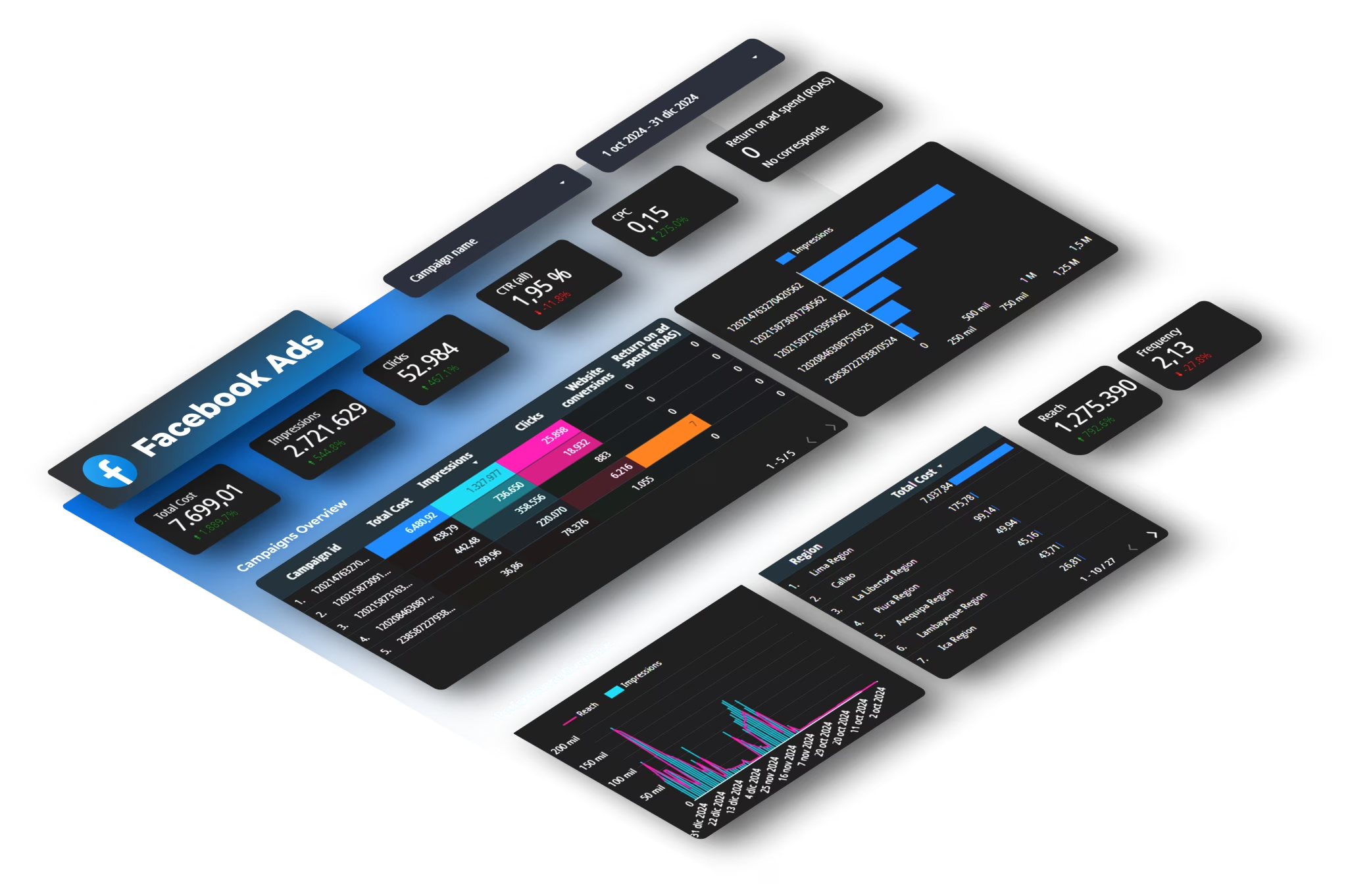
Step 4: Schedule automatic refreshes
A dashboard that someone has to manually trigger isn't really automated. Set a daily refresh so data is always current when a client logs in, and a full pull timed before your weekly calls, for example every Monday at 6am if calls are at 9am.
Skip building from scratch
Use our pre-built Agency Client Reporting template for Looker Studio, already structured for multi-channel client dashboards covering Google Ads, Meta, LinkedIn, and GA4.
What a good client report actually contains
Most agency reports include too much data and too little analysis. The goal of a client report isn't to show everything the platforms produced. It's to answer three questions: did we hit our targets, where did the budget go, and what happens next.
A structure that works regardless of channel mix or budget size:
Executive summary. Total spend, total conversions, CPA vs. target, and one key finding. Should be readable in 30 seconds. This is what a CEO or CMO actually reads.
Channel breakdown. Performance by platform: what each channel spent, what it generated, and how it compares to the prior period. A table with % change columns is faster to scan than charts for this purpose.
Campaign detail. Top campaigns by spend and by conversion volume. Flag anything over or under CPA threshold.
Recommendations. Three specific actions for the next period. Not "we'll optimize." Something like: "Pause the broad match keywords in Campaign X. CPA is 2.4x the target. Redirect that daily budget to the remarketing set, which is currently capped." Clients who receive this level of specificity don't cancel.
Metrics that belong in a client report vs. ones that don't
One thing worth setting up clearly in every report: when Google Ads and GA4 show different conversion counts, both numbers should appear in the same view with the attribution model labeled. This post explains why the numbers diverge and how to build a single dashboard that shows both without confusing clients.
See Google Ads and GA4 in one dashboard
Connect Google Ads and GA4 to a single Looker Studio dashboard that shows both attribution models side by side, per client, automated, no manual exports.
Start your free 15-day trialWhat to look for in a client reporting tool for agencies
Most reporting tools are built for a single team managing a single brand. Agencies have different requirements. The things that actually matter:
- Multi-account support through manager accounts. If the tool requires a separate connection per client account, the setup cost multiplies with every client you add. A tool that connects through Google Ads Manager or Meta Business Manager handles all child accounts through one integration.
- Unlimited users on higher-tier plans. Account managers, analysts, and client-side contacts all need access. Per-user pricing makes this expensive fast. Dataslayer's Pro plan and above include unlimited users on a flat fee, the only model that doesn't penalize growth as the team expands.
- Predictable pricing. Usage-based billing works fine when volume is stable. For agencies with variable query loads across many clients, flat-rate pricing based on connectors and users is easier to budget. Check Dataslayer's pricing page to see how the plans are structured for agencies of different sizes.
Marketing agency reporting: key takeaways
Marketing agency reporting is painful when it's manual and invisible when it's automated. The initial setup, connecting platforms through manager accounts, building one template per client type, and scheduling automatic refreshes, can take as little as an afternoon. After that, reporting is something you review, not something you produce from scratch every week.
Automate client reporting across all your accounts
Connect Google Ads, Meta, LinkedIn, TikTok, and GA4 to Google Sheets, Looker Studio, or BigQuery. Unlimited users from the Pro plan up. 15-day free trial, no credit card required.
Frequently asked questions
How often should a marketing agency send client reports?
It depends on the client's budget and how involved they want to be. High-spend clients typically expect weekly updates. Lower-budget retainers usually get monthly reports with brief weekly email check-ins. The most important thing is agreeing on cadence during onboarding. Changing it mid-engagement creates friction regardless of direction.
What platforms should be included in a client report?
Every platform where the client is spending money, plus GA4 for website-level context. A standard agency report covers Google Ads, Meta (Facebook and Instagram), and GA4 at minimum. LinkedIn, TikTok, Pinterest, or YouTube get added depending on the client's channel mix. Each platform should show spend, conversions, and CPA so channels are directly comparable.
What is the difference between a marketing report and a marketing dashboard?
A report is a snapshot at a point in time, usually a PDF or slide deck sent on a fixed schedule. A dashboard is a live view that updates automatically and can be accessed at any time. Most agencies use dashboards for ongoing monitoring and pull a report-style summary for monthly client reviews. They serve different purposes and work best used together.



