


![Save 30-50 Hours Monthly: Agency Reporting Automation [2026 Guide]](https://cdn.prod.website-files.com/67f92f5125ed9f5f435861ef/698cb1d037a50b8d520079c3_Marketing%20Agency%20Reporting%20Automate%20Multi-Client%20Dashboards%20Without%20Per-User%20Costs.avif)
Account logins eat up Monday mornings. Google Ads for 15 clients. Then Meta for the same 15. LinkedIn. TikTok. Export, download, reformat. Three hours disappear before anyone optimizes a single campaign.
Industry research shows agencies spend 3-4 hours creating each client report manually. The economics get worse with traditional reporting tools. They charge per user. Your fifth hire adds costs to the software bill. By hire number ten, you're paying hundreds monthly just for dashboard access permissions. The tool costs scale with headcount while your margins don't.
Reporting already consumes 25% of billable hours at most agencies. Manual workflows and per-seat pricing make it worse. Here's how automation fixes both problems.
The Breaking Point
Eight clients across three platforms means 24 weekly logins. Annoying but survivable. Twenty clients across five platforms? 100+ logins weekly. The math stops working.
Date formats fight you. Google Ads spits out MM-DD-YYYY. Meta uses DD-MM-YYYY. LinkedIn switches randomly based on account settings. Before you can build a chart, you're manually fixing CSV formatting. Every week.
Then there's version chaos. Your account manager updates Client A's spreadsheet Tuesday morning. Your analyst updates a different version of the same file Thursday. Friday's client call references wrong numbers because nobody knows which spreadsheet is current. You look incompetent and the client questions your attention to detail.
Clients don't wait anymore. They ask "How's the campaign doing?" and expect a screen share, not "I'll pull those numbers tomorrow." When you can't show performance on demand, adjustments wait for weekly reporting cycles. Opportunities disappear while you're extracting CSVs.
What Actually Works for Agencies
Unlimited team access on Pro plan
Most agencies managing 10+ clients need the Pro plan. Your entire team collaborates without paying per additional seat. Three analysts or fifteen analysts. Same monthly cost. That's how agency tools should work. Traditional platforms penalize growth by charging for each new team member.
When hiring a junior analyst doesn't trigger a software license discussion, you can scale properly. Advanced plan covers teams up to 10 people. Pro removes that ceiling entirely.
Client-specific automated refresh
Your biggest client paying €5,000 monthly gets hourly dashboard updates. Smaller retainers refresh overnight. You control timing based on what you're charging, not what the software vendor decided.
Clients stop asking for data updates because they already have dashboard URLs bookmarked. The "send me last week's numbers" Slack messages drop by half.
White-label everything
Your logo on reports, not theirs. Client brand colors, not default templates. When you're billing €3,000+ monthly for performance marketing, reports can't look like they came from a third-party vendor.
Setting Up 12 Clients in Under Two Hours
Real example: 12 e-commerce clients, each running Google Ads + Meta Ads + GA4. That's 36 separate data sources.
Connect Google Ads Manager once. Add all 12 client accounts where you have access. Takes maybe 20 minutes. Do the same with Meta Business Manager. Another 20 minutes. You're at 40 minutes total for 36 account connections.
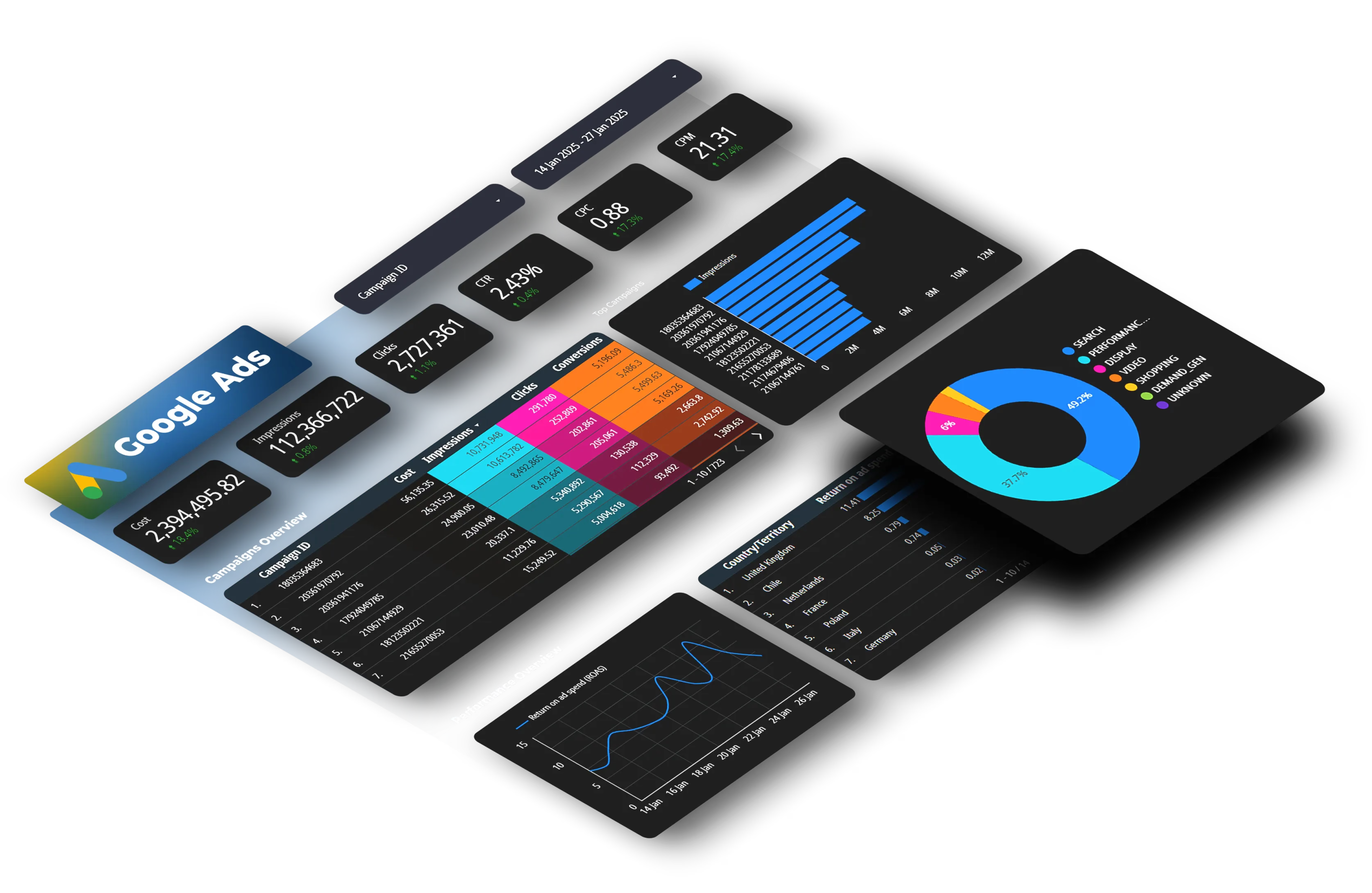
Build one Looker Studio master template. Good filters, clean design, your branding. Then clone it 12 times and adjust which accounts feed each dashboard. Ten minutes per client. Two hours later, you're done. Compare that to building 12 custom reports from scratch. You'd still be working Thursday.
Set everything to refresh overnight except your two enterprise clients who get hourly updates. The system runs itself after that. No calendar reminders to export data, no manual uploads.
How Pricing Models Compare
Traditional platforms: Base subscription + per-user fees + per-data-source fees. A five-person team managing 20 clients might pay €600-900 monthly depending on configurations. Add two employees and recalculate everything.
Agency-focused platforms: Tiered based on team size and usage. Starter (1 user) works for solopreneurs. Advanced (10 users) fits growing teams. Pro (unlimited users) removes the ceiling for established agencies. Business offers custom configurations.
Research from Bain & Company found improving client retention by just 5% can increase agency profits by 25-95%, yet incremental per-seat pricing forces you to limit who can access client dashboards.
Features That Actually Matter
Account-level filtering for 40+ connected accounts means Client A never sees Client B's data. Sounds basic but some platforms mess this up with shared dashboards.
Template cloning turns a 3-hour custom build into a 15-minute deployment. Build once, replicate infinitely.
Historical data retention without manual archiving. When clients ask "How does this compare to last year?" you don't scramble through old CSVs.
API access for agencies building custom systems or integrating with client CRMs. Programmatic pulls work when pre-built connectors don't.
Metric standardization so Facebook's "Link Clicks," Google's "Clicks," and LinkedIn's "Clicks" all display identically across every dashboard. Small thing that saves confusion.
Common Questions
Which plan do agencies typically need?
Most agencies managing 10+ clients use Pro (unlimited users, 100 accounts, 10 connectors). Smaller teams with 5-8 clients often start with Advanced (10 users, 50 accounts, 7 connectors).
Can we connect accounts we don't own?
Yes. Clients grant access through platform managers. You need permissions, not ownership. When they leave, they revoke access. Doesn't affect your other clients.
What happens to historical data?
Stays in your Google Sheets or Looker Studio files. Live updates stop when you disconnect the account but past data remains accessible.
Do clients see backend stuff?
No. They get clean dashboards showing their data. Your account setup, scheduling, and configuration stays internal.
Custom KPIs?
Build calculated fields. Client measures "Cost per MQL"? Divide total spend by form submissions in the dashboard. That metric lives only in their view.
When to Actually Do This
You're hiring team members 4-5 and need more than basic tools. If you're hitting the 10-user limit on Advanced, Pro plan eliminates that constraint entirely.
You're managing 10+ client accounts. Below that, manual reporting is survivable. Above 10, you're burning 30-50 hours monthly on pure data extraction. That's when automation stops being optional.
Twelve clients is manageable. Thirty clients is emergency mode. Don't wait. Setup gets exponentially harder as client count grows.
Next Steps
Hours disappear into platform logins, CSV exports, and spreadsheet updates. Per-user pricing makes hiring expensive. Manual processes mean insights arrive too late to matter.
Automated reporting connects accounts once, runs on schedules, clones templates, and delivers branded dashboards. Your team stops extracting data and starts optimizing campaigns.



