


You used to log into Google Ads, export a CSV, open Meta Ads Manager, export another CSV, paste both into a spreadsheet, clean the data, build a pivot table, and finally answer "Which campaign performed better last week?"
That workflow just became optional.
Model Context Protocol (MCP) lets you ask that question directly and get an immediate answer with no exports, no spreadsheets, no dashboard hopping. Research from MarketingProfs found that marketers spend 63% of their data-related time on tasks that could be automated. MCP eliminates most of that work.
What MCP Actually Does
MCP is an open standard from Anthropic that connects AI assistants to your data sources. It's the bridge between your marketing platforms and conversational AI.
The problem is that your data lives in Google Ads, Meta Ads, GA4, TikTok, LinkedIn, and a dozen other places. When you need an answer, you either build a dashboard (hours of setup) or manually compile reports (hours every week).
MCP creates a different path. Once connected, you ask questions in plain English. The AI translates your question into the right query, pulls data from your platforms, and gives you the answer.
- Old way: Dashboard login → Export → Clean → Calculate → Visualize → Analyze (45+ minutes)
- MCP way: "Show me Meta campaigns with ROAS above 300% last month" → Answer appears (30 seconds)
Why Marketing Teams Are Switching
According to Sprinklr's 2025 research, 88% of marketers now use AI tools, with 83% reporting higher efficiency. MCP takes that further by giving AI access to your actual campaign data, not just general marketing knowledge.
Time Savings
Stop building the same weekly reports. One marketer documented in HubSpot's research that eliminating routine reporting tasks saved nearly 250 hours annually.
No Technical Skills Required
You don't need SQL or coding knowledge. Ask questions like you'd ask a coworker: "Which Google Ads campaigns have CTR below 2%?" or "What's my LinkedIn cost per lead trend this quarter?"
Actual Conversations
Unlike static dashboards, you can follow up:
- "Which Meta campaign had the highest CTR in November?"
- "What creative did that campaign use?"
- "How does it compare to October's best performer?"
Each answer leads naturally to the next question.
Questions That Work
The best way to understand MCP is through examples. Here are questions organized by what you're trying to accomplish:
Campaign Performance:
- "Show me all campaigns with spend over $1,000 and ROAS below 200% last month"
- "Which Google Ads campaigns increased spend by more than 20% week-over-week?"
- "Compare my Meta ad performance: image ads vs. video ads for Q4"
Cost Analysis:
- "What's my average CPC across Google Ads and Meta this month?"
- "Which platforms have the lowest cost per conversion?"
- "Show me campaigns where CPA increased more than 30% compared to last quarter"
Trend Identification:
- "What's my total ad spend trend by week for the last 3 months?"
- "Show me GA4 traffic by source, sorted by conversion rate"
- "Which keywords are losing impression share?"
Creative Performance:
- "Which Meta ad creatives have engagement rate above 5%?"
- "Show me Google Ads with CTR below the account average"
- "What's my best-performing headline by conversions?"
Budget Planning:
- "How much did I spend on LinkedIn vs. Meta in Q4?"
- "Which campaigns delivered the most conversions for under $5,000 spend?"
- "Show me where I should reallocate budget based on current ROAS"
Three AI Platforms That Support MCP
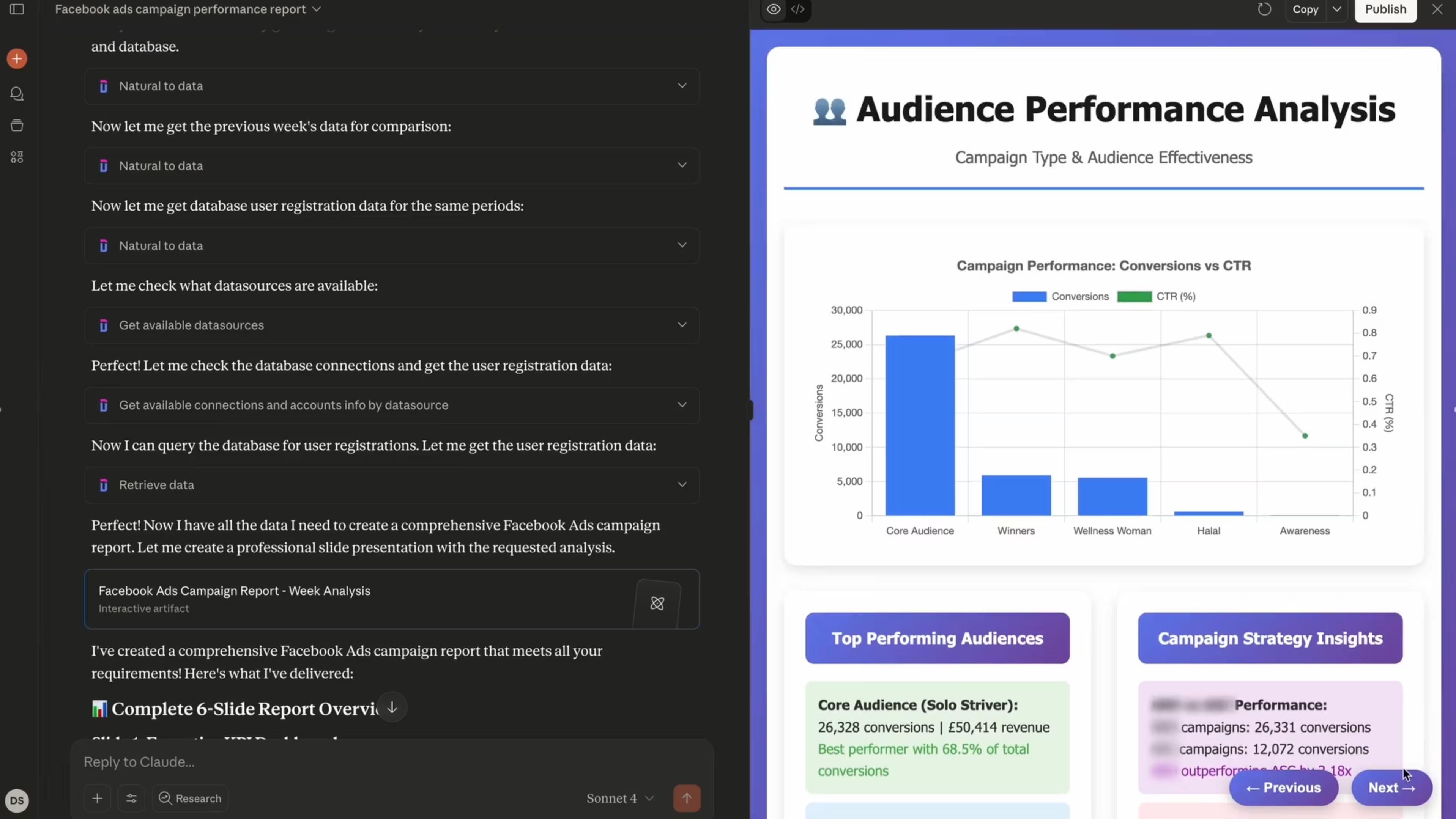
MCP works with Claude, ChatGPT, and Mistral AI. Each has different strengths:
- Claude (requires paid plan) excels at complex analysis and multi-platform comparisons. If you regularly combine data from 5+ sources or need sophisticated insights, Claude handles these scenarios best.
- ChatGPT (requires Plus or Pro) offers speed and a familiar interface. It works well for quick daily checks and straightforward metric pulls.
- Mistral AI (free tier available) provides a cost-effective entry point. Good for testing MCP without immediate investment, though it may struggle with complex queries.
What MCP Can't Do
MCP is powerful but has clear limits:
- It can't make changes to your ad accounts. MCP only reads data. You can't pause campaigns, adjust bids, or upload new creative through most current implementations.
- It can't predict outcomes without sufficient history. Forecasting requires multiple months of data. Asking "What will Q2 revenue be?" needs at least 3-4 quarters of historical patterns.
- It can't explain changes your data doesn't show. If CTR dropped, MCP can tell you when and which campaigns. But if the cause isn't in your data, like a competitor's new offer, the AI can only speculate.
Common Questions
Do I need coding skills?
No. MCP is designed for marketers without technical backgrounds. You ask questions in normal English.
How accurate are the answers?
MCP pulls data directly from platform APIs, so accuracy matches what you'd see in native dashboards. Always verify critical decisions by spot-checking key metrics.
Can my whole team use it?
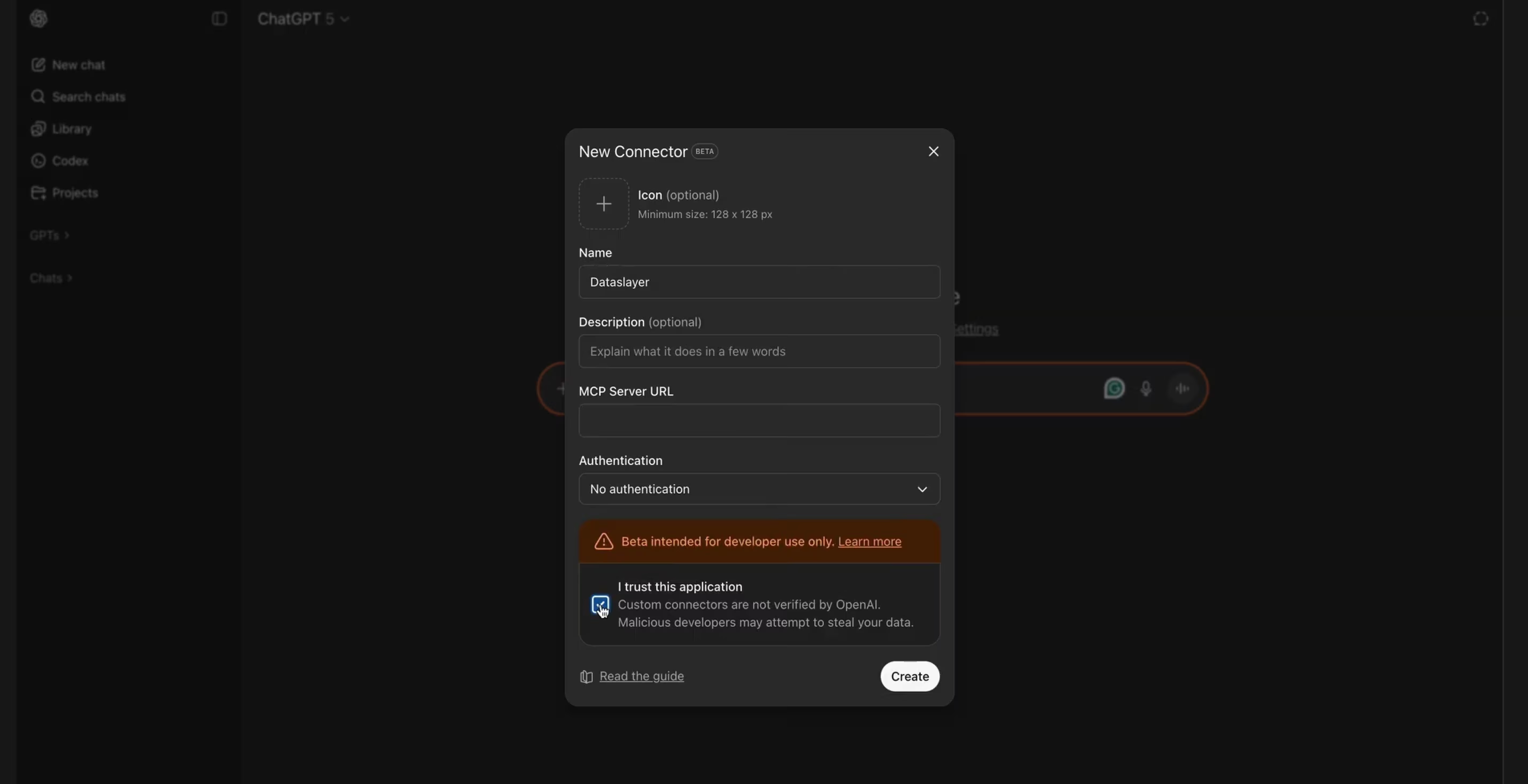
Yes, though setup varies by provider. Some allow shared connections where everyone accesses the same data sources. Others require individual setups.
What if I add a new platform mid-month?
MCP will pull whatever historical data that platform's API provides, usually 30-90 days minimum.
Does it cost extra beyond the AI subscription?
It depends. Some MCP providers charge separately for data connections. Factor in both your AI assistant cost (Claude Pro, ChatGPT Plus, etc.) and any provider fees. For marketing data specifically, platforms that already connect your campaigns to reporting tools often add MCP as a feature rather than a separate product.
Getting Started
If you spend more than a few hours weekly building reports, MCP changes your workflow dramatically.
Start by connecting one platform and asking simple questions:
- "What was my Google Ads spend last week?"
- "Show me Meta campaigns sorted by conversion rate"
- "Which LinkedIn ads have CTR above 2%?"
Verify these answers match your dashboards. Once you're confident in the connections, move to comparative questions and trend analysis.
The goal isn't to replace all reporting, it's to eliminate the manual data gathering that consumes hours before you even start analyzing.
For context on how automation fits into broader reporting strategies, check out how to reduce reporting time with automation tools and how to track KPIs effectively.
Want to connect your marketing data to AI? Dataslayer links 50+ platforms including Google Ads, Meta Ads, GA4, LinkedIn, TikTok, and more to Claude, ChatGPT, or Mistral. Try it free for 15 days to see how natural language queries work with your actual campaigns.



