


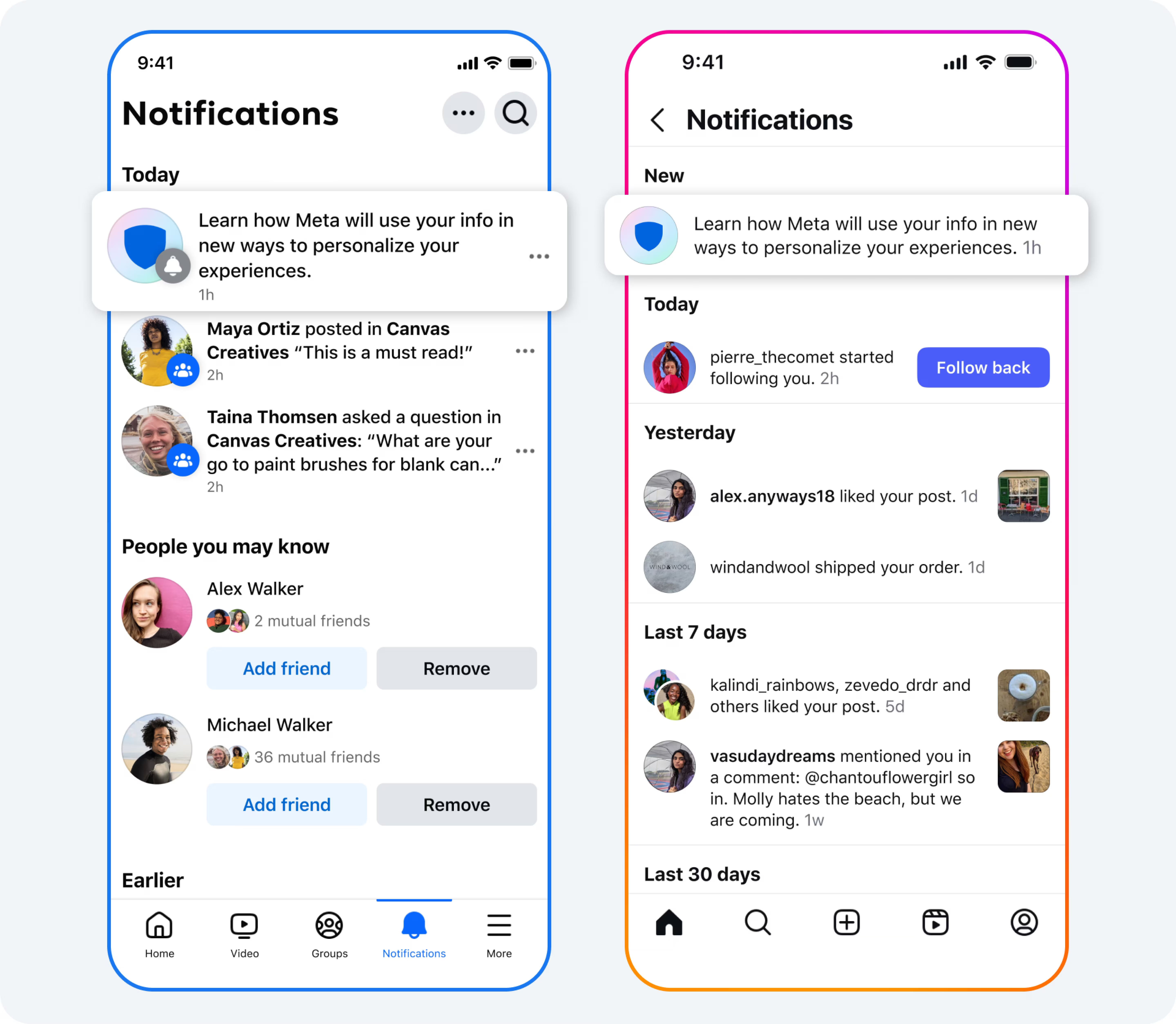
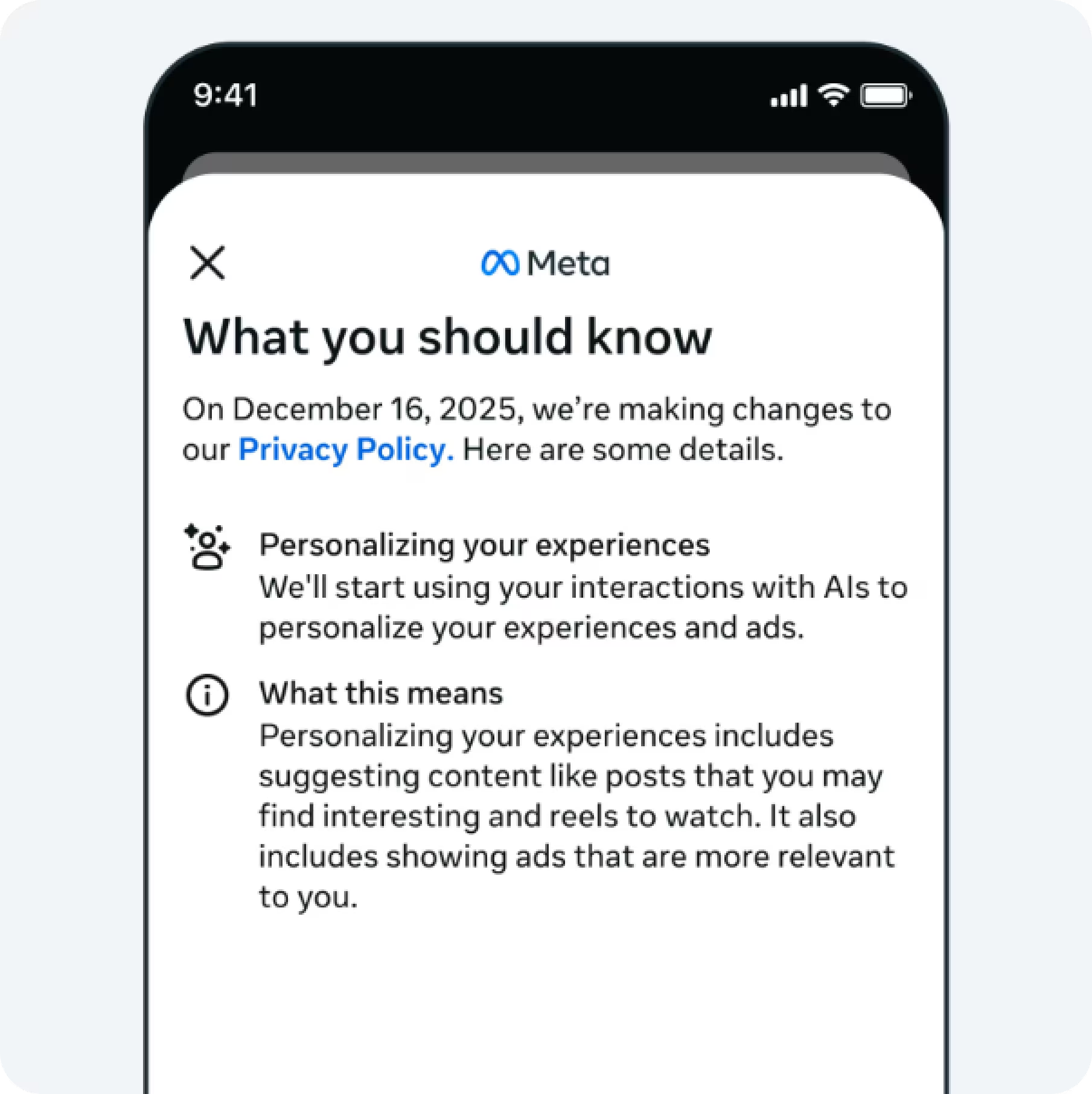
On December 16, Meta starts using AI conversations to personalize ads according to their official announcement. The problem is that you won't see "Meta AI audience" as a separate segment in Ads Manager. The conversation data gets folded into the algorithm invisibly.
So when your cost-per-acquisition drops 20% on December 18, is that AI targeting finding better users, or just Christmas shopping? When a new age demographic starts converting, did Meta's AI discover them, or did you accidentally change something else?
Here's how to track Meta AI ads impact over the first week and figure out what's actually happening.
What You're Actually Measuring
Someone asks Meta AI "best project management software for remote teams" on December 17. Your SaaS ad appears in their feed December 18, even though they never engaged with business software content before. That's the change.
You're looking for three things:
- Audience expansion - New demographics or locations converting that you didn't target
- Better conversion rates - Same ads performing better without creative changes
- Faster conversions - People buying quicker because they're already researching
But December 16-31 is peak holiday shopping. Performance might improve, but you need to figure out if it's AI targeting or Christmas.
Before December 16: Get Your Baseline Data
Pull these date ranges from Meta Ads Manager today:
- November 16 - December 8, 2025 (your pre-AI baseline)
- November 16 - December 8, 2024 (for seasonality comparison)
Metrics to export at campaign level:
- Amount Spent, Impressions, Link Clicks
- CPC (Cost per Link Click)
- CTR (Link Click-Through Rate)
- Purchases/Conversions (your main conversion)
- Cost per Purchase
- ROAS
Export the same at ad set level and placement level (Feed, Stories, Reels, etc).
How to export: Ads Manager → Campaigns → Columns → Customize Columns → Select metrics → Export table data. (Full export instructions here if you need them.)
Write down your current targeting for each campaign: age, gender, location, interests, excluded audiences. You'll need this reference when Meta automatically expands based on AI conversations.
If you run multiple accounts or want daily automated exports instead of manual pulls, you can set up automated ad spend tracking into Google Sheets.
December 16: What to Check
Pull December 15 final numbers in the morning: total spend, conversions, average CPA. That's your last pre-AI data point.
Check again around 3-4 PM on December 16:
- Any campaigns showing "Learning Limited" status? (Meta's algorithm resetting)
- Impressions up or down significantly? (20%+ change)
- Placements distributing differently than usual?
Don't overreact to day-one data. You're just establishing a starting point.
December 17-23: Daily Checks
Every morning, pull these four numbers and compare to your November baseline:
- Cost per Conversion - Expect -10% to -25% if AI helps (red flag if +15%)
- Conversion Rate - Expect +0.5% to +1.5% improvement (red flag if -0.5%
- )ROAS - Expect +15% to +30% improvement (red flag if -10%)
- Link CTR - Expect +0.2% to +0.8% improvement (red flag if -0.3%)
Calculate percentage change:
((New Value - Baseline) / Baseline) × 100
Example: Baseline CPA was $50, new CPA is $42.50
((42.50 - 50) / 50) × 100 = -15%
Every 2-3 days, check audience demographics:Ads Manager → View Charts → Demographics. Look for NEW age ranges or genders converting that weren't in your original targeting.
Check placement breakdown:Ads Manager → Breakdown → By delivery → Placement. If Instagram Reels jumps from 10% to 25% of spend with better CPA, that's the AI optimizing.
Separating AI from Holiday Shopping
You can't perfectly isolate them, but here's a rough estimate:
AI Impact ≈ (2025 improvement) - (2024 holiday improvement)
Example:
- November 2025 CPA: $50
- December 17-23, 2025 CPA: $40 (20% better)
- December 17-23, 2024 CPA: $45 (10% better than Nov 2024)
AI likely contributed ~10% of the 20% improvement. The other 10% is probably holiday shopping.
What to Do When Performance Changes
If CPA Drops 15%+ by December 19
Don't immediately scale budget. Meta's GEM AI model takes 5-7 days to stabilize.
Instead: Note which campaigns improved most, check if new audience segments drove it, wait until December 23 to confirm the trend is sustained. Then scale winners by 20-30%, not 100%.
If CPA Increases 15%+ by December 19
Check these in order:
All campaigns affected or just some?
- All campaigns: Probably not AI-specific, likely competition or creative fatigue
- Specific campaigns: AI might be finding wrong audiences for that offer
Are impressions up or down?
- Up but conversions flat: AI expanded reach, quality dropped
- Down: Delivery issue, not AI-related
Placement distribution changed?
- If Reels jumped from 15% to 40% of spend: Meta's testing, give it 2 more days
- If unchanged: Something else caused the problem
If CPA is still elevated December 20, test creative that speaks to research intent: "Still comparing options? Here's what makes us different."
If Nothing Changes
Some campaigns won't see AI impact because your audience doesn't use Meta AI much (older demographics), your product isn't something people ask chatbots about, or you already use broad Advantage+ targeting.
That's fine. Focus on campaigns showing movement.
Red Flags Requiring Immediate Action
- CPA up 30%+ by December 18: Revert to November targeting, contact Meta support
- Conversions drop 40%+: Check ad disapprovals, billing issues, audience size warnings
- New age segment converts at 3x your target CPA: Add age exclusions
- ROAS below breakeven for 3 days: Pause and diagnose before burning more budget
December 23: Run Your Analysis
Calculate an impact score for each campaign:
Impact Score = ((Dec 17-23 CPA - Nov CPA) / Nov CPA) × 100
Negative scores = improvement. Example:
- SaaS Demo campaign: Nov CPA $75 → Dec CPA $58 = -22.7% (strong AI benefit)
- E-book Downloads: Nov CPA $12 → Dec CPA $11 = -8.3% (mild AI benefit)
- Webinar Signups: Nov CPA $45 → Dec CPA $49 = +8.9% (no AI benefit)
Document which campaigns benefited and why, which didn't change, new audience segments you found, and how placements shifted. You'll reference this in January when you have more data.
If you want to visualize this data instead of tracking in spreadsheets, you can build a Meta Ads dashboard in Looker Studio with daily CPA charts, conversions by age, and placement distribution comparisons.
FAQ
How long before AI targeting stabilizes?
Meta recommends 7+ days for AI systems to optimize based on GEM AI documentation. Plan on December 23-30 for reliable assessment, not December 16-18.
Should I pause campaigns in Learning phase on December 16?
No. If your campaign is already in Learning phase, let it continue. AI conversation data is just another signal, it doesn't restart learning.
Can I test creative against AI-targeted audiences?
You can't create an audience of "people who used Meta AI." But you can test creative that acknowledges research intent ("Comparing options?" vs "Shop now") and see if it performs better post-December 16.
What if I manage 20+ clients?
Automate data pulling instead of manually exporting from 20 accounts. Then you spend time analyzing instead of exporting.
Does tracking this give me an advantage?
Only if you act on it. Knowing CPA dropped 18% because AI found 35-44 year-olds in Phoenix is useless unless you create campaigns for that segment.
What happens after December 31?
Run the same analysis for January 1-15, 2026 vs January 1-15, 2025. That removes holiday seasonality and shows pure AI impact. December data is preliminary, January is conclusive.
What to Do Now
Export your November 16 - December 8 baseline data today. Document your current targeting. Set calendar reminders to check metrics daily December 17-23.
Most marketers will notice performance changed and guess whether it's AI or holiday shopping. You'll have data showing which campaigns benefited and by how much.
If you need help consolidating Meta Ads data from multiple accounts, or if you're tracking across several ad accounts or combining Meta with Google Ads, LinkedIn, and other platforms, give Dataslayer a try. It automates data exports to Google Sheets, Looker Studio, and BigQuery, among others.



