



Dataslayer is now available in the Snowflake Marketplace, connecting marketing platforms directly to Snowflake data warehouses. The integration handles Google Ads, Facebook Ads, LinkedIn, TikTok, Google Analytics 4, and 45+ other platforms through automated daily imports, replacing manual CSV exports and spreadsheet consolidation.
The Manual Export Problem
Monday mornings look the same for most marketing teams: log into Google Ads, download last week's campaign data. Switch to Facebook Ads Manager, export performance metrics. Open LinkedIn, pull down another CSV. Copy everything into Excel, spend 30 minutes fixing date formats because Facebook uses MM-DD-YYYY while Google uses YYYY-MM-DD.
By the time you've combined data from five platforms, normalized the schemas, and updated your dashboard, it's Tuesday afternoon. Someone asks for an updated report on Wednesday. Start over.
This manual process doesn't just waste time, it delays decisions. When campaign performance data is two days old by the time stakeholders see it, you're reacting to yesterday's problems instead of today's opportunities.
Snowflake data warehouses solve the storage and query problem. But moving marketing data from dozens of advertising platforms into Snowflake creates its own challenge: building and maintaining API connections.
Why Marketplace Discovery Matters
Discovering a tool through traditional research versus finding Dataslayer already in the Marketplace creates two very different paths:
Typical Discovery Process
You're working in Snowflake and realize you need marketing data integrated. You open a new browser tab and start researching options. You evaluate different approaches, maybe building custom API connections, maybe finding an integration tool. If you go the tool route, you research vendors, compare features, request demos. Meanwhile, your procurement team needs to vet any new vendor relationship. Your security team reviews the vendor's security practices and compliance. IT evaluates how it fits into your existing infrastructure. This process takes time, even with a great tool, the organizational steps add weeks.
Timeline: Multiple weeks from "I need this" to "data is flowing."
Discovery Through Marketplace
You're already working in Snowflake. Click "Marketplace" in your existing interface. Browse or search for the specific marketing platform you need, Google Ads, Facebook Ads, LinkedIn Ads, etc. Find the Dataslayer connector for that platform and click "Get", Snowflake handles the installation and grants you a 15-day trial automatically.
Now, without leaving Snowflake, you configure everything for that platform: authenticate your account, choose which sub-accounts to import (if applicable), pick your metrics and dimensions, define your Snowflake destination tables, and set your refresh schedule. All of this happens within Snowflake's interface, no separate dashboard, no external portal to log into.
Data starts flowing to your warehouse tables. Query it immediately using standard SQL in Snowflake. After your 15-day trial, if you want to continue, you'll visit dataslayer.ai to select a paid plan. But all the operational work, connecting platforms, configuring imports, monitoring data, stays within Snowflake.
Timeline: Minutes to hours instead of weeks.
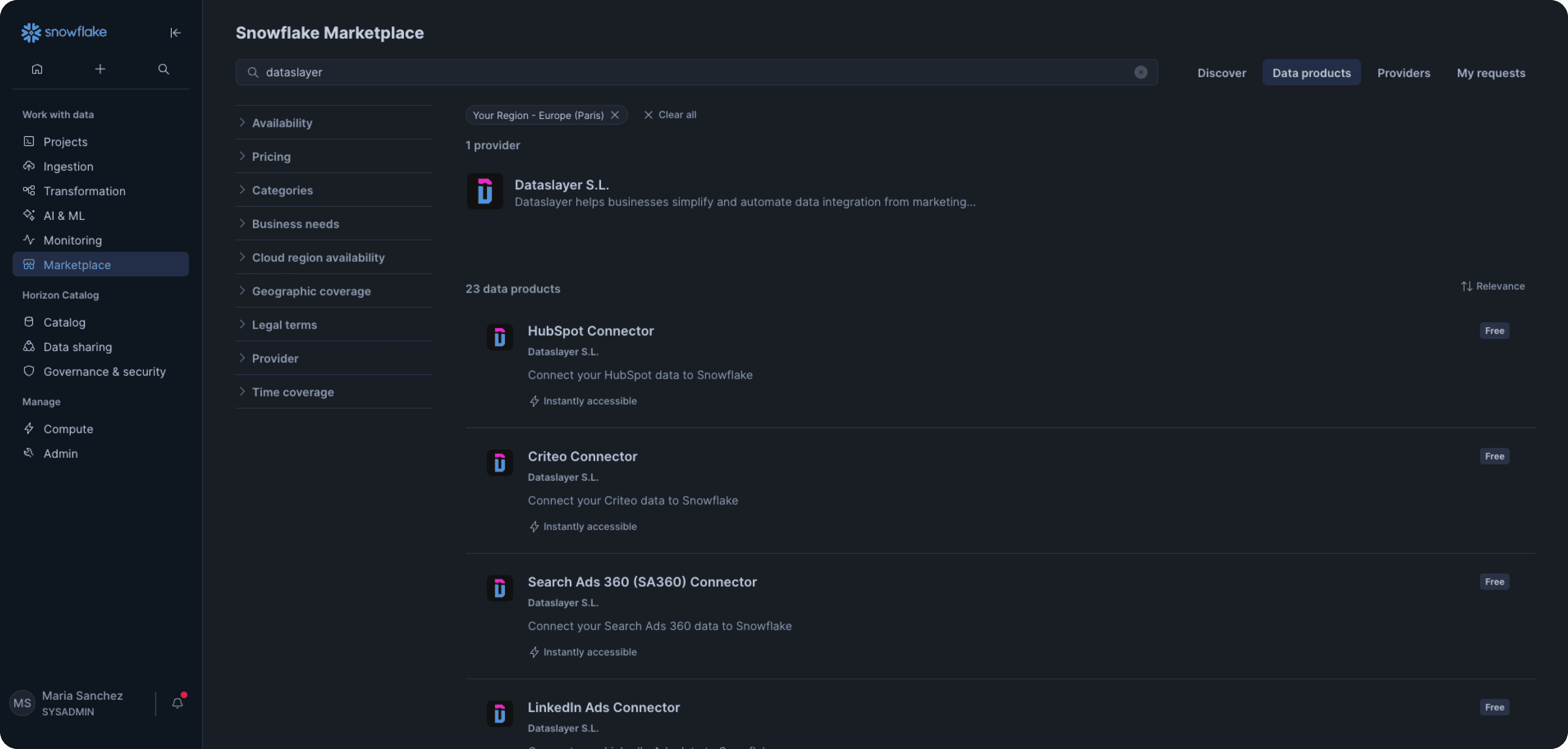
Everything Stays in One Interface
After clicking "Get" on each connector in the Marketplace (one per platform), all configuration and daily operations happen within your existing workspace:
- Authenticate each platform
- Select accounts, metrics, dimensions
- Define destination tables and write modes
- Set refresh schedules and monitor imports
- Query data with standard SQL
Visit Dataslayer only to select a paid plan after your 15-day trial. The operational workflow, from initial setup to daily use, stays in the environment where you already manage your data warehouse.
What Makes Marketplace Discovery Valuable
- Faster Evaluation: When you find a tool in the Marketplace, it has already passed security and compatibility reviews. This doesn't eliminate your own evaluation, but provides a foundation that accelerates internal approvals, especially in organizations with strict vendor management processes.
- Unified Interface: Marketing data integration configuration happens within Snowflake where you already manage your data warehouse, no separate vendor dashboard to bookmark. After your trial period, visit dataslayer.ai to choose your plan, but daily operations remain in the same interface.
- Streamlined Setup: Installation happens through Snowflake's marketplace interface with a 15-day trial included automatically. All configuration, connecting platforms, selecting data, scheduling imports, happens within Snowflake's UI. You only visit dataslayer.ai to select a paid plan after your trial period. Marketing data flows directly from advertising platform APIs to your Snowflake tables.
- Discovery in Context: When you realize you need additional data sources, maybe TikTok Ads for a new campaign analysis, you go back to the Marketplace, find the Dataslayer - TikTok Ads connector, click "Get," and configure it. Each platform is a separate connector you install independently, but all within the same Snowflake workflow.
What Dataslayer Connects
The tool connects advertising, analytics, social media, and e-commerce platforms to your Snowflake data warehouse:
- Advertising: Google Ads, Facebook Ads, LinkedIn Ads, Microsoft Advertising, TikTok Ads, Twitter Ads, Pinterest Ads, Snapchat Ads, Amazon Ads
- Analytics: Google Analytics 4, Search Console
- Social Media: Facebook Insights, Instagram, YouTube, LinkedIn Company Pages
- E-commerce: Shopify, WooCommerce
- Email: Mailchimp, HubSpot
Each connector handles platform-specific quirks, Facebook's nested JSON responses, Google Ads' multiple API versions, LinkedIn's rate limits. Data arrives as standard table structures in your Snowflake data warehouse instead of requiring custom transformation scripts.
Configure imports to run hourly, daily, weekly, or on custom schedules. Date ranges work dynamically: "last 7 days" for rolling weekly reports, "last month" for monthly analysis, or custom dates for specific campaign periods.
Historical backfill works within each platform's API limits, which typically range from 3-13 months depending on the platform and report type. Google Ads allows several months of historical data depending on the specific report. Facebook Ads supports longer lookback periods. The exact limits vary by platform and account age.
The platform holds ISO 27001 and ISO 27701 certifications, formal information security and privacy certifications requiring regular third-party audits.
How Setup Works
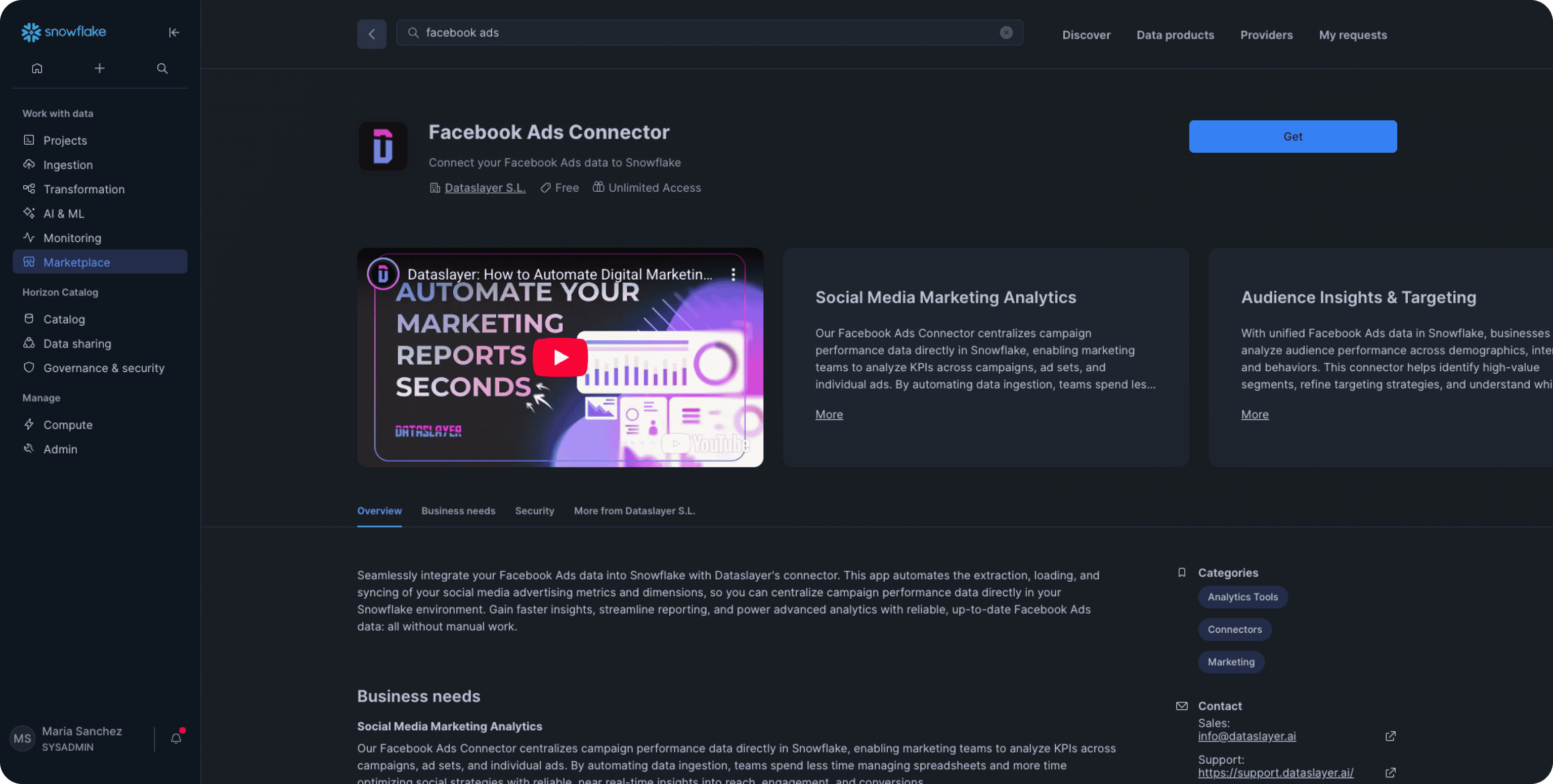
- Install from Snowflake Marketplace: Log into Snowflake, navigate to Marketplace, find the Dataslayer connector for your specific platform (e.g., "Dataslayer - Google Ads," "Dataslayer - Facebook Ads"), and click "Get" on that connector. Grant requested permissions and you'll have immediate access to configure that platform, all within Snowflake's interface.
- Connect and configure: Within Snowflake's interface, authenticate the platform you just installed (Google Ads, Facebook Ads, etc.). Choose which accounts to import, select metrics and dimensions, define your Snowflake destination (database, schema, table name), choose write mode (Replace for daily overwrites or Append to add new data), and set your refresh schedule. Everything happens in Snowflake, no separate portal to open.
- Run and query: Click "Run Now" for the initial import. Once complete, your marketing data appears in your Snowflake data warehouse as queryable tables. Connect your BI tools (Tableau, Looker, Power BI) or write SQL queries directly.
First platform setup takes approximately 15 minutes including marketplace installation, authentication, and initial import. Additional platforms take 5-8 minutes each.
Real Marketing Teams Using This
B2B SaaS Dashboard
A software company ran campaigns across Google Ads, LinkedIn Ads, and Facebook Ads. Their marketing coordinator spent Monday and Tuesday mornings downloading CSVs and updating a Google Sheets dashboard. The process took about four hours weekly, and by the time executives reviewed the data, it was 48 hours old.
After connecting platforms to Snowflake:
- Daily automatic refresh at 6 AM
- Tableau dashboard fed from Snowflake tables
- Combined advertising data with Salesforce conversion data
The four-hour weekly reporting process disappeared. Campaign performance data stayed current instead of lagging two days behind. The unexpected win: they caught budget pacing issues by Tuesday instead of Friday afternoon when it was too late to adjust.
Agency Client Reporting
A digital agency created weekly performance reports for 30+ client accounts. This consumed most of Wednesday and Thursday, two full days pulling data.
Their approach:
- Imported all client Google Ads and Facebook Ads accounts into single Snowflake tables
- Used
account_namecolumns to distinguish clients - Created client-specific views filtering to relevant accounts
- Scheduled Monday morning refresh
Reporting shifted from two days of manual work to running queries against current data. They handled 40 clients with the same team that previously managed 15.
The limitation they hit: very large clients spending $500K+ monthly with millions of data rows needed larger Snowflake warehouses to import efficiently. They created separate tables for top-spending clients to avoid slow import times.
E-commerce Attribution
An online retailer wanted to understand which marketing touchpoints actually drove purchases. Each platform's dashboard claimed credit for the same conversions: Google Ads showed 1,000 conversions, Facebook claimed 800, LinkedIn reported 200. The math didn't work.
In their Snowflake data warehouse, they:
- Combined Google Analytics 4, Google Ads, and Facebook Ads data
- Joined with order data from their e-commerce platform
- Built custom attribution logic in SQL
- Tracked actual customer touchpoint sequences
This revealed which campaigns influenced purchases versus which ones just happened to get last-click credit. Budget shifted based on real conversion paths. They discovered that some campaigns contributed to conversions 5-7 days after click, which platform dashboards attributed to other channels.
Common Questions
How long does setup take?
First platform: approximately 15 minutes including marketplace installation, authentication, and initial import. Additional platforms: 5-8 minutes each. These are estimates based on straightforward setups, complex configurations with extensive filtering take longer.
What happens when APIs change?
Marketing platform APIs change regularly, sometimes with breaking changes. Dataslayer monitors all 50+ APIs and updates connectors before changes take effect. When Facebook deprecates an API version or Google changes metric definitions, the updates happen automatically. You don't handle maintenance.
The limitation: if a platform removes a metric from their API entirely, the connector can't retrieve it anymore. This happened when Facebook deprecated certain demographic metrics. No connector can work around platform-level restrictions.
Can I import historical data?
Yes, within platform API limits, which typically range from 3-13 months depending on the platform and report type. Google Ads allows several months depending on the specific report. Facebook Ads supports longer periods. LinkedIn Ads allows roughly 12 months. Limits vary by platform and account.
What are Snowflake costs?
Dataslayer uses standard Snowflake compute and storage: running imports (typically minutes per import), storing marketing data tables (usually under 50GB for most companies), and your analysis queries.
Costs depend on warehouse size, platform count, and query patterns. A small warehouse with daily imports from several platforms typically runs under $100 monthly in Snowflake costs, though this varies based on data volume and warehouse configuration.
What Snowflake Reporting Enables
Consolidated marketing data in your Snowflake data warehouse supports analysis that platform dashboards can't handle:
- Cross-platform attribution: Combine Google Analytics sessions with advertising data to see actual conversion paths instead of each platform's attribution story.
- Custom business metrics: Calculate metrics specific to your business, customer lifetime value by channel, profit per campaign, or anything combining advertising data with financial data.
- Automated monitoring: Set up queries that alert you when metrics exceed thresholds or spending approaches budget limits.
- Predictive models: Feed structured marketing data into machine learning models for campaign performance forecasting.
Once data lands in your Snowflake data warehouse automatically, analysis shifts from data gathering to actual insight generation.
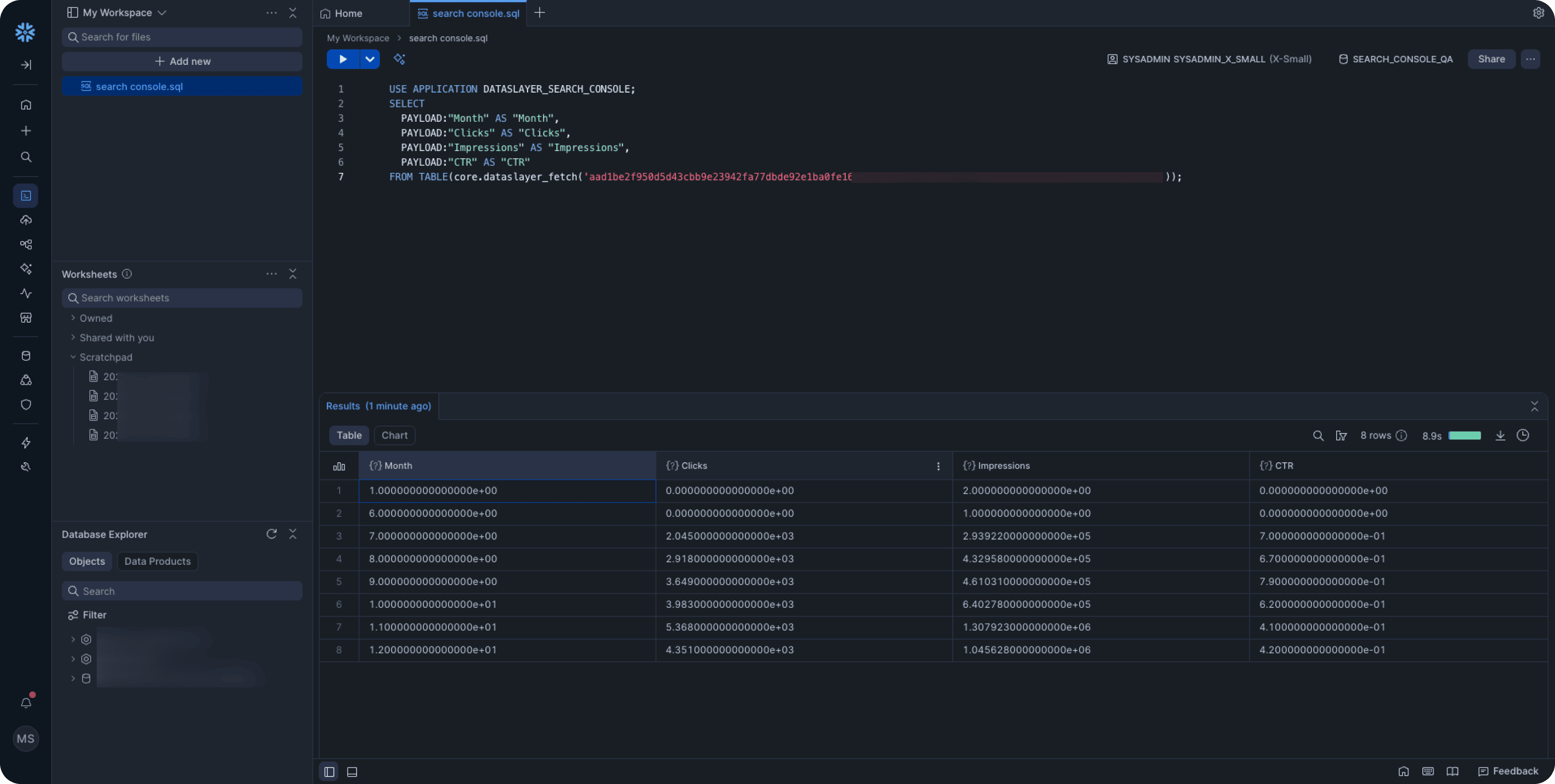
Getting Started
Dataslayer is available in the Snowflake Marketplace. Installation takes minutes, configuration is visual, and API maintenance is automated.
For more on working with marketing data in data warehouses, see BigQuery for Marketers or comparing integration approaches.
Contact us for demos or trials. And see the setup documentation here: complete installation guide.



