



Most marketers misunderstand how competitor URLs work in Performance Max custom segments. They think adding competitor URLs means their ads will appear on those competitor websites. But that's not how it works.
When you add competitor URLs to performance max custom segments in Google Ads, you're not buying ad space on those sites. According to Google's documentation, your ads show to "people who browse websites similar to the URLs you enter."
Google builds a lookalike audience based on browsing behavior, then shows your ads on YouTube, Gmail, Display Network, not on competitor sites themselves.
What Custom Segments Actually Do
You give Google three types of inputs: keywords your customers search, URLs they visit, apps they use. The algorithm analyzes these signals and finds similar users across Google's network.
For example, a project management software company could add URLs for Asana, Monday.com, and ClickUp. Google identifies people who visit those sites regularly, analyzes their broader browsing patterns, and shows ads when those users are watching YouTube or checking email.
Performance Max treats these inputs as guidance, not restrictions. Traditional Display targeting lets you explicitly include or exclude audiences. Performance Max uses your examples to find more people like them.
Setup: Competitor URLs That Actually Work
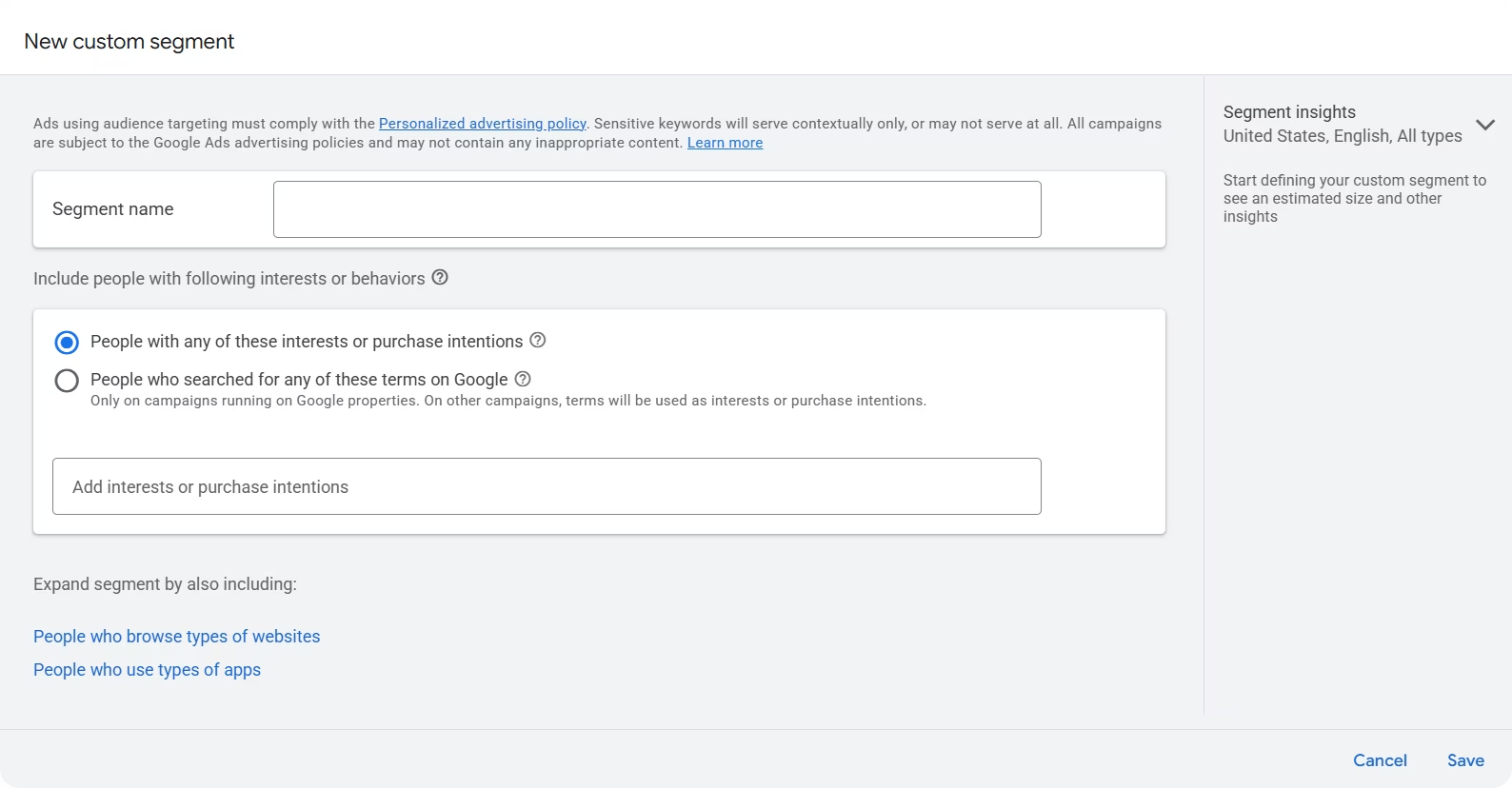
Go to Google Ads, Tools & Settings, Audience Manager, Custom Segments, create new segment.
Pick "People who browse types of websites" and start adding URLs.
A focused list of 5-7 highly relevant competitors works better than adding dozens of URLs. More URLs creates a broader, less effective audience.
Use specific product pages: competitor.com/project-management-software not just competitor.com. The more specific your URL, the stronger the signal.
Match competitor size to your business. Adding Salesforce or Microsoft when you're a small B2B company creates an audience too broad to convert. Pick competitors that actually compete for your customers.
Create separate segments for different groups:
- Direct competitors - Same product, same market
- Adjacent tools - Related but different use case
- Review/comparison sites - G2, Capterra, industry publications
Add segments to Performance Max under Asset Groups, Audience Signals. Combine with customer match data, relevant keywords, demographics.
Beyond Obvious Competitors
Think about where your customers are before they're ready to buy from you.
Google Ads strategists recommend targeting behaviors that indicate purchase readiness Solutions 8. A landscaping company targeting new homeowners might add real estate listing sites, moving companies, home services platforms, Zillow, and Nextdoor instead of landscaping competitor websites.
New homeowners visit these sites right after buying a house, making this timing more effective than targeting direct competitors.
For B2B, consider where customers research before they're ready to buy: industry publications, review sites, software category pages, solution comparison tools.
Tracking Performance
Performance Max doesn't show which audience signals drive conversions in standard reports.
You see overall campaign numbers but not performance by custom segment.
Create separate asset groups for each segment type, then compare across groups. If Competitor Set A converts at twice the rate of Competitor Set B, you know which signal works.
Track conversion rate, cost per acquisition, and revenue by segment. Run tests for at least a month before making decisions. Google's algorithm needs time to find patterns.
Managing performance max across multiple campaigns requires consolidated reporting. You can automate Performance Max reporting to track audience signals across campaigns with dashboards that refresh daily. The Performance Max guide covers the full optimization process including measurement strategies.
What Not to Do
One massive segment with dozens of URLs dilutes your signal. Google can't optimize when the audience is too broad.
Make multiple focused segments instead.
Don't expect retargeting. You're not showing ads to people currently on competitor sites. You're reaching similar audiences based on behavior patterns.
Using only competitor URLs limits results. Combine custom segments with first-party data, keywords, demographics.
Not testing variations means you never learn what works. Different segment types convert differently depending on your specific business and market.
When This Makes Sense
You need clear competitors with meaningful traffic. If your market is unique with no comparable alternatives, custom segments won't help.
This works for Performance Max and Display. Doesn't apply to Search campaigns where keywords drive targeting.
Skip this if your only "competitors" are Amazon, Facebook, or other massive platforms. The audience becomes too broad.
You need ability to measure segment performance. Without conversion data by audience, optimization becomes guesswork. Connect your Google Ads data to dashboards that track performance by audience signal automatically.
Other Performance Max Optimization
Custom segments are one piece. Campaign-level negative keywords block irrelevant searches. Channel reporting shows where budget goes. Asset group segmentation matches creative to intent.
Custom segments with competitor URLs work when you use specific product pages, create focused segments, combine multiple signal types, and track performance over time. Test systematically and iterate based on actual conversion data.



