



Pulling PPC data from five different platforms into one spreadsheet shouldn't take three hours every Monday. Yet that's exactly what happens when you're manually copying numbers from Google Ads, Facebook, LinkedIn, TikTok, and Microsoft Advertising into a master report.
The question isn't whether to automate PPC reporting, it's which approach actually works for your situation without costing more than it saves.
This guide compares three realistic options: manual reporting, native platform tools, and dedicated automation platforms. We'll cover what each approach costs (including your time), where each one breaks down, and how to pick based on your specific setup.
What Actually Matters in a PPC Reporting Solution
1. Platform Coverage You Actually Use
A connector list of 500+ platforms sounds impressive until you realize it's missing TikTok Campaign Manager or LinkedIn's v2 API. According to Meta's Marketing API documentation, they made significant updates in June 2025 affecting attribution and reach reporting. Google made breaking changes to the Google Ads API throughout 2025, including new AI Max capabilities and Performance Max transparency features.
Your reporting solution needs to keep pace with these changes without you doing anything.
Core platforms most advertisers need: Google Ads, Google Analytics 4, Meta Ads (Facebook/Instagram), LinkedIn Campaign Manager, TikTok Ads Manager, and Microsoft Advertising.
2. Automation That Actually Runs
Manual data refreshes defeat the entire purpose. Real automation means scheduled updates that run whether you remember or not, automatic data appends without overwriting formulas, error notifications when APIs change, and no-code setup.
3. Data Accuracy You Can Trust
The biggest complaint in every reporting tool review: numbers don't match the platform dashboards.
Common accuracy issues include attribution windows that don't match platform settings, date ranges that shift due to timezone problems, conversion data using different counting methods, and currency conversions applying wrong exchange rates.
Testing method: Pull the same date range and metrics from both the tool and directly from Google Ads. Numbers should match within normal rounding differences (±1 to 2%).
4. Realistic Time Savings
If setup takes 10 hours and saves 2 hours weekly, you break even at week 5. But if the tool requires constant maintenance, you never actually recover time.
Typical scenario: manual reporting takes 3 to 5 hours weekly, automated reporting takes 30 minutes weekly for reviewing dashboards. Net savings of roughly 150 to 200 hours annually.
At €50 to 60 per hour (typical agency or opportunity cost rates), that's approximately €7,500 to 12,000 in recovered time per year. If you want to dive deeper into calculating ROI on automation tools, our guide to marketing report automation includes specific formulas and real agency examples.
Three Approaches to PPC Reporting
Option 1: Manual Reporting
Real cost: €0 in tools, potentially €600 to 1,200 monthly in time
Manual reporting means logging into each platform, exporting CSVs, copying data into a master spreadsheet, fixing broken formulas, reconciling date formats (Facebook uses MM/DD/YYYY while Google uses YYYY/MM/DD), calculating totals manually, and updating charts.
Time required: typically 3 to 5 hours weekly for 3 to 5 platforms.
When manual reporting works well:
- Single platform only (just Google Ads)
- Very small budget (under €3K monthly spend)
- Weekly reporting is sufficient
- You're bootstrapping and genuinely can't afford €50/month yet
Where it breaks down:
- Adding a second platform (time nearly doubles)
- Daily reporting becomes necessary
- Multiple people need data access
- You need historical tracking beyond 90 days
Manual reporting isn't "wrong," it's perfectly viable for solo marketers running small campaigns on one or two platforms. The problem is when businesses outgrow this approach but keep doing it anyway because switching feels like a project.
Option 2: Native Platform Tools
Real cost: €0 in tools, 1 to 2 hours weekly in setup and maintenance
Google Ads scheduled reports: The Google Ads scheduled reports feature can email you automated reports or send them directly to Google Sheets. You configure metrics, date ranges, and delivery schedules through the Reports menu in the Google Ads interface.
Facebook Ads automated reports: Facebook lets you create custom reports in Ads Manager and schedule email delivery as Excel attachments. You'll still need to manually import these to combine with other data.
Microsoft Advertising scheduled reports: Similar setup to Google Ads, with exports to email or Microsoft cloud storage.
When native tools work:
- Reporting on platforms separately (no cross-platform analysis needed)
- Weekly or monthly reporting cadence
- Small team where 1 to 2 people need data
- Using only platforms with decent native scheduling (Google Ads, Bing)
Where native tools break down:
- Cross-platform comparison needed (total spend across all channels)
- Facebook, LinkedIn, or TikTok heavily involved (weaker native scheduling)
- Daily updates required
- Combining ad data with GA4 or CRM data
- Multiple team members need live dashboard access
Time savings versus manual: cuts reporting time roughly in half.
Option 3: Dedicated Automation Platforms
Real cost: typically €30 to 300 monthly for small teams, 30 minutes weekly for maintenance
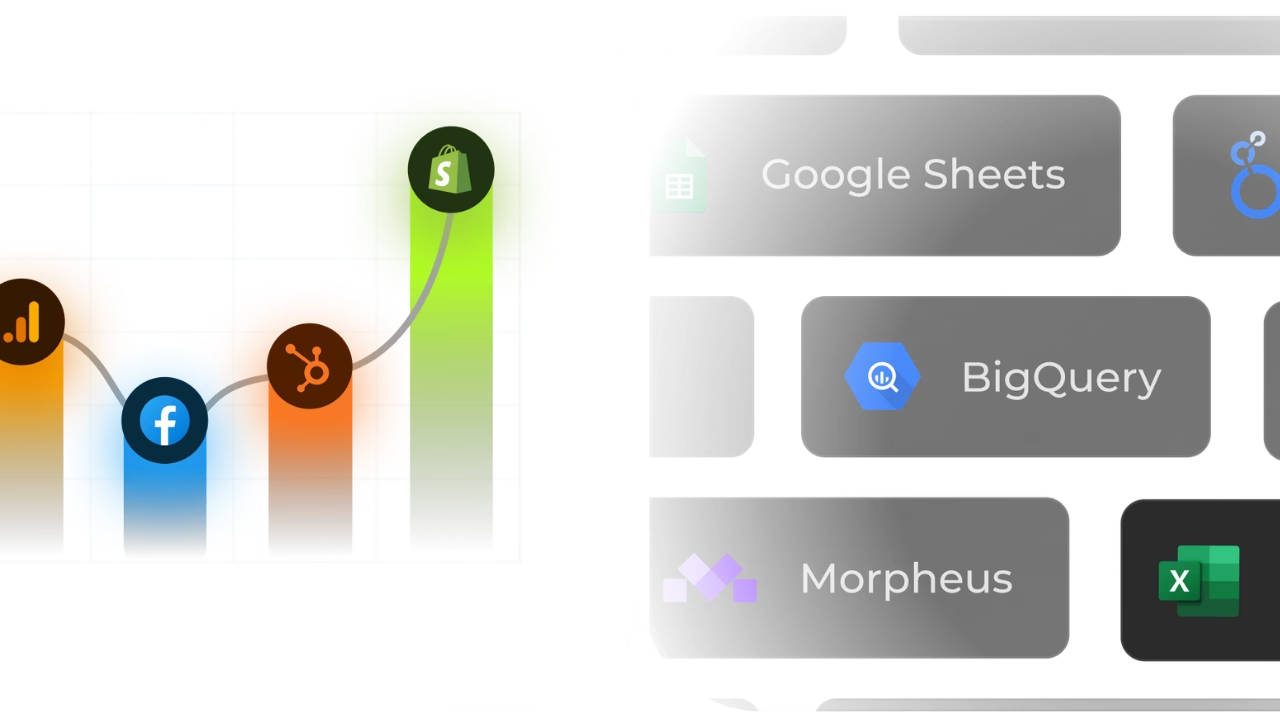
Automation platforms work by connecting ad platforms via OAuth (one-time setup per platform), configuring which metrics and date ranges to pull, scheduling automatic refresh intervals, and loading data into destinations like Google Sheets, Looker Studio, BigQuery, or Power BI. Dashboards update automatically.
When automation makes sense:
- Managing 3+ ad platforms regularly
- Daily or real-time reporting needed
- Team of 3+ people need data access
- Combining ad data with analytics or revenue data
- Agency client reporting
- Historical tracking beyond what platforms retain
Where automation might be overkill:
- Single platform only (native tools work fine)
- Monthly reporting is acceptable
- Under €3K monthly ad spend total
- Extremely tight budget
Making the Decision: Which Approach Fits Your Situation
For Solo Marketers and Freelancers
Managing 1 to 3 client accounts with weekly reporting needs and budgets around €0 to 100/month for tools.
Start with native platform tools. Use Google Ads scheduled reports for automated data delivery. For Facebook, set up automated reports even though they require some manual handling.
Consider upgrading to automation when you're managing 3+ platforms regularly, spending 3+ hours weekly on reporting, clients request daily dashboards, or you need historical data beyond 90 days.
For Small Agencies (5 to 20 Clients)
Managing multiple client accounts with €100 to 300/month budgets for tools, running campaigns across Google Ads, Meta, LinkedIn, and TikTok, with weekly or bi-weekly reporting per client.
Automation becomes necessary at this scale. Manual reporting doesn't scale past 5 to 6 clients without hiring someone specifically for data management.
Critical feature: unlimited users. Many tools charge per seat (€50 to 100 per person monthly). With 4 to 5 team members, per-seat pricing can cost more than the time you're trying to save.
For In-House Marketing Teams
Single company running multiple campaigns with €100 to 500/month budgets, using 3 to 5 platforms typically, needing daily dashboards and monthly deep-dives.
Automation makes sense here, with focus on collaboration. Marketing teams, executives, and sometimes sales all need dashboard access.
Critical features include working with your existing tools (Google Workspace or Microsoft 365), unlimited user access to avoid per-seat pricing, real-time or daily refresh capability, and historical data storage for trend analysis.
Common mistake: choosing based on "enterprise features" just because you work at a large company. Unless you're spending €200K+ monthly on ads, mid-market automation tools are usually faster to implement and easier to use.
How to Evaluate Automation Tools
Step 1: List Your Actual Platforms First
Don't browse features, start with requirements. List which ad platforms you currently use (Google Ads, Meta, LinkedIn, TikTok, Microsoft Advertising, GA4, etc.) and where you want the data to go (Google Sheets, Looker Studio, BigQuery, Power BI, Excel, etc.).
Only evaluate tools that support all your current platforms. A tool with 500 connectors doesn't help if it's missing the three you actually use.
Step 2: Calculate Your Break-Even Point
Figure out your current weekly hours on reporting, multiply by your hourly rate, then multiply by 52 for annual cost. Compare this to the tool's annual subscription cost plus one-time setup time. If your time cost exceeds the tool cost, automation pays for itself.
Step 3: Trial With Real Data
Most tools offer 14-day trials. Here's a realistic testing timeline:
Days 1 to 2: Connect your ad accounts (10 to 30 minutes) and set up your most common report (30 minutes to 2 hours depending on complexity).
Day 3: Validate data accuracy by pulling the same report from both the tool and each platform's native dashboard. Numbers should match within 1 to 2%.
Days 4 to 7: Let scheduled refreshes run automatically. Check once or twice to confirm they're working without errors.
Days 8 to 14: Use the tool normally. If you haven't encountered issues by day 10, it's probably reliable. Test support by asking a real question.
Decision criteria: Setup took under 3 hours, numbers match platforms, scheduled refreshes work consistently, and support responds in under 24 hours.
Step 4: Check Support Before Committing
Send a real question during the trial period. Look at response time (under 24 hours is good), answer quality (actual solutions versus "try clearing your cache"), and which support channels are available.
API changes happen constantly. You need support that actually helps when Facebook breaks something on Friday afternoon.
Common Mistakes When Automating PPC Reporting
1. Choosing by Connector Count Instead of Quality
"Tool X has 500 connectors" means nothing if the five you need are outdated or broken. Instead, check the tool's status page or changelog, look for recent updates on specific connectors, read reviews mentioning your platforms, and during trials ask how often they update major connectors.
2. Not Testing at Your Actual Scale
Testing with one small account then rolling out to 50 client accounts discovers problems too late. During trials, connect at least 3 to 5 accounts, use actual data volume, run multiple scheduled refreshes to verify stability, and check if pricing changes with account count.
3. Ignoring Hidden Costs
"€49/month" often becomes "€149/month" after discovering per-user fees, per-account fees, API call limits, or required add-ons for features that should be standard. Ask what's included in the base price, what triggers additional fees, whether there are data volume limits, and if pricing can increase without warning.
4. Underestimating Setup Time
"Quick 10-minute setup" usually takes 1 to 4 hours when you factor in understanding the interface, configuring platform connections, mapping fields correctly, setting up destinations, creating dashboards, testing accuracy, and training team members.
Realistic timeline: simple setup with 3 platforms and Google Sheets takes 1 to 2 hours. Medium complexity with 5 platforms and Looker Studio takes 3 to 4 hours. Complex setup with 7+ platforms and BigQuery takes 6 to 8 hours.
5. Creating a Single Point of Failure
You figured out the tool, but can your colleague run reports when you're out? Document your setup (which accounts are connected, where reports live), train at least two people on basics, test whether someone else can refresh reports without asking you, and create written processes for common tasks.
How Dataslayer Fits Your PPC Reporting Needs
If you're managing multiple PPC platforms and need reliable automation, Dataslayer handles the core problem: getting data from ad platforms into tools you already use without manual work.
It connects 50+ marketing platforms (Google Ads, Meta, LinkedIn, TikTok, GA4, and more), loads data into Google Sheets, Looker Studio, BigQuery, Power BI, or Excel, schedules automatic refreshes (hourly, daily, or weekly), and includes unlimited users with no per-seat fees.
Dataslayer makes sense when you're managing 3+ advertising platforms, have a team of 2+ people who need data access, can budget €30 to 300 monthly depending on destination and number of accounts, use Google Workspace or Microsoft 365, and need historical data tracking.
It's not the right fit if you're only using Google Ads (native scheduled reports work fine), monthly reporting is sufficient, you're a solo marketer with under €3K monthly spend, or you need a proprietary dashboard (Dataslayer loads data into your existing tools rather than providing its own dashboard interface).
Pricing (current structure until February 2, 2026):
- Freelance: €29.90/month (5 accounts per data source, 30 API calls daily)
- Small Agency: €59.90/month (50 accounts per data source, 100 API calls daily)
- Medium Agency: €99.90/month (100 accounts per data source, 250 API calls daily)
- Large Agency: €299.90/month (unlimited accounts, 1000 API calls daily)
All plans include unlimited users, unlimited reports, unlimited rows, and 24/5 live chat support. Note: Dataslayer's pricing structure will change on February 2, 2026, with a transition to user and connector-based plans. Current customers are not affected by this change.
Want to test if Dataslayer works for your setup? Try it free for 15 days and connect your actual ad accounts.
Frequently Asked Questions
What's the minimum ad spend where automation makes sense?
Typically between €3,000 to 5,000 monthly across all platforms is when automation starts paying for itself. Below that, weekly reporting with native tools usually works fine.
The reasoning: if you're spending €3K monthly on just Google Ads with weekly reporting needs, Google Ads scheduled reports (free) handle this. But if you're spending €5K split across Google Ads, Facebook, and LinkedIn, you're manually consolidating data, that's where automation saves significant time.
Can I automate PPC reporting without technical skills?
Yes, if the tool actually requires coding, it's not really an automation tool for marketers. No-code setup means connecting platforms via OAuth (clicking "Allow access"), selecting metrics from dropdown menus, choosing date ranges with a calendar picker, and setting refresh schedules through a simple interface. Red flags include documentation mentioning SQL queries for basic reports, setup guides with terminal commands, complex API key configuration, or examples showing code snippets.
How do I know if a tool's data is accurate?
During the trial period, pull a simple report (last 30 days, spend by campaign) and compare it to the native platform dashboard using the same date range. Check that total spend matches, individual campaign numbers match, date ranges include the same days, and conversion counts align (attribution windows matter here).
Acceptable differences include small rounding variations (±€1 to 2 on totals), minor decimal differences in percentages, and real-time data lag where the platform shows 11am data but the tool shows 10am data.
Unacceptable differences: spend off by 5% or more, missing campaigns, wrong date range boundaries, or significantly different conversion counts.
Should I use the same tool for all platforms or different tools per platform?
The same tool is almost always better. With one tool, you have a single login, consistent date ranges across platforms, cross-platform reporting capability (total spend, combined ROAS), one refresh schedule for everything, and your team trains on one interface.
With multiple tools, you're managing more logins, different refresh schedules, difficulty comparing across platforms, higher total cost (three tools at €30 each equals €90 versus one at €50), and more points of failure.
Only use multiple tools if your main tool doesn't support a specific platform you need, you're testing a new platform before committing, or a specific tool has unique features for one platform (which is rare).
What happens if I cancel an automation tool, do I lose historical data?
It depends entirely on where the data lives. If data is stored in your tools (Google Sheets, BigQuery, Power BI datasets, or Excel files) it stays forever even after canceling the automation tool. If data is stored in the tool's proprietary dashboard, you typically lose access when canceling, with export options varying by tool.
Best practice: use tools that load data into systems you control (Sheets, BigQuery, your database). Then even if you cancel the tool, you keep all historical data.
How do I handle multiple currencies in PPC reporting?
Three approaches work: tracking in original currencies (separate columns for USD, EUR, GBP, converting at month-end using actual average rates, best for accounting), real-time conversion (automation tool converts all spend to base currency daily using current exchange rates, best for operational reporting), or platform-level conversion (Google Ads and Facebook let you set reporting currency and handle conversion, easiest but least control).
For most teams: use real-time conversion for internal dashboards, original currencies for finance and accounting reports.
Making Your Decision
The right PPC reporting approach depends on how many platforms you manage, how often you report, and how many people need data access.
Manual reporting works when you're running campaigns on 1 to 2 platforms with weekly reporting needs and working solo. Native platform tools extend viability to 2 to 3 platforms when you can tolerate separate reports per platform and don't need cross-platform analysis. Automation platforms become necessary at 3+ platforms, daily reporting needs, or when multiple team members need dashboard access.
For a comprehensive breakdown of which metrics matter most and how to structure your reports effectively, check out our complete marketing reporting guide with templates and automation strategies. If you're specifically working with Google Ads Performance Max campaigns, our Performance Max guide covers reporting best practices for those campaign types.
Start with a realistic assessment of your current time investment, test tools with your actual data during trial periods, and validate accuracy before committing to annual contracts.



