



TikTok's ownership situation finally has a date: January 22, 2026. That's when the deal with Oracle and MGX is supposed to close, ending over a year of uncertainty that started when the Supreme Court upheld the ban law back in January 2025.
When Twitter cut off third-party apps in January 2023, it happened at 10:35 PM on a Thursday night with absolutely no warning. Apps that had worked for 12 years just stopped. Five days later, Twitter finally acknowledged it was intentional. A few weeks after that, they killed free API access with seven days notice.
TikTok might handle things differently under new ownership. But uncertainty means protecting your historical data now rather than scrambling later.
How to Back Up Your TikTok Ads Data (Start Here)
Open TikTok Ads Manager, go to Reports, and set your date range to the maximum your account allows. Select every metric you currently track. Don't cherry-pick, just grab everything. Export as CSV.
Save it in three places. When Twitter's API changed, some marketers discovered their "cloud backup" was actually syncing to a tool that used the Twitter API. Store your exports in Google Drive, your local computer, and one more location that doesn't depend on any platform API.
For most accounts, this takes about 20 minutes. If you're managing 50+ campaigns with years of data, block out a couple hours. The time investment may be tedious, but losing access to historical performance data is far worse. You can't optimize what you can't measure, and you can't measure what you can't access.
What you need:
- Campaign performance over the longest period available
- Ad group level metrics (daily or weekly is fine)
- Creative performance data, which videos actually drove conversions
- Audience demographics if you use them for targeting
- Any custom conversion events you've set up
One pattern emerged from Twitter's changes: marketers assumed they'd get advance notice before any API modifications. They didn't. TikTok might handle things differently, but assuming they will is a bet you don't need to make.
Set Up Independent Tracking for Future Data
Platform APIs can change overnight, and in a worst-case scenario where TikTok's API becomes severely restricted or unavailable, you'll need an alternative tracking method.
If you're not already using UTM parameters on your TikTok ads, add them now: utm_source=tiktok&utm_medium=paid_social&utm_campaign=your_campaign_name. This won't recover historical data, but it ensures Google Analytics 4 continues tracking your TikTok traffic, conversions, and user behavior regardless of what happens to TikTok's API. Test it with a small campaign to verify GA4 is receiving the data correctly.
Document Your Current Metrics
Make a simple list of which TikTok fields and metrics you currently use in your reporting. For example: Cost, Impressions, Clicks, Video Views, Conversions. This helps you verify your backup exports include everything you need.
When Twitter renamed metrics without updating documentation for weeks, teams that had documented their original field names could map the changes correctly. If TikTok changes field names or tweaks how metrics are calculated under new ownership, you'll know exactly which fields you were using before and can identify what changed.
This takes about 30 minutes and saves hours of confusion later.
How to Automate This
Daily manual exports require discipline most teams don't maintain consistently. The pattern is predictable: you do it for two weeks, then miss a day, then miss three days, then stop entirely.
If you're managing multiple TikTok accounts or regularly pull historical data for client reports, automation makes more sense. TikTok's native scheduled reports are limited in which metrics you can export. You can also use tools that pull data daily into spreadsheets or data warehouses. We built Dataslayer specifically for this, though other options exist as well.
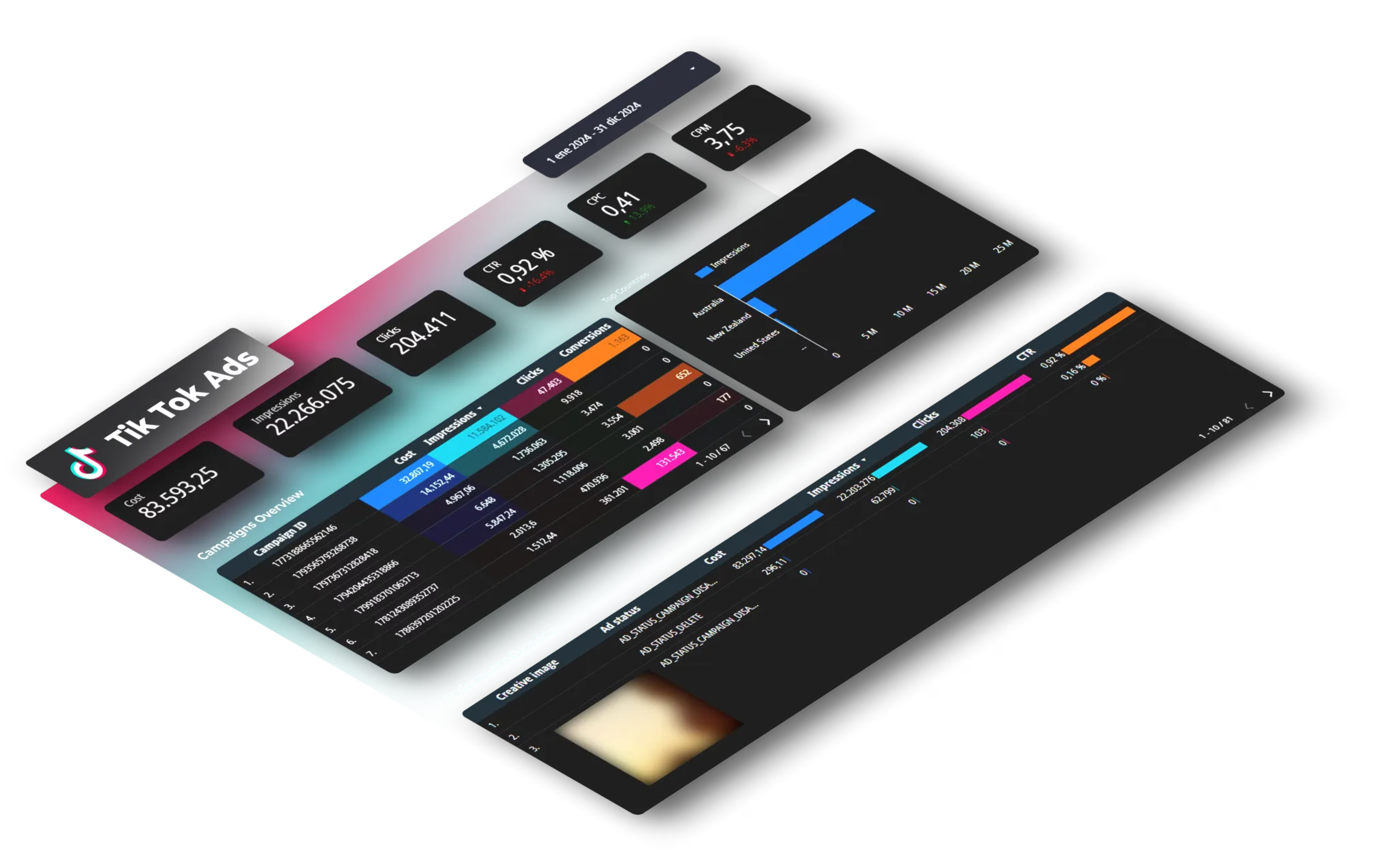
Alternatively, set a calendar reminder for weekly exports. The goal isn't perfection, it's having backups. If APIs change and you have data through last Tuesday instead of today, that's a minor gap. If you have nothing after six months ago, that's a real problem.
What Could Actually Happen
Nobody knows for certain. The deal is supposed to close January 22, but legal experts have spent months debating whether Trump's executive orders can actually override a law Congress passed. The most likely scenario is ownership transfers to Oracle and MGX, TikTok keeps operating, and API access either stays the same or sees some policy adjustments.
But there are other possibilities. New owners could decide to monetize API access the way Twitter did, suddenly charging for data that was previously free or included. During the ownership transition, there might be temporary service disruptions or data access issues while systems get migrated.
Or maybe nothing changes at all and these backups end up being insurance you never needed. That's fine. The hour you spend now preparing is much cheaper than the week you'd spend later trying to recreate lost data or explain gaps in your reporting to clients or executives.
The pattern we've seen across platforms (Twitter, LinkedIn in 2018, Facebook's attribution changes in 2020) is that ownership transitions and financial pressure tend to lead to tighter API restrictions. Sometimes gradually, sometimes overnight. TikTok might be different, but betting your historical data on that assumption carries significant risk.
Frequently Asked Questions
Will TikTok's API definitely change after January 22?
We don't know. The deal is scheduled to close then, but what happens to API access after that remains unclear. New ownership could leave everything unchanged, implement gradual policy updates, or make more significant changes. The preparation you do now protects you regardless of which direction they go.
How long does it actually take to back up TikTok data?
It depends entirely on your account size. If you're running 5 campaigns and want one year of data, expect about 20 minutes total. If you're managing 50+ campaigns across multiple accounts and want maximum historical range with all available metrics, set aside 2-4 hours. The export itself doesn't take that long, but organizing and storing everything properly does.
Can I still track TikTok performance if their API gets restricted?
Yes, through Google Analytics 4 with proper UTM tracking. You'll lose TikTok's platform-specific metrics like video completion rates and their audience insights, but you'll keep traffic data, conversion tracking, and user behavior metrics. It's not a perfect replacement but it's independent measurement that works no matter what TikTok does with their API.
Should I stop running TikTok campaigns until this gets resolved?
Only if TikTok isn't working for your business. The risk here is to your reporting capability and historical data access, not to campaign performance itself. If TikTok is driving profitable results right now, keep running campaigns. Just make sure you can measure and prove those results even if API access changes later.
Your Next Steps
Export your historical TikTok Ads data today, set up UTM tracking in GA4 for future data independence, and configure either automated or scheduled manual backups.
The TikTok ownership situation will eventually resolve one way or another. Having your data backed up means you're prepared either way.
We published an analysis of TikTok's algorithm changes expected with the ownership transition. Worth checking out if you're seeing CPA fluctuations.
Need help with automation? Dataslayer pulls TikTok Ads data daily into Google Sheets, Looker Studio, BigQuery, or Power BI. Free 15-day trial, no credit card required.



