


Most Google Ads accounts run on assumptions. "Performance Max needs 60% of budget." "Search and Shopping campaigns compete for the same clicks." "Demand Gen cannibalizes existing conversions."
What if you could actually test these assumptions rather than guessing? Multi-campaign experiments is a closed beta feature that lets you test different account structures simultaneously, comparing Search + Performance Max splits, testing portfolio bidding strategies across multiple campaigns, or measuring whether adding Demand Gen actually generates incremental conversions.
Unlike standard experiments that test changes within a single campaign, multi-campaign experiments test strategic decisions at the account level. And the results often contradict conventional wisdom about what works.
What Standard Experiments Miss
Traditional Google Ads experiments work brilliantly for testing bidding strategies, ad variations, or landing pages within a single campaign. Change your Target CPA to Target ROAS, split the traffic 50/50, and see which performs better.
But that approach breaks down when you need to test interactions between multiple campaigns:
- The cannibalization question: Does Performance Max steal conversions from your Search campaigns, or does it find genuinely incremental traffic? A single-campaign experiment can't answer this because both campaigns need to run simultaneously with proper control groups.
- The budget allocation question: Should you run 3 Search campaigns + 1 Performance Max, or 2 Search + 2 Performance Max? Testing this requires comparing entire strategic setups, not isolated campaign changes.
- The portfolio bidding question: Does grouping 5 campaigns into a Target ROAS portfolio outperform individual Target CPA strategies? You can't test this one campaign at a time when the whole point is testing the portfolio effect.
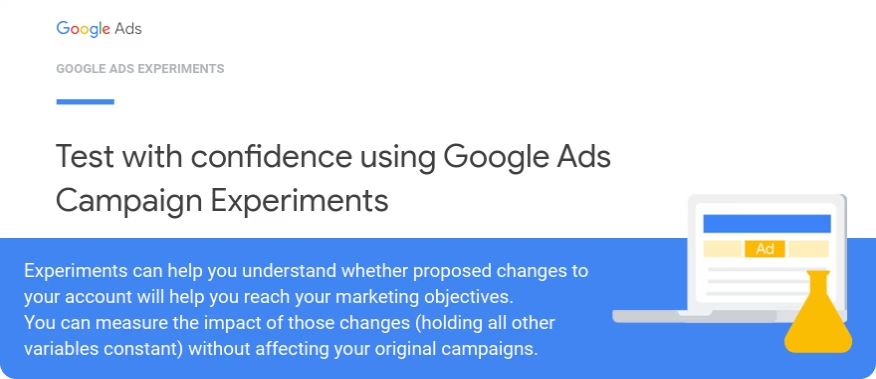
That's what multi-campaign experiments solve. According to Google's documentation, they "allow experiment campaigns meeting certain criteria to be treated as a group," with users assigned consistently across the group using cookie-based splits.
How Multi-Campaign Experiments Actually Work
You create two experiment "arms," think of them as complete account setups running in parallel.
Control Arm (Setup A):
- 3 Search campaigns using Target CPA
- 1 Performance Max campaign with $5,000/month budget
- All campaigns in individual portfolios
Treatment Arm (Setup B):
- 2 Search campaigns using Target ROAS
- 2 Performance Max campaigns with $7,500/month total budget
- All campaigns grouped into a shared portfolio strategy
Google splits users 50/50. Half your traffic sees Setup A, half sees Setup B. After 4-6 weeks, you compare total conversions, ROAS, and cost per acquisition across both arms.
The winner isn't "this individual campaign performed better," it's "this entire strategic approach generated more revenue at better efficiency."
Why Cookie-Based Splits Matter
Multi-campaign experiments use cookie-based assignment. Once Google assigns a user to Control or Treatment, that user consistently sees only campaigns from that arm across all future searches and browsing sessions.
This prevents cross-contamination. If User A is assigned to Control and sees your Search ad on Monday, they won't suddenly see your Treatment Performance Max ad on Wednesday. They experience one consistent strategy.
Search-based splits (where each individual search query randomly assigns to Control or Treatment) would corrupt the test by letting the same user interact with competing campaign setups.
Use Cases
Testing Performance Max Against Traditional Shopping
An ecommerce brand ran Standard Shopping campaigns for three years with consistent ROAS. Performance Max promised better results, but switching everything felt risky.
Multi-campaign experiment setup:
- Control: Existing 4 Shopping campaigns + 2 Search campaigns
- Treatment: Same 2 Search campaigns + 1 new Performance Max campaign (replacing Shopping)
Result: Performance Max generated 18% more conversions at 12% lower CPA. But the Search campaigns in the Treatment arm saw 8% fewer conversions. Performance Max was capturing some Search demand. Total account conversions still increased 11%, proving Performance Max added net new value despite minor cannibalization.
Without multi-campaign experiments, they would never have measured that interaction effect.
Budget Allocation Between Campaign Types
A B2B SaaS company spent $40,000/month across 5 Search campaigns and 1 Performance Max campaign. The question: should Performance Max get more budget?
Setup:
- Control: 70% Search / 30% Performance Max ($28K / $12K)
- Treatment: 40% Search / 60% Performance Max ($16K / $24K)
Result: Treatment arm generated 23% more qualified leads (tracked via proper conversion tracking) at similar cost per lead. Performance Max needed more budget to find its full potential.
The company gradually shifted to 45/55 allocation based on the experiment results.
Portfolio Bidding Strategy Testing
This is the primary documented use case in Google's official help. An advertiser with 8 campaigns generating limited individual conversion volume wanted to test Target ROAS but couldn't reach statistical significance testing one campaign at a time.
Multi-campaign experiment:
- Control: All 8 campaigns using Target CPA in existing portfolio
- Treatment: All 8 campaigns using Target ROAS in new portfolio
After 6 weeks with aggregated volume from all campaigns, results showed Target ROAS generated 9% higher conversion value at the same total spend. Individual campaigns would have needed 4-5 months each to reach significance.
How to Get Access (It's Not Public)
Multi-campaign experiments remain in closed beta as of January 2026. You can't just turn them on in your Google Ads account.
To request access:
- Contact your Google Ads representative directly and ask to join the multi-campaign experiments beta
- Alternative: Submit a support request through Google Ads Help specifically mentioning multi-campaign experiments
- Be prepared to explain your use case: Google prioritizes accounts with clear strategic testing needs and sufficient conversion volume
Google's documentation explicitly states you need to "ask your account representative or reach out to support in order to participate."
Who Should Bother Requesting?
This feature makes sense for:
- Accounts running multiple campaign types where interaction effects matter (Search + Performance Max, Shopping + Demand Gen)
- Agencies testing account structures across multiple clients who need proof before making big changes
- Advertisers with limited per-campaign volume but sufficient aggregated conversions (multi-campaign experiments pool volume for faster statistical significance)
If you run a single Performance Max campaign with no Search presence, standard experiments serve you better.
Setup Requirements
While exact setup varies (this is beta with limited documentation), Google's help articles reveal core requirements:
Portfolio Bid Strategies Are Mandatory
You can't run multi-campaign experiments without portfolio bid strategies. Both Control and Treatment arms need campaigns grouped into portfolios.
Example structure:
- Control Arm: Campaigns 1-4 in "Portfolio A" using Target CPA
- Treatment Arm: Campaigns 1-4 in "Portfolio B" using Target ROAS
Critical limitation: Shared budgets don't work with experiments. Each campaign needs an individual budget, not a shared pool.
Sufficient Conversion Volume
Google recommends at least 10,000 users in audience lists when using cookie-based splits. For bidding strategy tests, you need enough aggregated conversions to reach statistical significance within 4-6 weeks.
General guidance: If your campaigns individually lack conversion volume for standard experiments, multi-campaign experiments help by pooling volume. But the total still needs to be meaningful.
Consistent Experiment Configuration
Google recommends:
- Same start dates for all campaigns in the experiment
- Same end dates
- 50/50 split between Control and Treatment
- Cookie-based splits (not search-based)
This ensures audiences experience either Control or Treatment consistently, never a mix of both.
What You Actually Test With This
The most documented use case is portfolio bidding strategy comparison, testing Target ROAS vs Target CPA across multiple campaigns simultaneously.
But the beta also supports testing:
- Campaign type mixes: Search + Shopping + Performance Max (Control) vs Search + Performance Max + Demand Gen (Treatment)
- Budget distributions: Same campaigns with different budget caps to see which allocation maximizes total conversions
- Geographic expansions: Current campaigns (Control) vs current campaigns + new geo-targeted campaigns (Treatment)
The key constraint: test one variable at a time. If you change both campaign types AND bidding strategies simultaneously, you can't know which variable drove results.
Why Results Take 4-6 Weeks
Google's automated bidding strategies need time to learn. Target CPA and Target ROAS campaigns enter a learning phase for the first 2-3 weeks as the algorithm collects data.
Testing bidding strategies before that learning phase completes produces unreliable results.
Additionally, conversion volume needs time to accumulate for statistical significance. An experiment showing 8% improvement after 10 days might regress to 1% by week 4 as more data arrives.
Google's experiment interface calculates statistical confidence and declares winners when thresholds are met, but following the full 4-6 week minimum prevents false positives from early random variation.
Tracking Multi-Campaign Experiments with Dataslayer
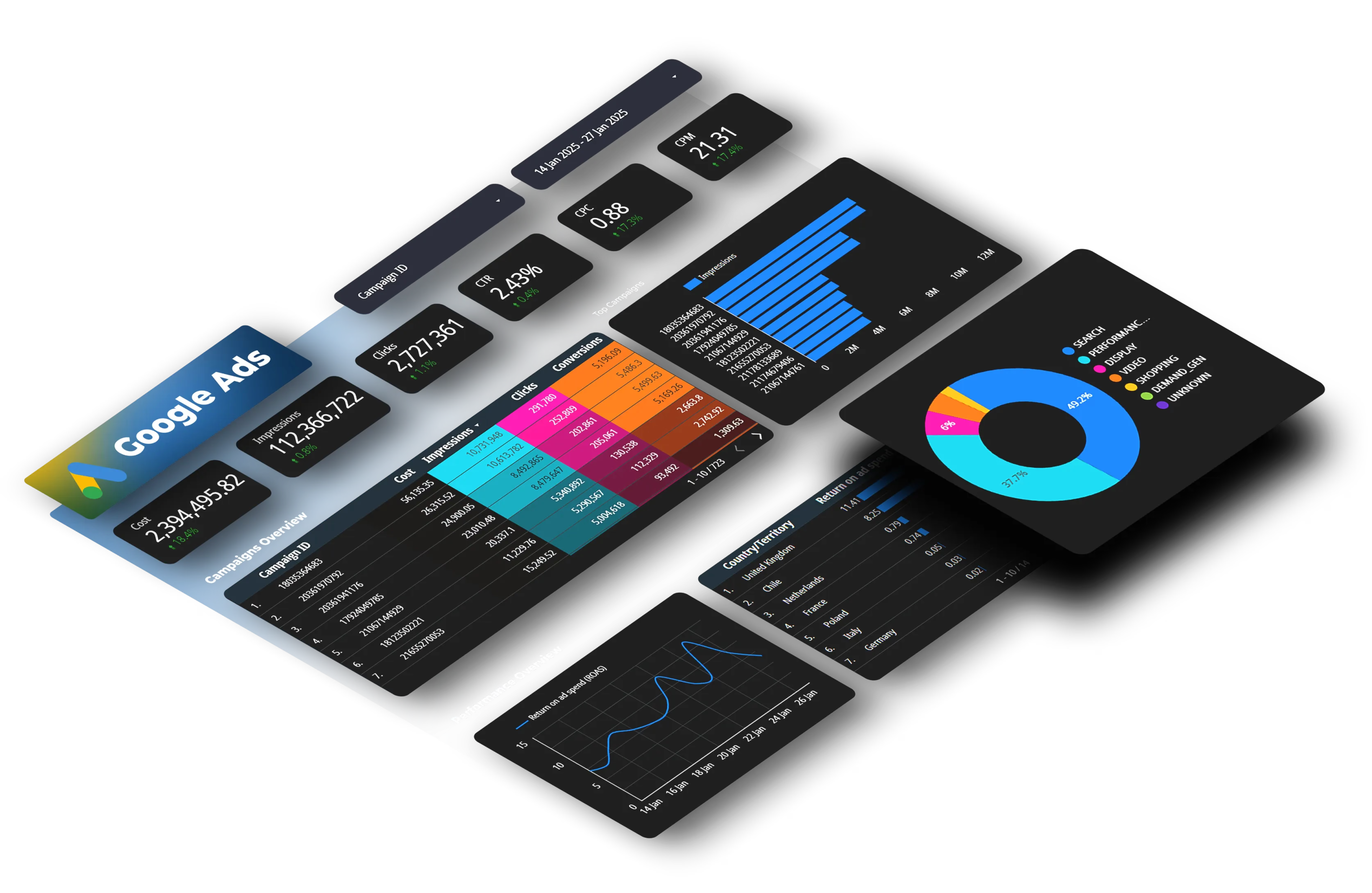
Google Ads shows basic experiment comparison (conversions, cost, ROAS for Control vs Treatment), but connecting that data to broader reporting reveals deeper insights.
Dataslayer syncs Google Ads data, including experiment metrics, to Google Sheets, Looker Studio, BigQuery, or Power BI automatically. This enables:
Historical Performance Context
Compare experiment results against your account's pre-test performance to see if the winning arm actually beats your historical baseline, or just beats the losing experiment arm.
Example: Treatment arm shows 12% higher ROAS than Control. Great! But your account's pre-experiment ROAS was 15% higher than Treatment. The experiment helped you pick the better of two mediocre setups. Now you know neither option matches your peak performance.
Cross-Platform Correlation
Multi-campaign experiments test Google Ads structure, but ultimate success depends on what happens after the click. Connect Google Ads experiment data with GA4 to see:
- Did the winning experiment arm drive higher-quality traffic that converted better on your site?
- Did it attract different audience segments?
- What was the downstream revenue impact beyond just Google Ads conversions?
Automated Reporting Dashboards
Build automated dashboards that update daily with experiment performance, eliminating manual exports. Track:
- Daily experiment performance throughout the test period
- Device, location, and audience breakdowns for each experiment arm
- Comparative metrics showing Control vs Treatment across all dimensions
Dataslayer's query builder lets you filter by the "Campaign Experiment Type" dimension to separate Treatment and Control data in your reports.
Common Mistakes
Testing Too Many Variables
Bad setup:
- Control: Search campaigns using Target CPA, Performance Max using Maximize Conversions
- Treatment: Demand Gen using Target ROAS, Performance Max using Target CPA
That's testing 3 variables: campaign types, bidding strategies, and campaign interactions. You'll have no idea which change caused results.
Better setup:
- Control: Search + Performance Max both using Target CPA
- Treatment: Search + Performance Max both using Target ROAS
Now you're testing one variable (bidding strategy) while controlling for campaign type and structure.
Ending Tests Too Early
Seeing positive results after 12 days tempts you to declare victory and apply Treatment to your full account. That's a mistake.
Bidding algorithms haven't stabilized. Weekly seasonality hasn't been accounted for. Statistical significance might be driven by random variation.
Run the full 4-6 weeks even if Google's interface shows statistical significance earlier. The extra patience prevents costly mistakes from false positives.
Forgetting About Interaction Effects
This is actually what multi-campaign experiments solve, but you need to interpret results correctly.
If Treatment arm (with more Performance Max budget) wins, that doesn't necessarily mean "Performance Max is better than Search." It might mean "Performance Max at 60% budget + Search at 40% budget works better than the reverse."
The winning configuration is the whole package, not individual campaign types in isolation.
Multi-Campaign Experiments vs Other Testing Methods
vs Standard Experiments
Standard experiments: Test changes within one campaign. Available to everyone. Best for tactical tests (bidding, ads, keywords).
Multi-campaign experiments: Test grouped campaigns. Closed beta requiring approval. Best for strategic tests (campaign structure, portfolio bidding).
vs Performance Max Uplift Experiments
Performance Max uplift: Pre-configured test measuring incremental value of adding Performance Max to your account. Available to everyone.
Multi-campaign experiments: Fully customizable campaign groupings. You design both Control and Treatment arms. Requires beta access.
vs Conversion Lift Studies
Conversion lift: Test whether advertising drives incremental conversions by comparing exposed users vs control group who didn't see ads. Measures advertising's total incrementality.
Multi-campaign experiments: Compare different advertising strategies. Both arms include ads. Measures which strategic approach works better.
When This Feature Probably Won't Help You
Multi-campaign experiments solve specific problems. Don't force them on situations where standard experiments work fine:
Single campaign type accounts: If you only run Search campaigns, test bidding strategies, ad variations, and keywords within individual campaigns. No need for multi-campaign complexity.
Extremely low conversion volume: If your account generates fewer than 20 conversions per week total, even multi-campaign pooling won't reach statistical significance in 6 weeks. Focus on increasing conversions before testing.
Tactical changes: Testing ad copy, landing pages, or keyword match types? Standard experiments are faster and easier. Save multi-campaign experiments for strategic account-level decisions.
The Bigger Picture: Account-Level Thinking
Most advertisers optimize at the campaign level. Should this Search campaign use Target CPA or Maximize Clicks? What's the optimal bid for this Shopping campaign?
Multi-campaign experiments force account-level thinking. Not "which campaign is best" but "which complete strategic approach is best."
That shift matters because campaigns interact. Performance Max competes with Search in auctions. Shopping campaigns and Performance Max target the same product searches. Demand Gen can warm audiences that convert later through Search.
Testing campaigns in isolation misses those interactions. Multi-campaign experiments capture them by testing entire strategic setups against each other.
The feature remains in closed beta with unclear timeline for broader release as of January 2026. But understanding how it works prepares you to request access effectively and design strategic tests when available.
For now, most advertisers will continue using standard experiments for tactical tests. But accounts with multiple campaign types, limited per-campaign volume, or clear strategic questions about campaign interactions should request beta access.
The answers might contradict everything you assumed about your account structure.
Ready to Track Your Google Ads Data Better?
Whether you're testing individual campaigns or preparing for multi-campaign experiments when you gain beta access, Dataslayer automatically syncs Google Ads data to Google Sheets, Looker Studio, BigQuery, or Power BI.
Connect Google Ads with GA4, Meta Ads, LinkedIn, and 50+ platforms for unified marketing analytics without manual exports.
Try Dataslayer free for 15 days to build automated dashboards that update daily with your advertising performance. No credit card required.
FAQ
Can I access multi-campaign experiments right now?
No. It's a closed beta requiring approval from your Google Ads representative or support team. Request access by contacting them directly and explaining your testing needs.
How is this different from regular experiments?
Regular experiments test changes within a single campaign. Multi-campaign experiments test grouped campaigns as strategic units, measuring account-level decisions like campaign type mixes or portfolio bidding strategies.
What campaign types can I test?
Search, Performance Max, Shopping, Demand Gen, Video, and App campaigns. You can mix different types within each experiment arm to test strategic configurations.
How long should tests run?
Minimum 4-6 weeks. Automated bidding needs 2-3 weeks to exit learning phases, and you need sufficient conversion volume for statistical significance. Don't end early even if results look clear.
Do I need special conversion tracking setup?
Not specifically for multi-campaign experiments, but proper conversion tracking is obviously critical for any experiment to produce meaningful results.
Can I test more than two setups simultaneously?
Google's documentation mentions testing "up to 5" different strategic setups, but most tests use 2 arms (Control vs Treatment) for clearer comparison.
What happens if my experiment shows no winner?
If results aren't statistically significant after 6 weeks, that means both strategic approaches perform roughly the same. Either is fine, or you need to test more dramatically different configurations.
Will this feature become available to everyone eventually?
Probably. Google typically moves features from closed beta to open beta to general availability. But there's no official timeline for multi-campaign experiments.



