


Meta launched Threads advertising globally in January 2026, giving advertisers access to 400 million monthly users and 141.5 million daily active users, more than X's 125 million daily mobile users.
The rollout started the week of January 27 after a year of limited testing in the US and Japan. If you're already running Facebook or Instagram ads, you have access to Threads placement right now through Meta Ads Manager.
But there's a tracking gap: Meta Ads Manager doesn't show Threads performance in default reports. Your dashboard displays aggregate numbers across all placements, but Threads data is buried unless you know where to find it.
This matters because Buffer's analysis of 10.2 million posts found Threads drives 73.6% higher engagement than X (6.25% vs 3.6% median engagement rate). Without placement-level tracking, you can't tell if Threads ads are performing better or worse than Instagram Feed.
Threads Ads: What Changed in January 2026
Before January 2026:
- Threads ads available only to select advertisers (US and Japan starting January 2025)
- Expanded to all global advertisers in April 2025
- Still limited rollout to users
After January 2026:
- Ads visible to all 400 million Threads users globally
- Available through Meta Ads Manager (same interface as Facebook/Instagram)
- Supports image, video, and carousel formats (4:5 aspect ratio)
- Integrated with Meta Business Suite
Current status: Ads are rolling out gradually. Meta said the full rollout may take "several months," with ad delivery kept intentionally low initially.
Meta never published an English-language announcement, but their Spanish announcement in April 2025 outlined the initial advertiser expansion. The January 2026 user rollout was covered by TechCrunch, CNBC, and other tech press.
How to Access Threads Ads
Option 1: Advantage+ (Automatic)
New Advantage+ campaigns include Threads placement by default. Your existing creative appears on Threads automatically, no setup needed.
Option 2: Manual Placements
- Meta Ads Manager → Create or edit campaign
- Ad Set level → Placements → Manual Placements
- Check "Threads feed" under Meta platforms
- Uncheck other placements if testing Threads alone
Option 3: Meta Business Suite Integration (Available February 2026)
Connect Threads account in Business Settings → Accounts → Threads accounts. Requires Instagram account with matching username.
Supported formats: Single image (4:5), single video (4:5, up to 60 sec), carousel (2-10 cards). Same specs as Instagram Feed. More details: Meta ad formats guide.
The Threads Tracking Problem
When you check campaign results in Meta Ads Manager, you see:
- All placements: 12,450 impressions, $285 spend, 47 conversions
- Instagram Feed: 5,200 impressions, $130 spend, 22 conversions
- Facebook Feed: 4,100 impressions, $95 spend, 18 conversions
- Threads feed: Not shown separately
The data exists, Meta tracks it, but it doesn't appear in default views. Most advertisers don't realize Threads performance is hidden in aggregate numbers.
Why Placement-Level Data Matters
Different placements perform differently. Threads users are mobile-only, scroll through text-first content, and behave differently than Instagram Feed users.
If Threads delivers conversions at $4 and Instagram Feed costs $8, but you can't see the breakdown, you miss the optimization opportunity. You can't shift budget to what's working if you don't know what's working.
Early advertiser reports suggest Threads CPMs run 15-25% lower than Instagram Feed, though this will likely change as more advertisers adopt the placement.
How to View Threads Performance in Meta Ads Manager
Meta Ads Manager does track Threads separately, you just need to use the breakdown feature.
Steps:
- Go to Ads Reporting in Meta Ads Manager
- Click Breakdown → By delivery → Placement
- Find "Threads feed" in the placement list
- View or export the data
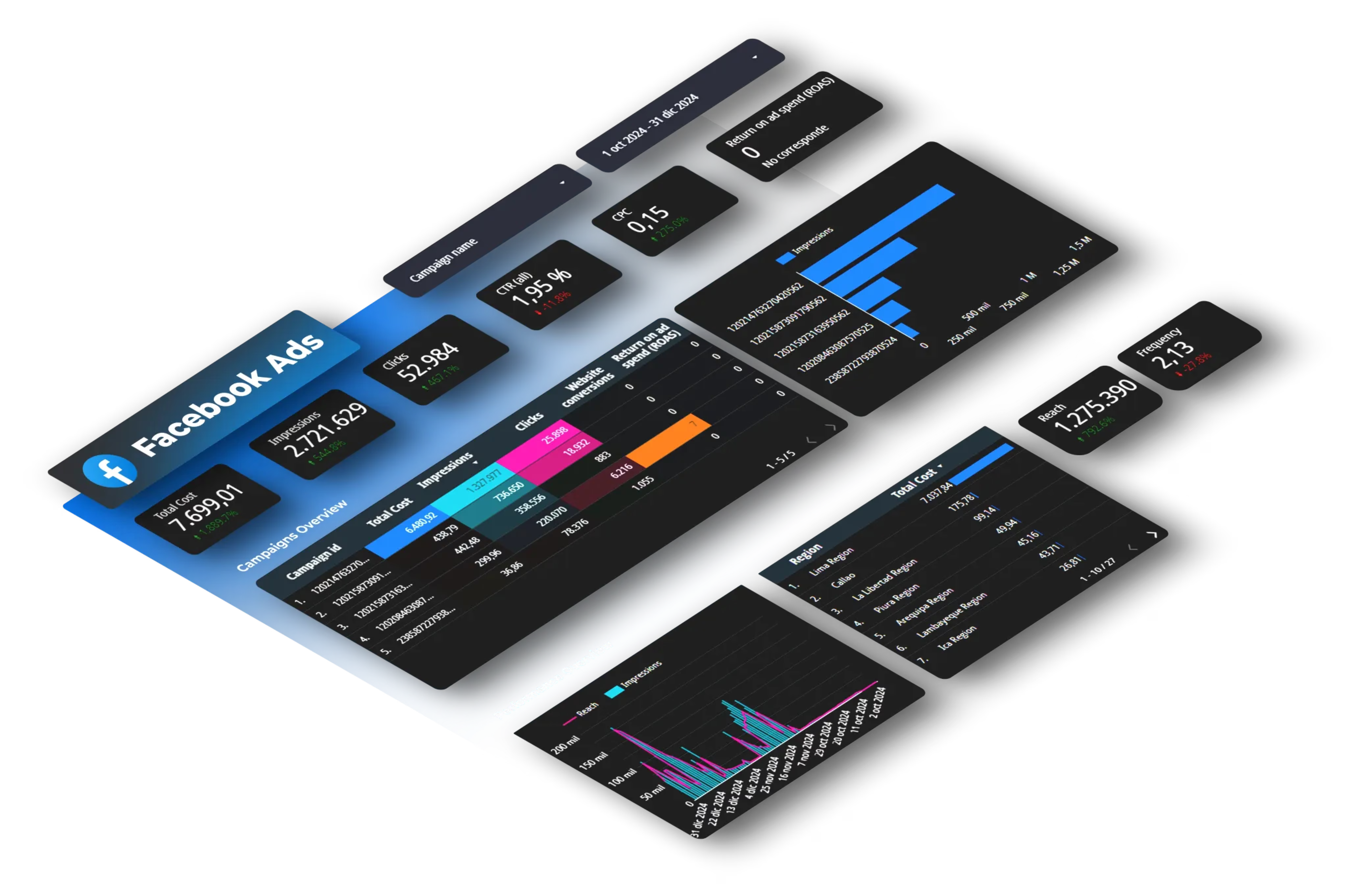
You'll see Threads impressions, clicks, spend, conversions, CPM, and CPC separate from other placements.
The limitation: You need to manually pull this breakdown every time you want to see Threads performance. If you're checking daily or reporting to clients weekly, that's repetitive manual work.
Related: Meta made 83 platform updates in 2025, including attribution window changes that affect all Meta ads reporting.
Metrics to Track for Threads Ads
Essential metrics:
- CPM by placement – Is Threads cheaper than Instagram/Facebook?
- CTR by placement – Are Threads users clicking at higher rates?
- Cost per conversion – What's the actual CPA on Threads?
- Conversion rate – Do Threads clicks convert better or worse?
Comparison benchmarks:
- Threads vs Instagram Feed (same format, different audience)
- Threads in awareness campaigns vs conversion campaigns
- Week-over-week CPM trends (watch for price increases as competition grows)
- Mobile device breakdown (Threads is mobile-only)
Threads Ad Tracking Limitations
Meta hasn't rolled out full feature parity yet:
Dynamic Creative Optimization doesn't work. If you use DCO to test creative variations, Threads must be excluded.
Some API metrics are limited. Not all demographic breakdowns available for Instagram are available for Threads through the API.
Can't customize creative by placement. You can't show different images on Threads vs Instagram Feed in the same ad set.
Attribution window changes affect everything. Meta removed 7-day and 28-day view-through windows in January 2026, so all placements show fewer attributed conversions now. Read about attribution changes.
Should You Test Threads Ads?
Test if:
- You're already running Facebook/Instagram ads
- Your audience is under 45 (Threads skews younger)
- You want to test a less saturated placement before CPMs rise
- You're spending $1,000+ monthly on Meta ads
Wait if:
- You're not running Meta ads yet (start with Instagram/Facebook first)
- Your target audience is 55+ (lower Threads adoption)
- Total Meta spend is under $500/month (too small to test meaningfully)
Realistic approach: Allocate 10-15% of Meta budget to Threads for 30 days, compare cost per result against Instagram and Facebook, then decide whether to scale or pause.
Track Threads Ads Without Manual Exports
Threads advertising just opened to 400 million users globally. Early data shows 73.6% higher engagement than X and reportedly 15-25% lower CPMs than Instagram Feed.
To capitalize on this, you need placement-level tracking, but Meta Ads Manager buries Threads data by default.
What Dataslayer does:
- Pulls Threads placement data from Meta Ads Manager automatically
- Breaks down CPM, CTR, conversions by placement (Threads vs Instagram vs Facebook)
- Combines Meta with Google Ads, TikTok, GA4 in one dashboard
- Updates daily or hourly without manual exports
For marketing teams managing:
- Multiple Meta Ads accounts (agencies, in-house teams)
- Cross-platform campaigns (Meta + Google + TikTok)
- Client reporting that requires fresh data



