



Google publicly announced the Data Manager API on December 9, 2025, culminating a year-long staged rollout that began in April 2025. The API creates a unified ingestion point for first-party data across Google Ads, Google Analytics 4, Display & Video 360, Search Ads 360, and Campaign Manager 360. Advertisers now send Customer Match audiences, offline conversions, and enhanced conversion data through a single endpoint instead of maintaining separate integrations for each platform.
According to Google's official announcement, the API reduces engineering effort by up to 80% compared to implementing separate integrations. Eleven integration partners, including Tealium, Hightouch, Zapier, Treasure Data, and Jellyfish, launched support at the public announcement.
The distinction matters because these tools solve different problems: Data Manager API pushes first-party data into Google's advertising platforms to improve targeting and bidding, while Dataslayer pulls performance data out of marketing platforms into reporting destinations like Google Sheets, Looker Studio, BigQuery, and Power BI.
Comparison Table: Data Manager API vs Dataslayer
Understanding Google's Data Manager API
What Problem Does It Solve?
Before the Data Manager API's staged rollout beginning in April 2025, sending first-party data to Google's advertising ecosystem meant implementing multiple separate API integrations. Customer Match for Google Ads used one endpoint. Offline conversions used another. Display & Video 360 required its own implementation. Each integration demanded separate authentication, different data formats, and individual maintenance schedules.
According to Gartner research, by 2025, 75% of marketing programs leveraging customer data will produce less incremental revenue than the costs to acquire, manage, and activate it. The coordination burdens scale faster than business benefits when managing multiple channels, a prediction playing out as organizations grapple with data integration complexity.
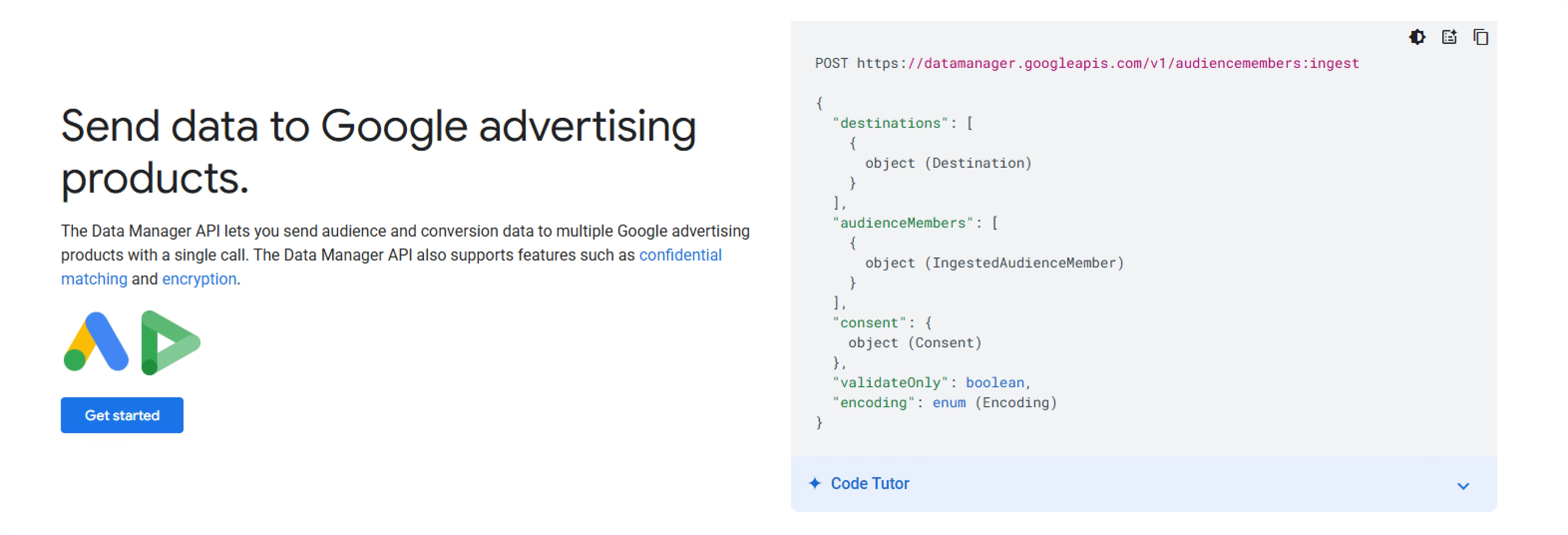
Data Manager API consolidates these fragmented touchpoints. Marketers send data once to https://datamanager.googleapis.com/v1/audiencemembers:ingest and specify which Google products should receive it. The API handles formatting differences, authentication across platforms, and maintains a consistent interface regardless of the destination.
For a mid-sized e-commerce company previously managing separate integrations for Google Ads Customer Match, offline conversion tracking, and Display & Video 360 audiences, the consolidation typically reduces developer maintenance from 15-20 hours monthly to 3-5 hours after the initial migration.
Core Capabilities
The API supports two primary data categories:
Audiences: Populate audience lists for Google Ads and Display & Video 360 using customer email addresses, phone numbers, mobile device IDs, or Publisher Advertiser Identity Reconciliation (PAIR) data. The minimum audience size dropped to 100 members in version 1.3 (down from 1,000), making it viable for niche B2B targeting or local business campaigns.
This matters because smaller advertisers can now use Customer Match effectively. A local HVAC company with 500 past customers can create a Customer Match list and target similar users in their service area. Previously, the 1,000-member minimum made this impossible.
Conversions: Send offline conversion events, enhanced conversions for leads, or Google Analytics purchase events directly to Google Ads. This strengthens bidding algorithms by providing conversion signals that occur outside your website, like in-store purchases, phone sales, or CRM transactions completed weeks after the initial ad click.
For businesses with long sales cycles, this closes the attribution gap. A B2B software company might see website form submissions within days, but actual purchases happen 60-90 days later after demos, negotiations, and procurement approval. Sending these offline conversions through Data Manager API teaches Google's bidding algorithms which keywords and audiences drive real revenue, not just form fills.
The API also supports sending conversion adjustments, letting you update previously reported conversions with corrected values. If a customer returns a product or cancels a subscription, you can adjust the conversion value to reflect actual revenue.
Confidential Matching and Encryption
Data Manager API includes confidential matching as the default technique for Customer Match audiences. This uses confidential computing to match first-party data with Google's user data while maintaining privacy assurances.
Encryption is optional but available for organizations with strict requirements. The API supports customer-owned encryption keys through Google Cloud KMS or AWS KMS. The process involves formatting PII, hashing with SHA-256, Base64 encoding, encrypting with XChaCha20Poly1305, and encoding again.
Implementation Example
For a direct-to-consumer brand with 500,000 email subscribers:
Setup: Configure Google Cloud Project with Data Manager API enabled, establish OAuth 2.0 credentials, format customer data with hashed PII fields, make POST request to the API endpoint, and monitor status using the RetrieveRequestStatus method.
Expected results: Match rates typically range from 30-60% depending on data quality. Email addresses match better than phone numbers.
Key Limitations
Not a Reporting Tool: Only pushes data into Google platforms, doesn't retrieve performance metrics.
Google Ecosystem Only: Exclusively serves Google's advertising products, Facebook, LinkedIn, or TikTok require separate integrations.
Technical Implementation: Demands developer resources; non-technical teams need integration partners.
When Dataslayer Fits Your Data Strategy
The Reporting Problem Data Manager Doesn't Solve
A performance marketing manager running campaigns across Google Ads, Facebook Ads, LinkedIn Ads, and TikTok Ads faces a daily challenge: How much did we spend yesterday? Which campaigns drove conversions? What's our actual ROAS?
Data Manager API doesn't answer these questions. It pushes audience data and conversions into advertising platforms but provides zero reporting capabilities.
Dataslayer addresses a fundamentally different need: automated data extraction from 50+ marketing platforms into centralized reporting destinations.
Core Capabilities
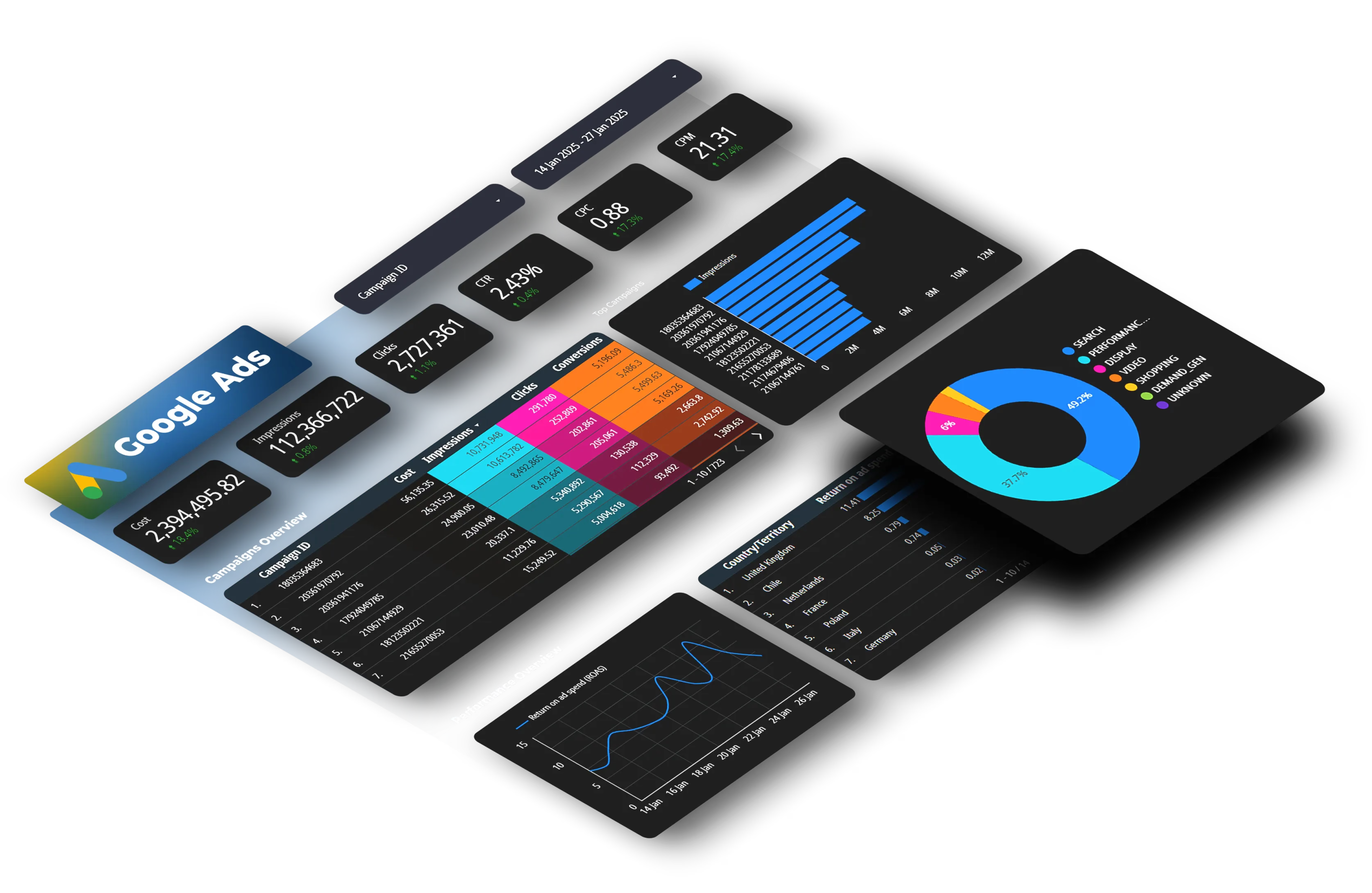
Dataslayer connects advertising platforms, analytics tools, and social media channels to Google Sheets, Looker Studio, BigQuery, Power BI, and Snowflake.
The platform provides pre-built connectors for advertising (Google Ads, Facebook Ads, LinkedIn Ads, TikTok Ads), analytics (Google Analytics 4, Adobe Analytics), search (Google Search Console), social (YouTube, Instagram), email (Mailchimp, SendGrid), and e-commerce (Shopify, WooCommerce).
Implementation Example
For an agency managing 30 client accounts:
Scenario: Create a daily spend report showing total investment across Google Ads, Facebook Ads, and LinkedIn Ads.
Step 1: Authenticate each advertising platform through OAuth (no coding required). Select Google Ads connector, choose metrics (Campaign Name, Spend, Impressions, Clicks, Conversions), and set date range to "Yesterday."
Step 2: Configure data destination. For a Google Sheets dashboard, Dataslayer creates columns automatically: Client Name, Platform, Campaign, Date, Spend, Impressions, Clicks, Conversions, CPC, CTR, Conversion Rate.
Step 3: Schedule daily refresh at 6 AM. Every morning, the sheet updates with yesterday's performance across all platforms. Total setup time per client: 15 minutes per platform.
Step 4: Build summary calculations. Use SUMIF formulas to calculate total spend by client, by platform, or by campaign type. Add conditional formatting to highlight campaigns exceeding budget thresholds.
Step 5: Share with stakeholders. Export to Looker Studio for interactive filtering, or keep as Google Sheets for easy access. Clients view their specific campaigns without seeing other clients' data.
This automated workflow replaces what used to be 8-12 hours monthly of manual CSV downloads, data consolidation, and formula updates. Understanding data discrepancies between platforms helps when reconciling numbers across systems.
When Dataslayer Makes Sense
Cross-Platform Reporting: When you need unified visibility across multiple advertising platforms. Data Manager API only handles Google products; Dataslayer consolidates 50+ data sources.
Marketing Team Without Developers: Pre-built connectors eliminate technical barriers. Marketing managers set up automated reporting in minutes without writing code.
Regular Performance Analysis: Daily, weekly, or monthly reports comparing campaigns and channels. Automated refreshes keep dashboards current.
Budget Management: Track spending across platforms against monthly budgets. For more detailed guidance on this, see our ad spend tracking automation guide.
Dataslayer Limitations
Read-Only Access: Extracts data but cannot push data back or manage audiences.
Subscription Cost: Requires paid subscriptions based on data volume.
The Real Decision Framework
Choose Data Manager API When:
1. Managing First-Party Data at ScaleYou have 100,000+ customer records from your CRM, loyalty program, or e-commerce platform and need to activate them in Google Ads for targeting.
Example: A SaaS company with 250,000 trial users builds a Customer Match audience of users who haven't converted to paid plans within 30 days. They segment by engagement level (active daily users vs. one-time login) and target each segment with different messaging through Search and YouTube campaigns. Match rates of 40-55% mean reaching 100,000-137,000 targetable users.
2. Your Sales Happen OfflineSignificant revenue comes from phone sales, in-person transactions, or delayed conversions tracked in your CRM rather than on your website. Learn more about tracking conversions after Consent Mode V2.
Example: An auto dealership tracks test drives and purchases in their dealership management system. Each Monday, they export last week's sales with the Google Click IDs (GCLIDs) captured during form submissions. Data Manager API sends these offline conversions to Google Ads, teaching Smart Bidding which keywords and ad groups drive actual vehicle purchases, not just website visits.
3. You Have Development ResourcesYour organization employs developers or works with technical partners who can implement and maintain API integrations.
4. Privacy-First Data HandlingYour industry (healthcare, finance, government) requires strict data handling with encryption and confidential computing.
Choose Dataslayer When:
1. You Need Cross-Platform ReportingYour marketing strategy spans multiple channels and you need consolidated performance metrics. Check out our guide on essential Google Ads metrics to track.
Example: An e-commerce brand spends $50,000 monthly across Google Shopping ($25,000), Facebook Dynamic Ads ($18,000), and Pinterest Promoted Pins ($7,000). They use Dataslayer to build a daily dashboard showing ROAS by platform. After three months of data, they discover Pinterest delivers 4.2x ROAS compared to Facebook's 2.8x, prompting a budget reallocation that increases overall profitability by 23%.
2. Manual Data Exports Waste Your TimeYou currently download CSV files from each platform, copy-paste into spreadsheets, and manually update reports. This process takes hours each week and introduces copy-paste errors.
Example: A digital marketing agency manages 45 clients. Previously, junior analysts spent 20 hours weekly downloading performance data from Google Ads, Facebook Ads, and Google Analytics for client reports. After implementing Dataslayer, automated reports update nightly. The team now spends those 20 hours analyzing performance and developing strategy instead of gathering data.
3. Your Team Lacks Technical ResourcesMarketing managers need reporting automation without requiring developers or IT support.
When You Need Both
Many organizations benefit from using both tools:
The Complete Data Loop:
- Data Collection (Dataslayer): Pull website behavior from Google Analytics 4 into BigQuery. Identify users who viewed 5+ product pages but didn't convert, or users who abandoned cart twice in 30 days.
- Audience Creation: Use SQL queries in BigQuery to segment high-intent visitors. Create lists like "High-value cart abandoners" (cart value >$200, 2+ visits, no purchase) or "Product research stage" (5+ page views, 0 add-to-cart events).
- Audience Upload (Data Manager API): Send these segmented email lists as Customer Match audiences to Google Ads. Format includes hashed email addresses, phone numbers where available, and postal codes for improved match rates.
- Campaign Execution: Create dedicated Performance Max campaigns targeting these uploaded audiences. Use creative messaging specific to each segment, cart abandoners see discount offers, research-stage visitors see product comparison content.
- Performance Monitoring (Dataslayer): Track how these audience-based campaigns perform compared to cold traffic campaigns. Pull daily metrics into consolidated dashboards showing ROAS, conversion rate, and CPA by audience segment.
This workflow combines the strengths of both tools: Dataslayer for analysis and performance tracking, Data Manager API for audience activation. The result is a closed-loop system where performance data informs audience strategy, which gets activated through first-party data uploads, creating a continuous optimization cycle.
Technical Comparison
Data Manager API Setup
Time Investment: 40-80 hours for initial implementation requiring API development, OAuth 2.0 authentication, and data formatting expertise.
Ongoing Maintenance: Monitor monthly API updates, handle rate limiting, and troubleshoot upload failures.
Cost Factors: Developer time (primary cost), minimal Google Cloud fees, and $0.03 per 10,000 KMS operations when using encryption.
Dataslayer Setup
Time Investment: 15-30 minutes per data source with pre-built connectors.
Ongoing Maintenance: Minimal, connectors handle updates automatically, schedules run without intervention.
Cost Factors: Monthly subscription ($49-$249+ based on usage) with no infrastructure or developer costs.
Privacy and Compliance
Data Manager API Privacy Features
Google built Data Manager API with confidential matching as the default, processing Customer Match data in isolated Trusted Execution Environments. Organizations can encrypt PII before transmission using customer-owned keys. Workload Identity Federation uses short-lived tokens instead of long-lived credentials.
Dataslayer Data Handling
OAuth-only authentication means Dataslayer never stores advertising account credentials. The platform acts as a data conduit, requesting data from platform APIs and writing directly to your destination without storing it. ISO 27001 and ISO 27701 certified, Dataslayer maintains information security standards. When using BigQuery or Snowflake destinations, data resides in your chosen region for geographic compliance (GDPR, CCPA).
ROI Analysis
Data Manager API ROI
Positive indicators: Customer Match audiences with 30-60% match rates typically outperform demographic targeting by 2-3x. Offline conversion import improves Smart Bidding by 15-25%.
Cost example: $6,000 initial implementation + $500/month maintenance. If this enables $50,000 monthly ad spend to achieve 20% better ROAS (3x to 3.6x), incremental revenue is $10,000 monthly, less than 1 month payback.
Dataslayer ROI
Time savings: Manual reporting (10 hours weekly = 520 hours annually) vs. automated (34 hours annually) = 486 hours saved × $50/hour = $24,300 value.
Cost: Professional plan at $149/month = $1,788 annually.ROI: ($24,300 - $1,788) / $1,788 = 1,260% return
The 2026 Marketing Data Stack
Most organizations use multiple complementary tools:
Data Collection: CDPs (Segment, mParticle), data warehouses (BigQuery, Snowflake), analytics (GA4)
Data Activation: Data Manager API (Google platforms), Facebook Conversions API, LinkedIn Conversions API
Analysis & Reporting: Dataslayer (extract from 50+ platforms), BI tools (Looker Studio, Tableau)
The data flow:
- Customer interactions → Data collected in CDP/warehouse
- CDP identifies segments → Audiences pushed via Data Manager API
- Campaigns run → Performance extracted by Dataslayer
- Metrics sent to BigQuery → BI tools create dashboards
- Team analyzes results → Insights drive next iteration
Migration Considerations
Moving to Data Manager API
If using legacy Google APIs (Customer Match API, offline conversion uploads), migration includes: reviewing field mapping, testing in sandbox, running parallel uploads for 2-4 weeks, comparing results, then deprecating old integrations.
Adding Dataslayer
Minimal disruption since Dataslayer is read-only: connect first data source, set up test report, verify accuracy, add more sources, train team. Most teams run Dataslayer alongside manual processes initially, then phase out manual reporting.
FAQ
Q: Does Data Manager API replace the Customer Match upload feature in Google Ads?
No, it complements it. The Google Ads interface still offers a codeless option for uploading Customer Match lists. Data Manager API provides a programmatic alternative for organizations that need automated, high-volume audience uploads.
Q: Can Dataslayer upload Customer Match audiences to Google Ads?
No. Dataslayer is a data extraction tool that pulls performance metrics. It cannot upload audiences or modify campaigns.
Q: Does Data Manager API support platforms outside Google's ecosystem?
No. Despite being called "unified," Data Manager API exclusively supports Google's advertising products. Each major platform maintains its own first-party data ingestion system.
Q: How does Dataslayer handle API rate limits?
Dataslayer manages rate limiting automatically using exponential backoff retry logic. Users don't need to worry about rate limiting.
Q: Can I use Data Manager API without a developer?
Technically yes, but practically no. Non-technical users should use either the codeless Data Manager interface in Google Ads or partner with integration platforms like Tealium, Hightouch, or Zapier.
Q: Does Dataslayer work with Google Analytics 4?
Yes. Dataslayer fully supports Google Analytics 4 with dedicated connectors. The platform provides access to GA4 dimensions, metrics, user properties, and event parameters. For more on GA4 integration, see our article on integrating Meta Ads with GA4.
Q: What happens to my data if I cancel my Dataslayer subscription?
Since Dataslayer doesn't store your advertising data, canceling your subscription stops automated refreshes. All data previously extracted and stored in your destinations (Google Sheets, BigQuery, Looker Studio) remains accessible.
Making Your Decision
The Google Data Manager API and Dataslayer serve complementary functions:
Data Manager API = Your data input tool. Use it when you need to push first-party customer data, offline conversions, or enhanced conversion signals into Google's advertising ecosystem.
Dataslayer = Your data output tool. Use it when you need to pull campaign performance data from multiple advertising platforms into centralized reporting destinations.
Start with the tool that addresses your most urgent pain point:
Urgent need: Better ad targeting→ Data Manager API (if you have development resources) or integration partners
Urgent need: Cross-platform reporting→ Dataslayer
No urgent needs, building for the future→ Start with Dataslayer for immediate reporting value, then add Data Manager API when your first-party data strategy matures
The marketing landscape in 2026 rewards organizations that can efficiently collect first-party data, activate it for targeting, measure results across platforms, and rapidly iterate based on insights. For more insights on Performance Max campaigns which work closely with first-party data, see our Performance Max guide.
Want to automate reporting across Google Ads, Facebook Ads, LinkedIn Ads, and 50+ other marketing platforms? Try Dataslayer free for 15 days to connect your data sources to Google Sheets, Looker Studio, BigQuery, or Power BI, no credit card required.



