



Checking how one Reel did is easy inside Instagram's app. Comparing twenty posts from the past month against each other is not: there's no way to query across posts or time ranges from inside Instagram itself.
Dataslayer MCP removes this limitation: connect Instagram Insights to Claude automatically and ask AI about any set of posts, Reels, or Stories in plain language, instead of checking them one by one.
The same MCP connection also gives Claude access to GA4, Meta Ads, and 65+ other platforms supported by Dataslayer. This lets you compare Instagram Ads spend with organic performance or combine Instagram Insights and GA4 data in one chat to see whether bio-link clicks translate into website sessions attributed to Instagram.
Set up the connection in 1 minute, explore the metrics Claude can analyze, and get practical prompts to make your Instagram data work harder.
3 steps to connect Instagram Insights to Claude with Dataslayer
What you need to get started
A few things need to be ready before you start:
- A Dataslayer account. You'll use it to connect Instagram Insights and authorize Claude to access your data.
- A Claude account. The free plan works too, as native connectors are available on all plans.
- Access to your Instagram Business or Creator account. It must be linked to a Facebook Page you have admin access to; personal accounts aren't supported.
Once you have all three, follow the steps below to connect Instagram Insights to Claude.
Instagram Insights to Claude integration process
Step 1: Connect Instagram Insights to Dataslayer
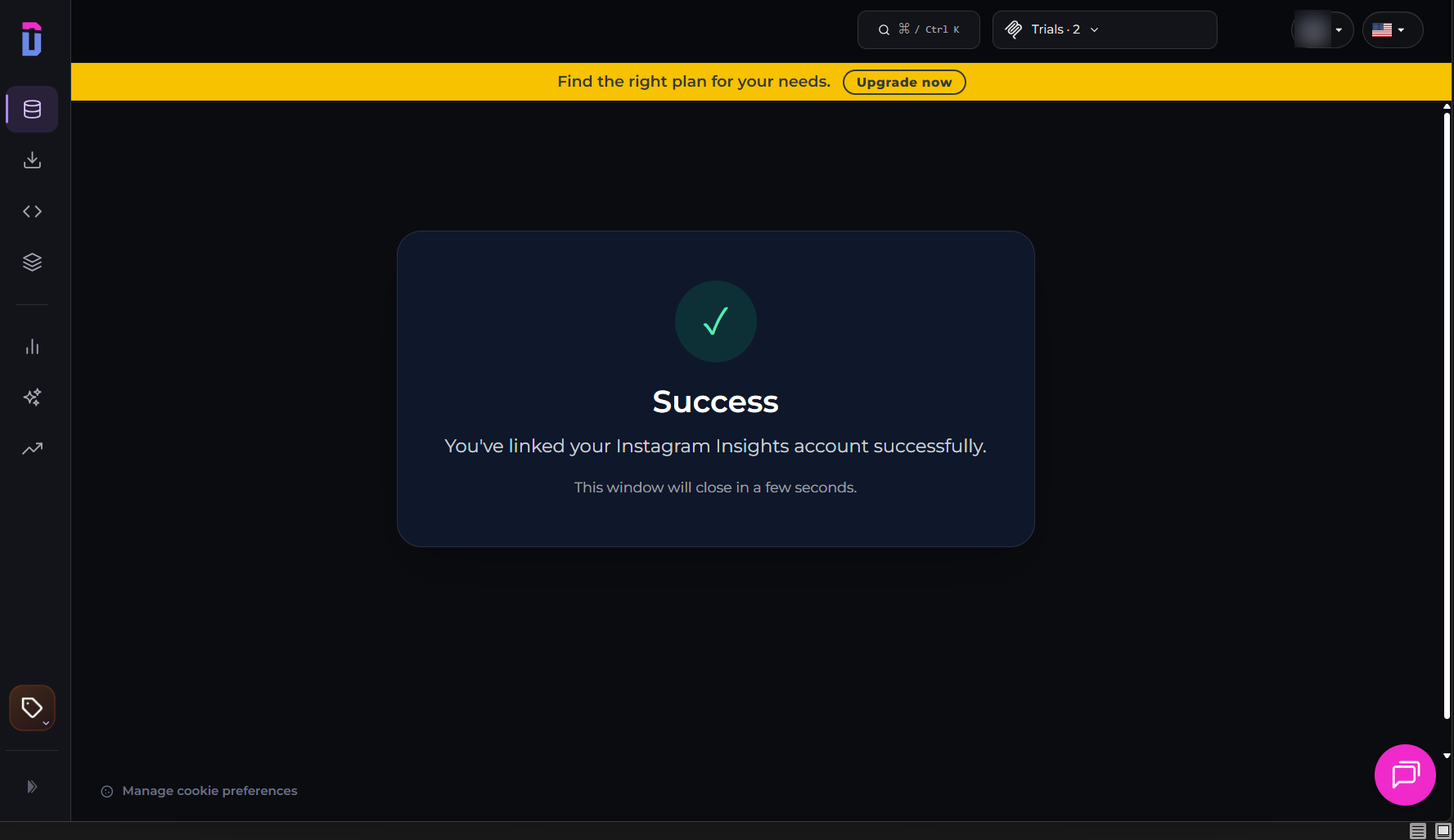
- Log in to Dataslayer, select Instagram Insights, and click to add a new account.
- Choose which Pages, Businesses, and Instagram accounts Dataslayer can access. Facebook asks you to set permissions for each separately. If you manage multiple accounts, select current only to restrict access to the accounts you choose. Save your permissions.
- Once connected, your Instagram account will appear under Instagram Insights in Dataslayer.
Step 2: Add Dataslayer MCP in Claude
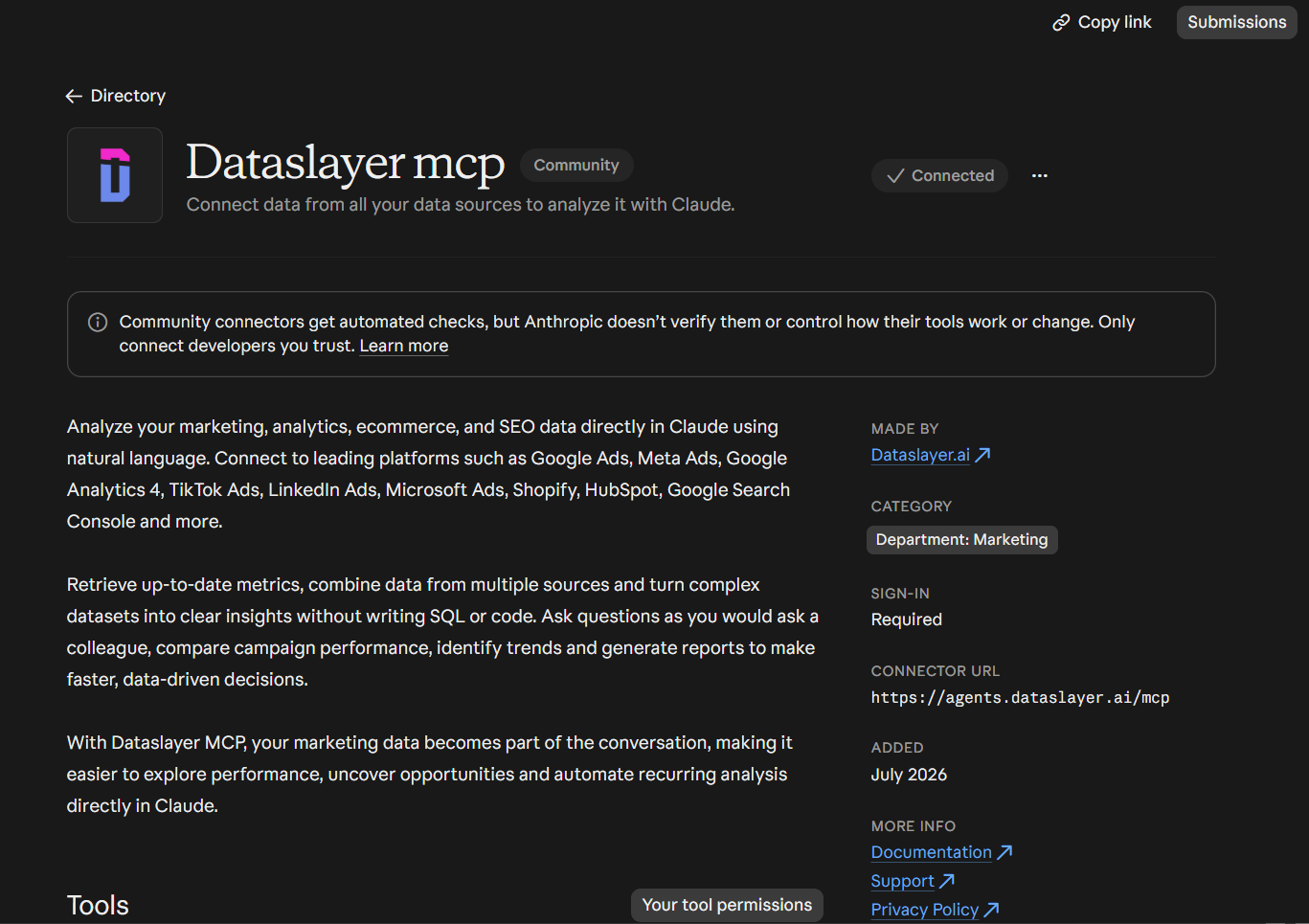
- Open the Dataslayer MCP listing in Claude's Connectors Directory and click Connect.
- Alternatively, find it in Settings → Connectors → Discover, search for Dataslayer, and select Connect.
- If prompted, sign in to your Dataslayer account and authorize the connection.
From that point, every Dataslayer source you’ve connected works the same way, giving you data in Claude for every account you add.
Step 3: Ask Claude about your Instagram account
Start a new Claude chat and confirm the connection with a simple prompt, such as:
"Using Dataslayer MCP, show Current Followers and Media reach for [your Instagram account] over the last 14 days."
Claude pulls your current follower count and reach figures straight from Dataslayer MCP and returns a grounded answer based on your actual Instagram data for that window. That means fresh numbers whenever you ask, without exporting CSVs or waiting on a report.
What Claude can see in your Instagram Insights account
Once you send Instagram Insights data to Claude, you can query dozens of metrics and dimensions covering profile reach, post-level engagement, Reels, Stories, and audience demographics.
The table below highlights commonly used fields. For the full list, see Dataslayer's Instagram Insights fields documentation.
Prompt ideas for Instagram Insights analysis with Claude
Use these Instagram Insights prompts to rank and compare content, track performance over time, and uncover actionable ways to improve your strategy. They're also designed to support client reporting for agencies using Claude.
Before running a prompt, replace the account and date-range placeholders with the relevant details for your account.
1. Rank your best-performing posts
Prompt:
“Rank my posts from the last 30 days by Media total interactions. Show Media type, Media views, and Media reach for each post. Identify the three highest-performing posts, highlight what they have in common, and recommend which content elements to repeat in upcoming posts.”
What you get: A ranking of your strongest posts, with their engagement, views, reach, and formats. Claude identifies patterns among the top performers and recommends content elements to build on. This gives you an Instagram engagement rate analysis Claude can use to guide your next content decisions.
2. Track follower growth and reach trends
Prompt:
“Track Current Followers, New Followers, and Profile Reach week over week for the last 6 complete weeks. Flag any week where New Followers dropped by more than 20% compared with the previous week. For each flagged week, examine posting frequency and content type, then recommend what to investigate to understand the decline.”
What you get: A six-week view of follower growth and profile reach, with significant drops in new followers highlighted. Claude identifies posting patterns worth reviewing and recommends what to change or investigate.
3. Generate next month's content plan
Prompt:
“Review my posts, Reels, and Stories from the last 30 days. Compare their Media total interactions and include Reel average watch time when evaluating Reels. Identify the three best-performing content formats and themes. Based on these results, create a content plan for next month with specific content ideas, recommended formats, and posting frequency. Explain why each recommendation is worth prioritizing.”
What you get: A content plan for the coming month built around your strongest formats and themes, with specific post ideas and recommended posting frequency based on your recent performance.
4. Get a weekly performance summary and action list
Prompt:
“Compare New Followers, Profile Reach, Media total interactions, and Reel views for the last 7 days against the previous 7 days. Flag any metric that changed by more than 10%. Identify the biggest change, explain what may have driven it, and recommend three actions to improve performance this week.”
What you get: A weekly performance summary highlighting significant changes in follower growth, reach, interactions, and Reel views, with recommended actions based on the biggest shift.
5. Compare Reels against feed posts
Prompt:
“Compare Reels and feed posts published over the last 90 days. For Reels, show Reel views, average watch time, and skip rate. For feed posts, show Media views and Media total interactions. Identify which format performs better on the available metrics and recommend how to adjust next month's content mix.”
What you get: A comparison of how Reels and feed posts attract and engage viewers. Claude identifies the stronger results and recommends which formats to prioritize in your next month's content plan. This gives you an Instagram Reels performance analysis Claude can repeat as your content strategy changes.
6. Spot where viewers drop off in your Stories
Prompt:
“Show Story impressions, Story reach, Story exits, and Story taps forward and back for Stories published in the last 24 hours. Identify the Story with the highest exit rate relative to reach and recommend what to change in its pacing or content in the next sequence.”
What you get: A breakdown of where viewers leave your Stories, highlighting the content with the highest exit rate and what you can change to keep viewers watching.
7. Analyze your audience demographics
Prompt:
“Analyze Follower demographics and Engaged audience demographics for the last 60 days, broken down by age, gender, and location. Identify the two segments with the highest engagement and recommend content themes to prioritize for each.”
What you get: A breakdown of the age, gender, and location groups most engaged with your content. The Instagram audience demographics Claude returns can help you identify which audience segments to prioritize and what content to create for them.
8. Review profile and link-click activity
Prompt:
“Review Profile Views, Profile Reach, and Profile links taps across the last 4 complete weeks. Identify weeks when increases in Profile Views also led to more link taps. Highlight the posts and Reels published during those periods that are worth looking into, and recommend how to improve profile traffic.”
What you get: A weekly comparison of profile activity and link taps, showing when increases in profile views coincide with more link clicks. Claude also highlights the posts and Reels associated with those increases and recommends ways to drive more profile traffic.
Beyond Instagram Insights: cross-channel analysis with Meta Ads, GA4, and TikTok Insights
Instagram Insights shows how your content performs on the platform, but not everything that happens after someone sees it. A Reel might drive profile link taps that lead to website visits in GA4, while paid Meta campaigns run alongside your organic content.
Comparing all these touchpoints in a single analysis helps connect Instagram activity with website traffic, ad performance, and audience growth.
The Dataslayer MCP Instagram connection lets Claude access Instagram Insights alongside 65+ other platforms (paid media, social media, SEO, CRM, e-commerce, etc.) connected in Dataslayer. You can then compare their performance in the same conversation.
Here are a few of the most common cross-channel analyses you can try:
- Paid and organic reach analysis: Set Instagram's organic Media reach against Meta Ads Reach to see how paid and organic activity contribute to visibility. Check whether increases in ad spend coincide with wider audience reach.
- Website traffic analysis: Track Profile links taps alongside GA4 Sessions to see whether increased bio-link activity brings more visitors to your website. UTM tracking helps identify the sessions coming specifically from Instagram.
- Short-form video analysis: Look at Instagram Reel views and average watch time alongside TikTok Video Views and average time watched. Identify which platform attracts more views and holds viewers' attention for longer.
- Audience growth analysis: Examine Instagram New Followers alongside TikTok Followers and Video New Followers. Find out which platform is contributing more to audience growth and whether video performance is translating into new followers.
Note: Treat these as directional comparisons, not exact reconciliations. Use UTM parameters on your Instagram bio link to identify website sessions from Instagram in GA4; without them, traffic may appear under a broader channel such as Organic Social.
Differences in reporting windows, time zones, attribution methods, and overlapping audiences can also affect the comparisons.
1. Compare paid and organic reach
Prompt:
“Show weekly Media reach for my organic Instagram posts alongside Meta Ads Reach over the last 45 days. Identify weeks when organic reach declined while paid reach increased. Based on these trends, recommend whether adjusting ad spend timing could help maintain visibility during periods of lower organic reach.”
What you get: A weekly view of organic and paid reach, highlighting periods when one increased as the other declined. You can use these patterns to decide when to adjust ad spend and maintain audience visibility.
2. Check whether bio-link clicks turn into website sessions
Prompt:
“Show weekly Instagram Profile links taps alongside GA4 Sessions attributed to Organic Social for the last 10 complete weeks. Identify weeks when the two metrics move together and when they diverge. For weeks with significant differences, recommend what to check in UTM tagging, landing-page performance, and GA4 traffic attribution.”
What you get: A view of Instagram bio-link taps alongside GA4 sessions attributed to Organic Social. You'll see where the figures diverge and what to check in your UTM tags and GA4 tracking.
3. Compare Reels against TikTok video performance
Prompt:
“Compare Reel views and Reel average watch time from Instagram Insights with Video Views and Video average time watched from TikTok Insights over the last 21 days. For videos of similar length, identify which platform holds viewers' attention longer and recommend where to focus content production next.”
What you get: A comparison of video views and watch time across Instagram and TikTok. You'll see which platform holds viewers' attention longer and where to focus your next batch of videos.
Why use Dataslayer for Instagram Insights analysis in Claude
Dataslayer gives Claude access to much more than Instagram Insights through a single MCP connection. You can query data from your other marketing platforms in the same chat, without setting up separate integrations.
Here's why it's worth connecting:
- Query 65+ platforms from one connection: The same Dataslayer Claude connector can retrieve data from Meta Ads, GA4, TikTok, and other connected sources. This makes it easier to analyze Instagram alongside your other marketing channels.
- Your data isn’t locked to this one connection: You can also send Instagram data to Google Sheets, Data Studio, Power BI, or BigQuery, depending on your reporting workflow. You don't have to rebuild existing reports to use Claude for analysis.
- Monitor performance with the built-in Alerts Agent: Dataslayer's Alerts Agent can flag unusual changes in metrics such as reach and engagement, so you can spot performance shifts without waiting to ask Claude.
- Get expert help when you need it: Reach Dataslayer's support team through live chat for help troubleshooting issues and keeping your data flowing.
There are two ways to use Dataslayer MCP with Claude:
- MCP as your destination: unlimited queries. The best fit if Claude is where you analyze your marketing data.
- Included with any other destination: every plan includes MCP access alongside your core destination, such as Google Sheets or Data Studio, with up to 500 queries per day.
Both options include a 15-day free trial with no credit card required.
See Dataslayer's pricing plans for current rates and usage limits.
Other ways to connect Instagram Insights to Claude
There are several ways to connect Instagram Insights to Claude beyond Dataslayer, from hosted connectors and independent MCP servers to manual exports and custom integrations.
Your choice depends on your data needs, update frequency, and the number of platforms you want to connect:
- Other third-party connectors (Porter Metrics, Supermetrics, Windsor, etc.). Multiple platforms offer Instagram MCP connectors for Claude. The setup process is similar: connect your Instagram account and authorize Claude to access your data through the provider's MCP server. Many also support additional data sources, so you can analyze multiple platforms in one place. The main differences come down to pricing, connector and account limits, and the range of integrations each provider supports.
- Use a community-built Instagram MCP server. Meta's official MCP server covers advertising rather than organic Instagram Insights. Independent developers have built MCP servers on top of the Instagram Graph API, but setup varies. Some require a Meta developer app, access-token configuration, and a server you host and maintain. Check the permissions and security of any project before connecting your account.
- Export reports from Meta Business Suite. Download available Instagram Insights reports and upload them to Claude for analysis. This works for occasional reporting, but every update requires another export. You'll also need to combine files manually for cross-platform analysis, making this a limited Instagram Insights export alternative for ongoing reporting.
- Build your own Instagram Graph API integration. A developer can create a custom application and MCP server to retrieve the specific Instagram data you need. This gives you more control, but your team handles permissions, access tokens, hosting, API limits, and any required app review.
The table below compares the available Instagram to Claude integration methods, in terms of setup, pricing, cross-platform access, and ongoing maintenance.
For occasional Instagram reporting, a manual export may be enough. For ongoing analysis across multiple platforms, Dataslayer is the preferred option, as it brings the data into one connection without requiring you to manage API tokens.
Tips for effective Instagram Insights reporting in Claude
Once your Instagram Insights Claude integration is connected, use these habits to keep your reports consistent and effective:
- Pull Story metrics before they expire. Story Insights are available for a limited period, so run these prompts within 24 hours of posting.
- Separate content types in your prompts. Some metrics apply only to Reels, carousels, or other post types. Ask Claude to group results by Media type and request the relevant fields for each format to avoid empty results and misleading comparisons.
- Specify the account in every prompt. You can manage multiple Instagram accounts in Dataslayer using the same Claude connector. Include the account name or handle and reporting period in your prompt to make sure Claude retrieves data from the intended account.
Understanding Instagram Insights reporting limits in Claude analysis
Instagram Insights metrics come with specific definitions and availability limits. These affect what Claude can retrieve and whether a figure means what it looks like.
Here are five reporting issues worth understanding before you use the data to assess performance:
- Media views and Media reach aren't interchangeable. Media views counts every time your content was viewed, including repeat views from the same account. Media reach counts only the unique accounts that saw it at least once. A Reel replayed several times by the same viewers can rack up far more Views than Reach. Compare both metrics to understand how often your content was viewed and how many accounts it reached.
- Carousel metrics are specific to carousel posts. Carousel views, Carousel reach, and Carousel unique saves are media-type-specific: Instagram only populates them for multi-image or multi-item posts. Requesting them for a single-image post or Reel returns no value, not a lower number — that doesn't mean the content performed poorly. Check the Media type field first and request carousel-specific metrics only for posts classified as carousels.
- Story insights have a limited reporting window. Instagram's standard Insights API only makes Story-level metrics available for roughly 24 hours after publication. Once that window closes, you generally can't retrieve historical Story insights through regular queries. Meta's story_insights webhook is the exception: for apps subscribed to it before the Story was posted, it delivers the Story's metrics about an hour after the Story expires. That webhook has to be set up in advance — it can't be added retroactively once a Story has already expired.
- Demographic breakdowns have minimum audience thresholds. Instagram won't return a demographic breakdown unless a given bucket — an age range, a gender, a city — includes more than 100 people. Meta's own in-product warning reads: “Demographic data not available. You will be able to get more information about your audience when this metric has more than 100 people in each breakdown.” This is an Instagram Graph API restriction, not a Dataslayer limitation. Don't interpret a missing breakdown as an error or as evidence your audience has no identifiable pattern — it may just mean no single bucket cleared the 100-person floor.
- Media engagement rate isn't a standardized metric. Some tools calculate engagement against reach, others against views or followers. These formulas produce different rates for the same post, making direct comparisons unreliable. Before comparing engagement rates across tools, check that they use the same calculation method.
Keep these definitions and limitations in mind when interpreting Claude's results. The Instagram Insights prompts shared above show how to account for them when analyzing your data.
Where Instagram Insights reporting needs extra care
A few more things worth knowing as you work with this Instagram Insights data integration into Claude:
- Insights history starts when your account becomes professional. Switching from a personal account to Business or Creator doesn't restore data from before the change. The API also limits account-level metrics to roughly 90 days, while individual post metrics can remain available for up to two years. For longer-term trend reports, use post-level data rather than account totals.
- Media-level numbers are organic only. If you've boosted a post through Meta Ads, Media reach, Media views, Media likes, and Media comments reflect organic activity alone; the boosted portion is tracked separately through your Meta Ads data. Compare the two side by side rather than expecting Instagram's own post metrics to include paid reach.
- Deleting a post deletes its insights with it. Once you remove a post, its likes, comments, reach, and other metrics stop counting toward your account's numbers. Pull the figures you need before archiving or deleting anything you might want to reference later.
- Instagram's own rate limit sits underneath Dataslayer's. The Graph API caps requests per Business account per hour, separate from Dataslayer's own daily query allowance. You're unlikely to hit it through normal use, but it matters if you're running many prompts back to back.
Access and data handling
- Permissions: Dataslayer can only access Instagram accounts your Facebook login is authorized to manage. The connection is read-only.
- Authentication: Dataslayer uses OAuth 2.1 to authorize the connection. Your Instagram credentials aren't shared with Claude, and you can revoke access by disconnecting the integration.
- Data handling: Dataslayer sends requested metrics and query results to Claude over an encrypted connection. Once in Claude, that data is subject to Anthropic's privacy and retention policies.
Fixing common Instagram Insights connection issues in Claude
Most Instagram to Claude connection issues come from account permissions, an expired connection, or an unsupported metric. Use the table below to identify the cause and find the appropriate fix.
If the issue persists, check that your Instagram Insights connection is active in Dataslayer. If it is, remove the Dataslayer MCP connector from Claude's Settings → Connectors and reconnect it.
FAQs
What's the fastest way to get Instagram data into Claude?
The quickest way to connect Instagram Insights to Claude is through Dataslayer MCP. Setup takes less than a minute: add your Instagram account in Dataslayer, install the Dataslayer connector in Claude, authorize access, and start querying your Instagram metrics in plain language.
Do I need a separate setup for each client's Instagram account?
No. To connect Instagram to Claude for multiple clients, add each client's Instagram account separately in Dataslayer. Dataslayer MCP connector automatically covers all connected accounts, so simply name the client you want Claude to report on in each prompt.
Can Claude combine Instagram with my other marketing data?
Yes. Connect Instagram Insights, Meta Ads, GA4, and other sources in Dataslayer. This is how to integrate Instagram Insights data into Claude alongside your other platforms, allowing Claude to query them in one conversation and present combined results in a chart or table.
Can Claude turn my Instagram numbers into a chart or report I can share?
Yes. Ask Claude to turn your Instagram metrics into an artifact, such as a bar chart showing weekly Media reach or a table ranking posts by total interactions. You can then view and share the results instead of relying on a text summary.
Does Claude remember my Instagram data between conversations?
No. Claude retrieves your latest Instagram data from Dataslayer each time you start a new conversation. To keep instructions such as your preferred reporting time zone consistent, add them to a Claude Project and reuse that Project for future chats.
Can Claude post, schedule, or change anything on my Instagram account?
No. The Dataslayer connection is read-only. Claude can retrieve and analyze your Instagram Insights, but it cannot publish or schedule posts, reply to comments, or make changes to your account.
Why don't my Instagram numbers in Claude match what I see in the Instagram app?
Differences usually come from metric definitions or reporting periods. Media views includes repeat views, while Media reach counts unique accounts. Check that you're comparing the same metric, date range, and time zone in both places.
How much does it cost to connect Instagram Insights to Claude with Dataslayer?
For unlimited queries, choose MCP as your Dataslayer destination. Every plan also includes MCP access alongside your core destination, with up to 500 queries per day. Both options come with a 15-day free trial and require no credit card.